Appearance
FAC-GOV-04 · Accreditation evidence packs
When NHIA, a council or an accreditor assesses the hospital, they ask for evidence against each of their criteria: policies, audits, training records, minutes. Operations → Accreditation evidence keeps that evidence as a pack per assessment. Each record names its owner and where the original is kept, and is checked by a second person before the pack goes to the regulator.
Why this matters
Assessments are lost on missing or out-of-date evidence, not on missing care. A pack shows at a glance what is accepted, what is waiting and what is overdue, and the review trail shows who checked each record and when.
Before you start
- Accreditation Coordinator:
quality@demo-clinic.test/Verabase-2026(Mrs. Ngozi Okeke). She lands on Accreditation evidence when she signs in. - A second reviewer: another accreditation coordinator or the Facility Admin (
admin@demo-clinic.test/DemoAdmin-2026). Whoever adds a record can't accept it. The demo has one coordinator, so the facility admin accepts. - The evidence itself stays where the hospital keeps it (the document system, a binder). The pack records where, under Source reference.
Steps
1. Create the pack
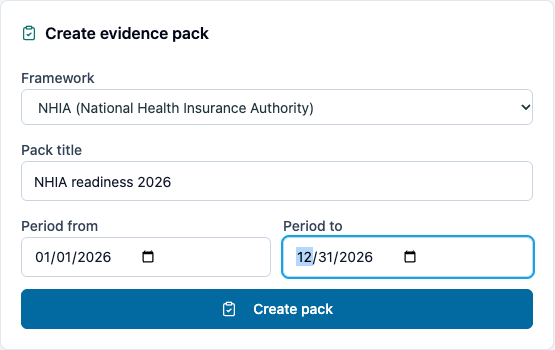
Choose the Framework (NHIA, MDCN, NMCN, JCI, ISO 9001, the facility's own standards), a Pack title and the period it covers, then Create pack. The pack is numbered (ACC-000001) and starts as a Draft.
2. Add evidence, one record per criterion
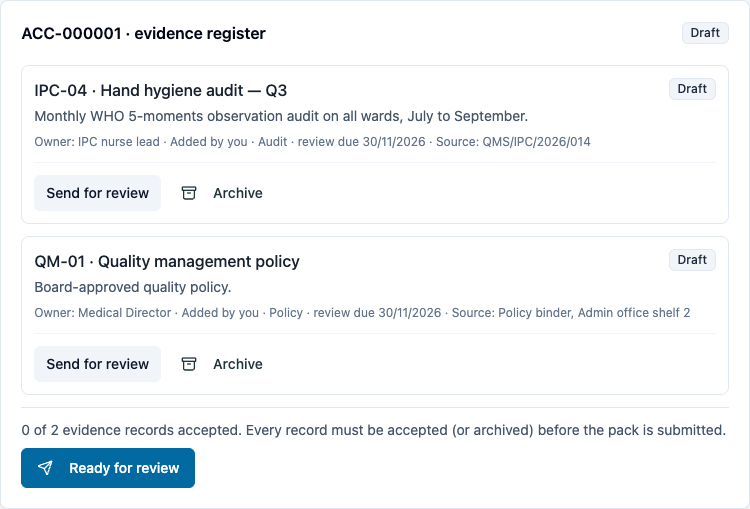
For each criterion: the Criterion code from the framework (IPC-04), the Evidence type, a title, what it shows, the Owner who keeps it current, when it is next due for review, and the Source reference. Each criterion has one record per pack. A record past its review date is marked overdue.
3. Send each record for review
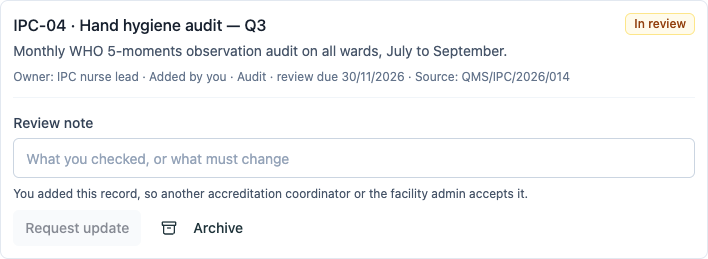
On each record, choose Send for review. Every record says who added it. You can't accept a record you added: the record says You added this record, so another accreditation coordinator or the facility admin accepts it. When all the records are in, choose Ready for review.
4. A second person reviews each record
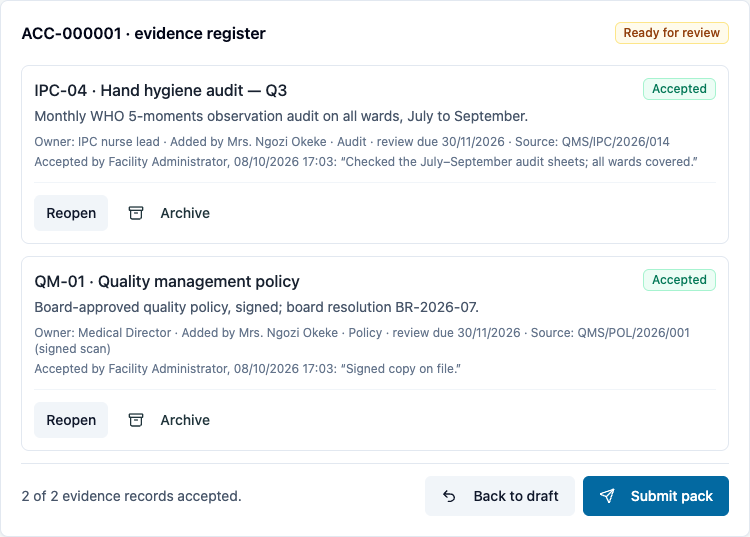
The facility admin (or another coordinator) opens the pack. On each record, they write a Review note saying what they checked and choose Accept. If something is missing, they write what must change and choose Request update. The button stays disabled until there is a note, because the owner needs to know what to fix.
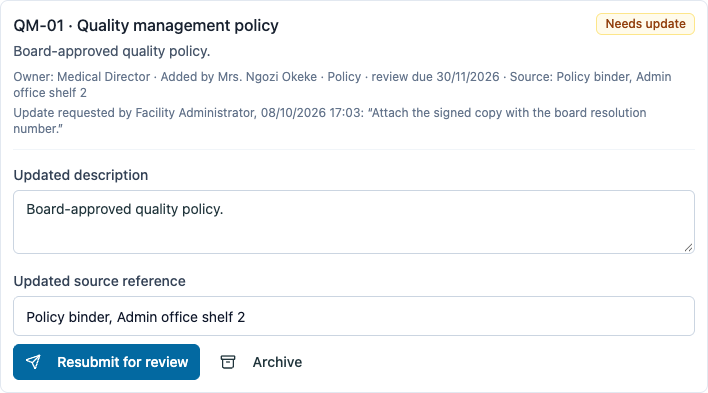
The coordinator corrects the description or source reference on the record and chooses Resubmit for review, and the reviewer accepts it. A record that doesn't belong in this pack can be archived. Each accepted record shows both names: Added by Mrs. Ngozi Okeke and Accepted by Facility Administrator.
5. Submit the pack
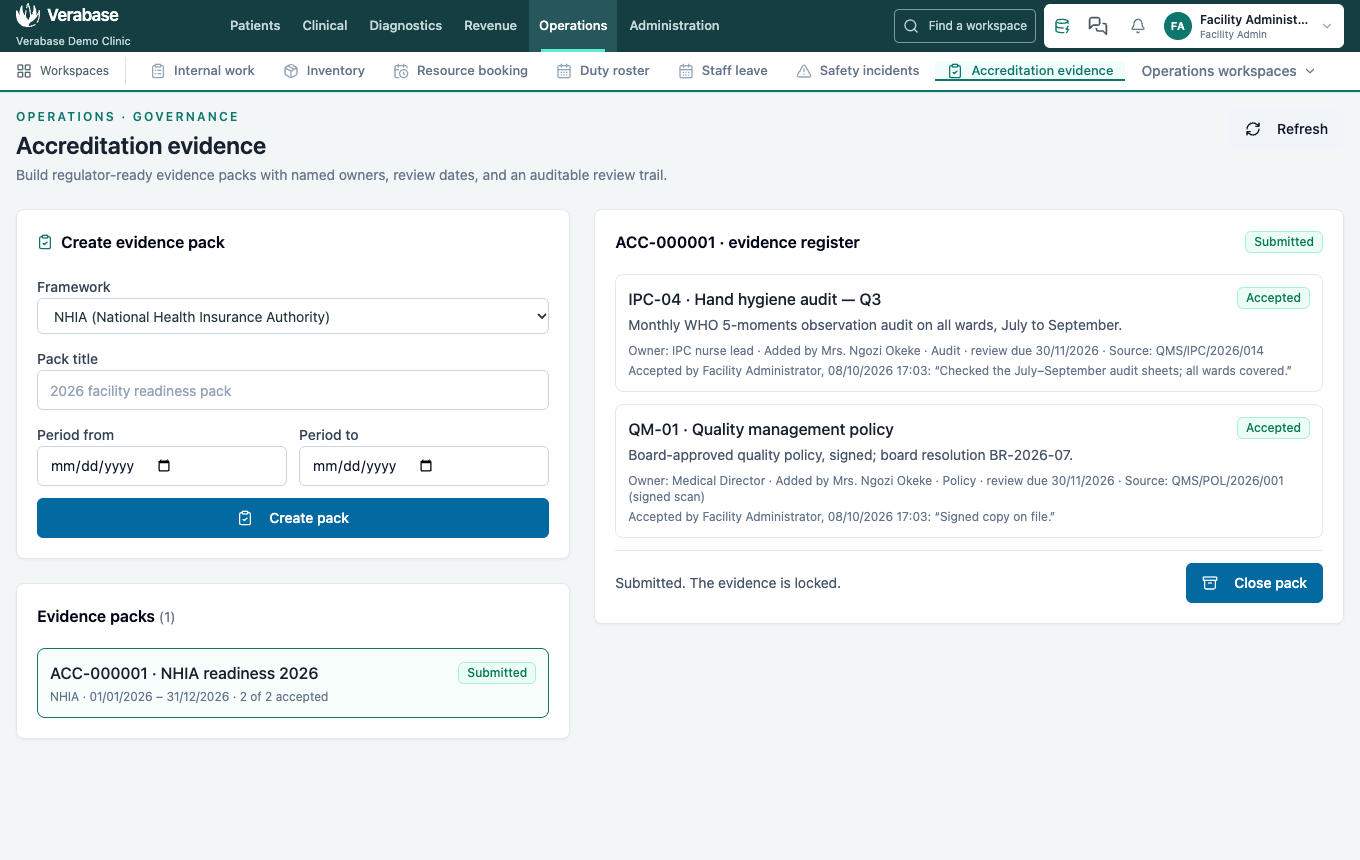
Ready for review marks the pack complete. Submit pack stays disabled until every record is accepted (or archived), and the page says how many are accepted.
Once submitted, the pack and its evidence are locked: nothing can be added, reviewed or archived. Close pack when the assessment is over.
What Verabase will refuse and why
| You try to… | Verabase says | Why |
|---|---|---|
| Send an empty pack for review | Ready for review stays disabled | There is nothing to review |
| Submit with a record not accepted | Submit pack stays disabled; 1 of 2 evidence records accepted… | The regulator gets only checked evidence |
| Accept a record you added | No Accept on your own record; through the API: You added this record, so someone else must accept it… | A second person checks what goes to the regulator |
| Request an update without a note | Request update stays disabled | The owner must know what to change |
| Change evidence after submission (through the API) | This pack has been submitted, so its evidence can no longer change. | The submitted pack is the record of what was sent |
| Open Accreditation as a ward nurse | You're taken to Nursing tasks | Evidence packs are for the quality office |
You're done when…
- [ ] Every criterion in the framework has a record with an owner and a source reference.
- [ ] No record is overdue for review when the pack is submitted.
- [ ] Every accepted record was accepted by someone other than the person who added it.
Practice task
Create a pack for the facility's own standards with two criteria and send both for review. Ask the facility admin to send one back for an update; correct it, have both accepted, and submit. Check: you weren't offered Accept on your own records, and the trainer sees the pack as Submitted, 2 of 2 accepted, with both names on each record.
Related journeys
FAC-GOV-01 Audit log for compliance · FAC-GOV-02 Retention and legal holds · FAC-REP-01 Reports