Appearance
IMP-06 · Registration questions and patient forms
Registration is deliberately short: name, age, sex and phone get a patient into the queue fast. Anything else you ask at the desk is a registration question, and the detail can wait for patient forms the patient fills while waiting.
Steps
1. Add a registration question
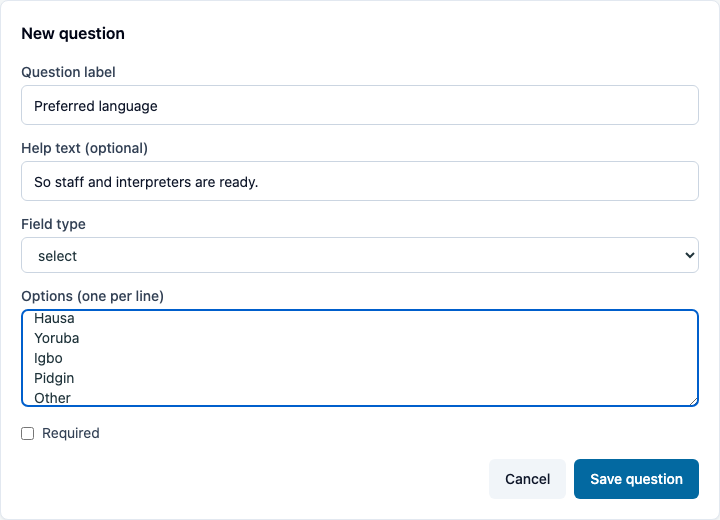
Administration → Registration form → Add question:
- Question label and optional Help text.
- Field type: text, textarea, number, date, email, phone, select (one per line in Options), checkbox, radio, multi-select, section or table.
- Required only if registration truly can't proceed without it.
Then Save question. Use Move up / Move down to set the order.
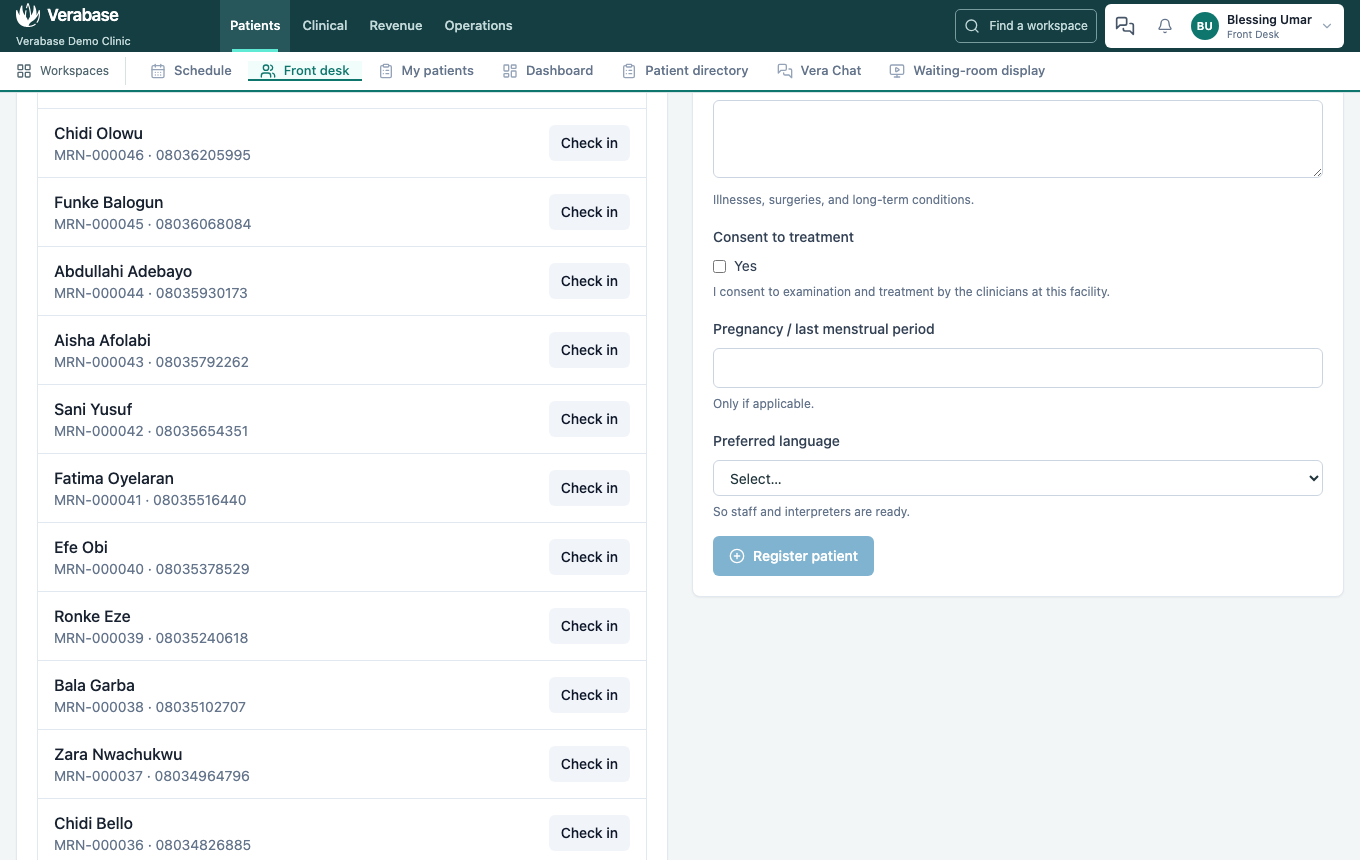
You should see: the front desk's Register patient form shows it straight away. No deploy, no developer.
WARNING
A Known allergies free-text question does not set the patient's allergy status. That is recorded with No known allergies or Add flag on the patient's profile (FAC-OPD-01 step 2).
2. Patient forms
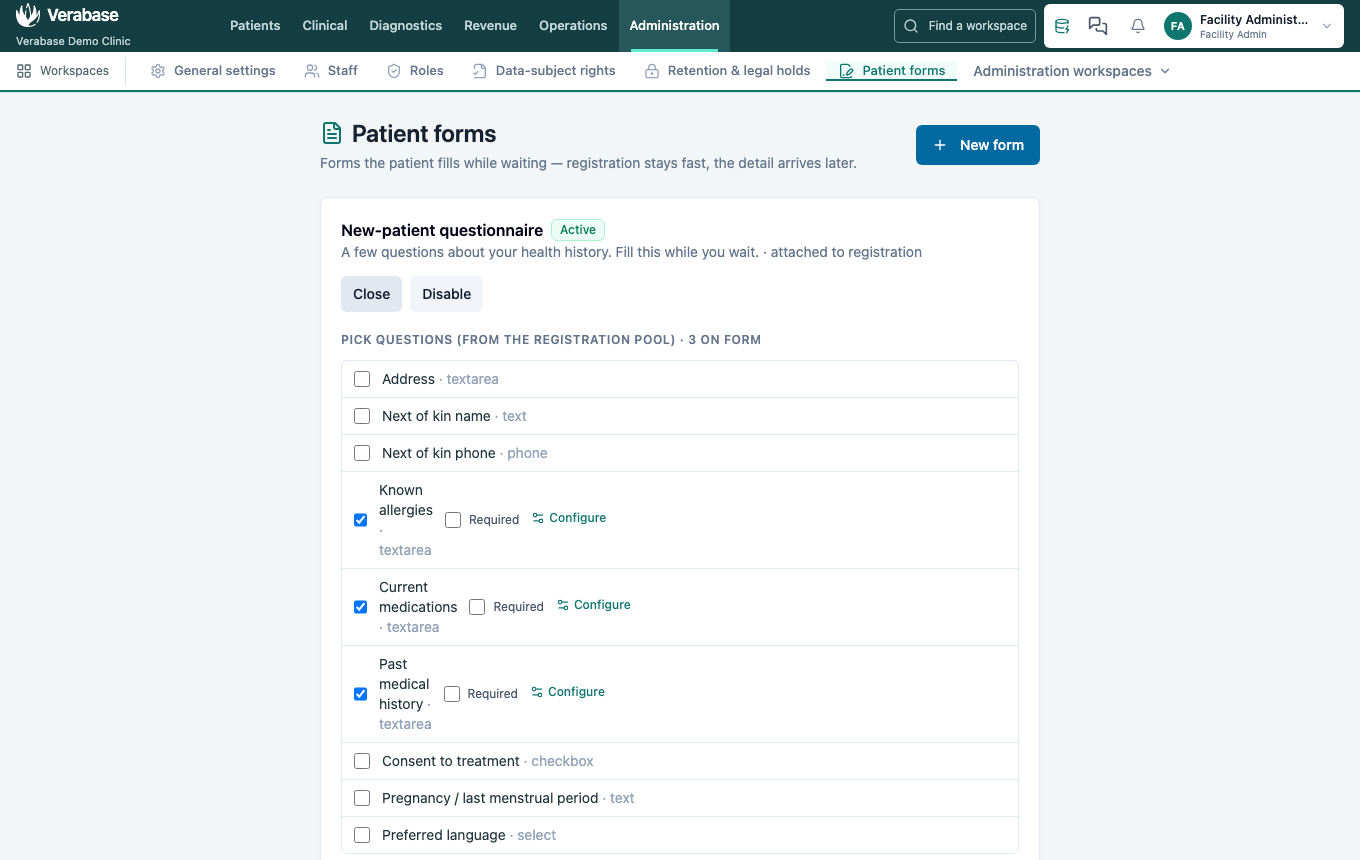
Administration → Forms lists the forms attached to registration: in the demo, the New-patient questionnaire, Consent to treatment and Antenatal intake. Questions opens a form's questions for editing; Disable retires it; New form adds one. After registering, the front desk sees "N forms to fill — patient can do it while waiting" with a link.
You're done when…
- [ ] The desk asks exactly what your hospital needs, in a sensible order, and nothing is required that doesn't have to be.
- [ ] Consent and intake forms say what your clinicians need.
Practice task
Add State of origin as a select question listing the six geopolitical zones. Check: the front desk sees it on the next registration.