Appearance
CP-04 · Support a hospital that calls in
A hospital phones: "Verabase is slow", or "the ward tablet says offline". Support works entirely from health signals. The support workspace is "diagnostics and incident response without clinical record access." You never need, and never get, a patient's chart to diagnose a platform problem.
Steps
1. Start from the fleet
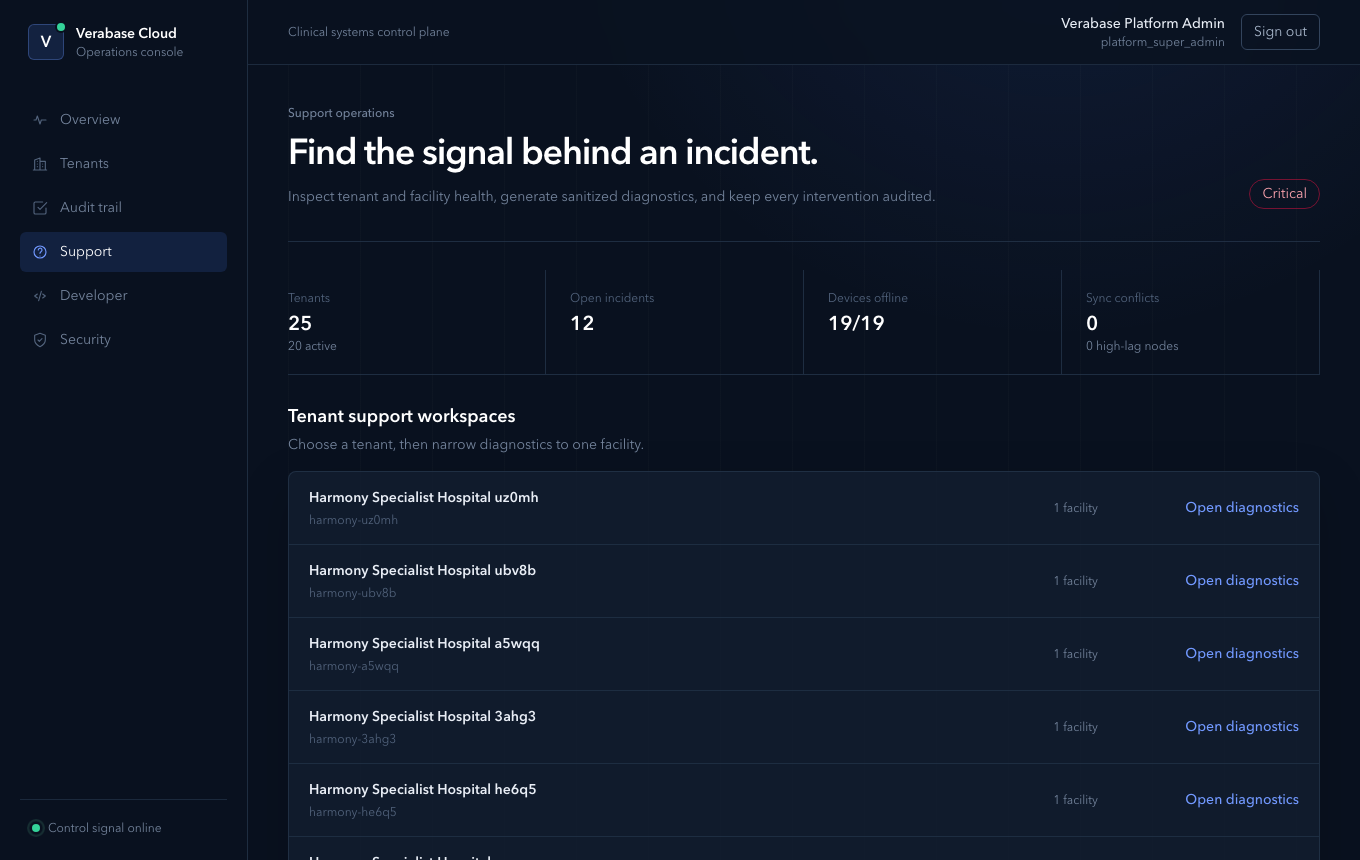
Support shows the whole fleet at once: tenants and how many are active, open incidents, devices offline and sync conflicts. Below that is the list of tenant support workspaces.
2. Open the hospital's workspace
Choose the hospital. If the call is about one site, pick that facility in the scope bar (Entire tenant · facility). Every panel narrows to it.
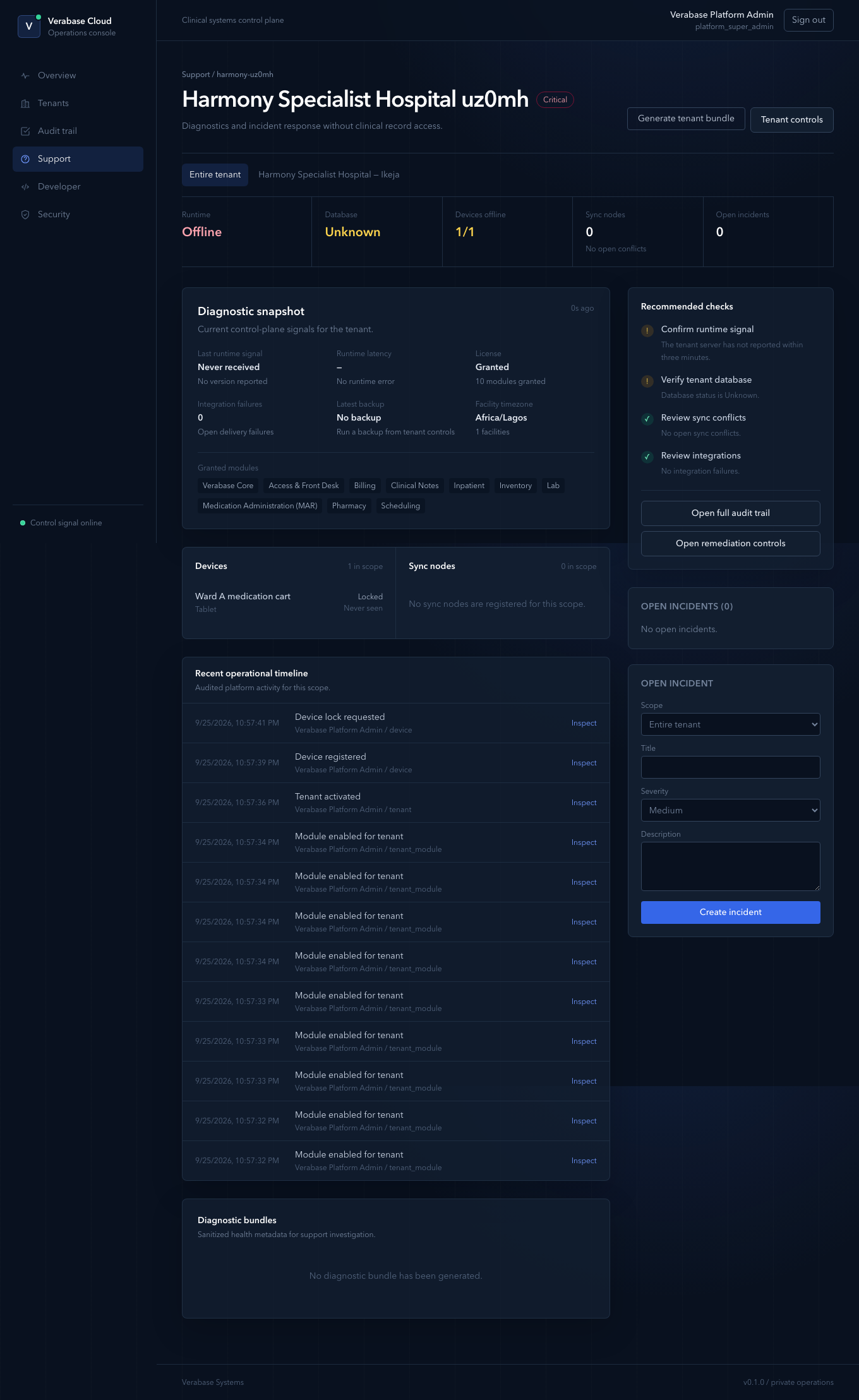
Read it top to bottom:
| Panel | What it tells you |
|---|---|
| Runtime / Database | Whether the hospital's tenant server is reporting in, and whether its database is healthy. Offline means no heartbeat for three minutes. |
| Devices offline | Devices not seen for 24 hours, out of all devices in scope. |
| Diagnostic snapshot | Last runtime signal and version, latency, licence state and module count, open integration failures, latest backup, facility timezone. |
| Granted modules | What the hospital is licensed to see. "The lab screen is missing" is often simply "Lab is not granted". |
| Recent operational timeline | Every audited platform action for this tenant: grants, activation, device registration. Each has Inspect. |
| Recommended checks | A checklist built from the signals above: runtime, database, sync conflicts, integrations. Work down it. |
3. Record the incident
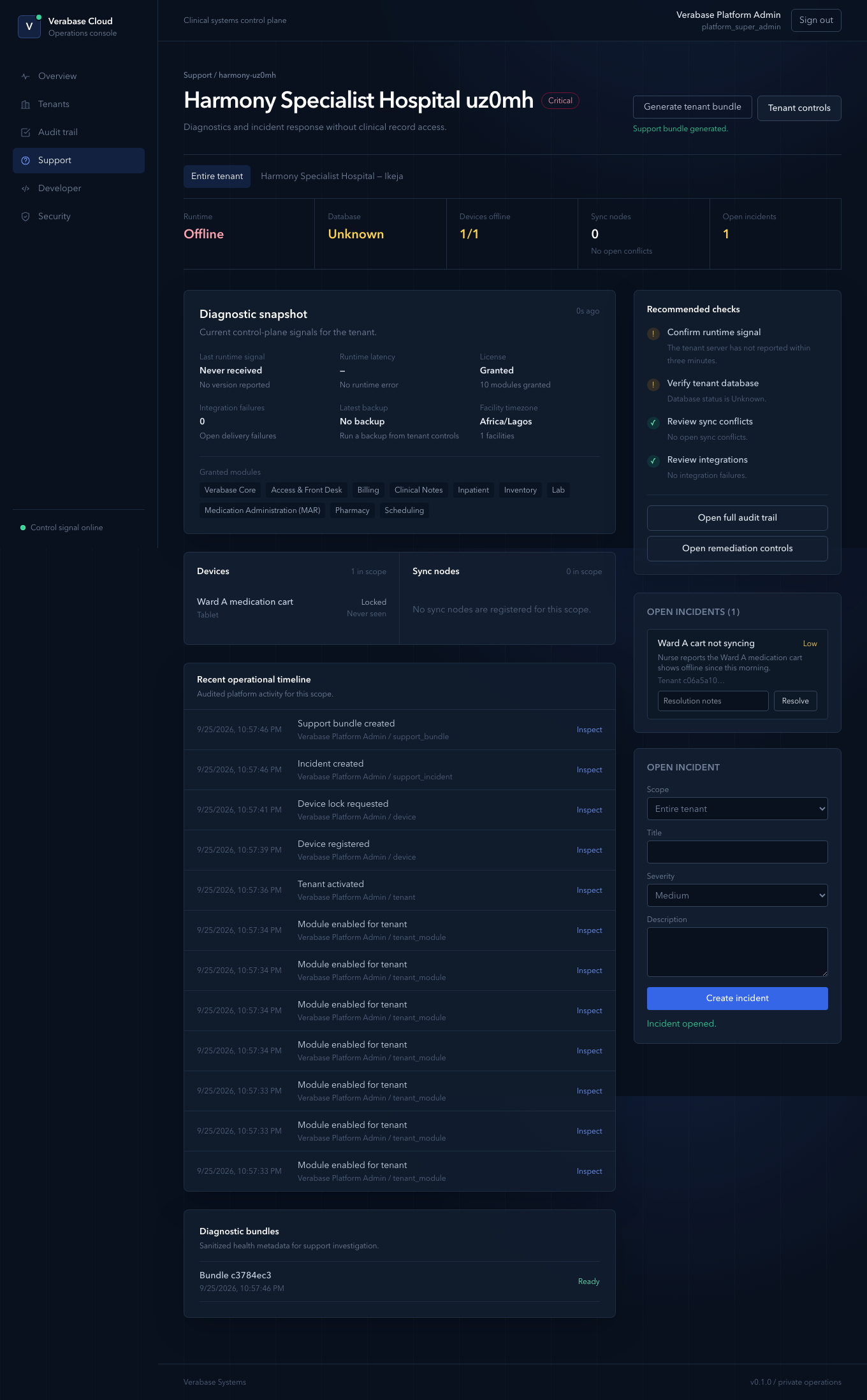
In Open incident, choose the scope (entire tenant or one facility), give it a title, pick a severity (Low, Medium, High, Critical) and describe the symptom in the hospital's words. Then Create incident. It appears under Open incidents and on the fleet view until resolved with resolution notes.
4. Generate a diagnostic bundle
Generate tenant bundle captures sanitised health metadata (no clinical data) to attach to an escalation. The page confirms "Support bundle generated." and lists it under Diagnostic bundles. Both the incident and the bundle appear in the operational timeline.
5. Fix, or hand over
Open remediation controls takes you to the tenant page (licence, module grants, devices, backups, integrations). Open full audit trail shows everything that changed recently.
A worked example: a brand-new tenant
The screenshot above is a tenant straight after CP-02 in the local environment. It reads Critical: Runtime Offline, Database Unknown, Last runtime signal: Never received, No backup. That is correct, because no tenant server has reported in yet. On a real go-live, Confirm runtime signal should turn green within minutes of activation. If it doesn't, provisioning has not completed.
You're done when…
- [ ] You can say, from the workspace alone, whether a complaint is runtime, database, device, sync or integration.
- [ ] The call is recorded as an incident with a severity.
Practice task
For your practice hospital, open the support workspace, scope it to your facility, create a Low incident "Practice: tablet not syncing" and generate a bundle. Check: the incident appears on the Support overview.