Appearance
IMP-03 · Departments, wards, beds and units
The bed board, ward round and census all describe a building. Departments own units, and a unit can be linked to a ward, which is where the beds are. Build it once, the way the hospital is actually laid out.
Steps
1. Department
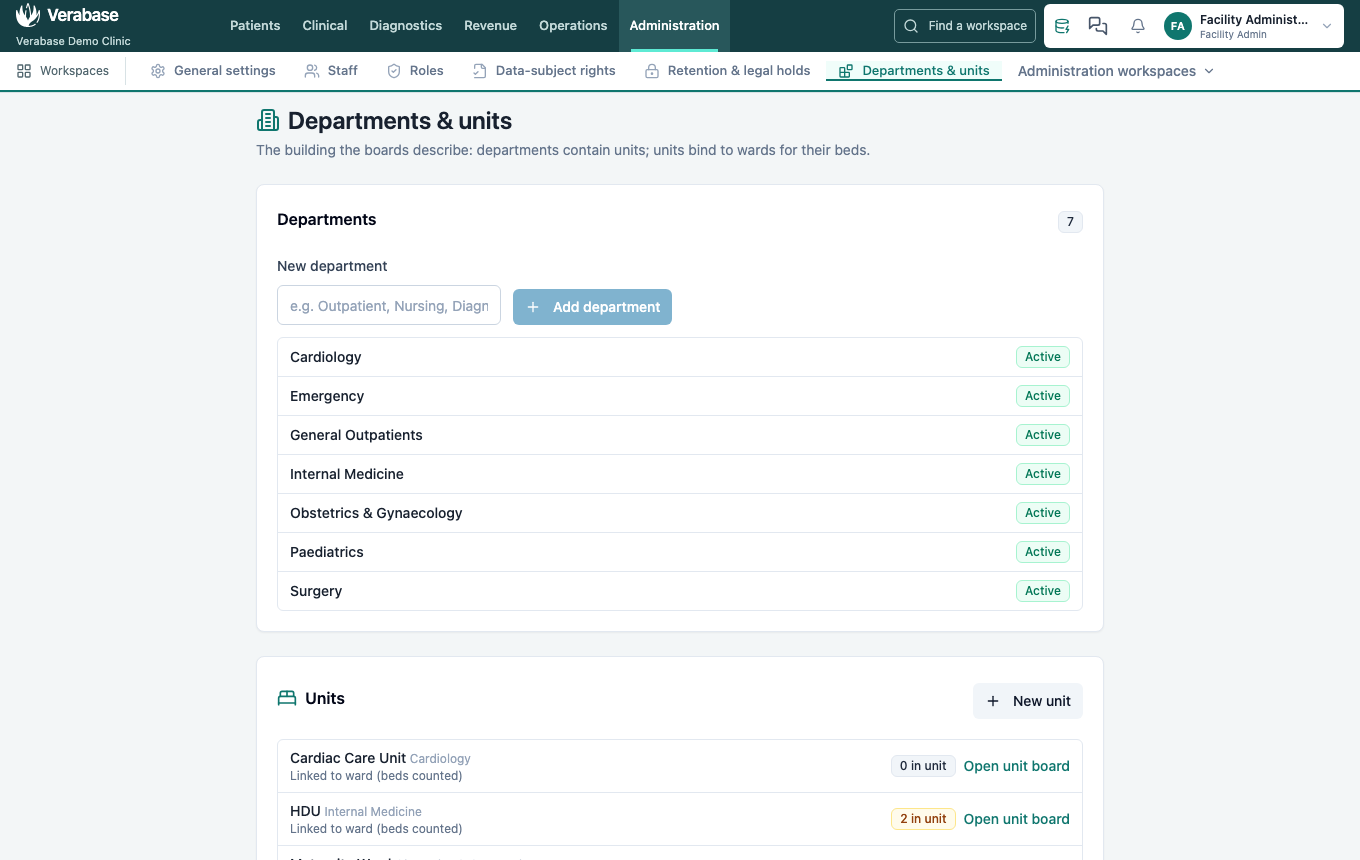
Administration → Departments & units. Type the name in New department (e.g. Cardiology) and choose Add department. It appears in the list as Active.
2. Ward and beds
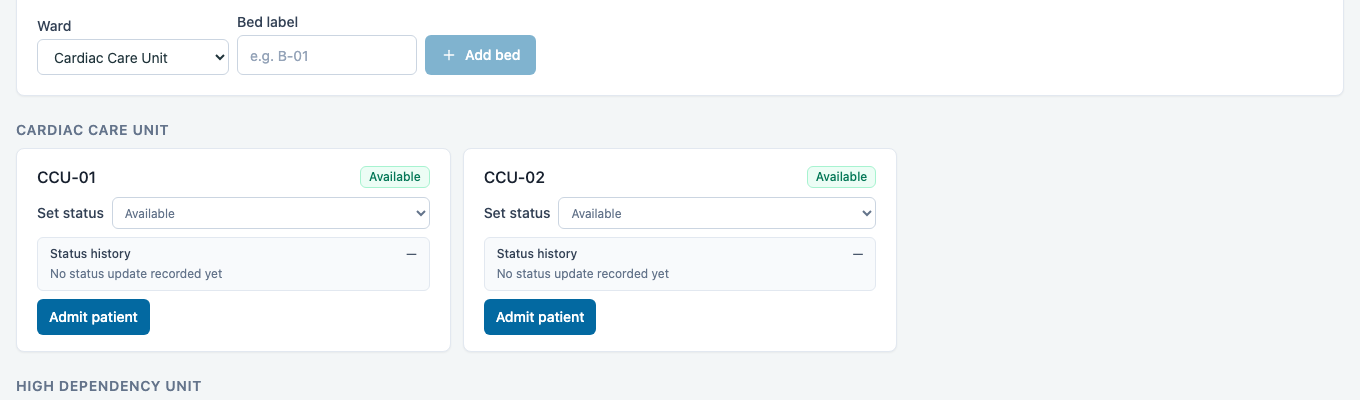
On Clinical → Bed board, which bed managers can edit:
- New ward → Cardiac Care Unit → Add ward.
- For each bed, choose the Ward, type a Bed label (e.g. CCU-01) and choose Add bed. Label beds exactly as they are labelled on the ward; nurses will use them.
3. Unit
Back on Departments & units → New unit: choose the Department, give the Unit name, and set Linked ward (for beds). Then Create unit. The unit shows Linked to ward (beds counted).
You're done when…
- [ ] Every ward in the building exists on the Bed board with every bed, correctly labelled.
- [ ] Every ward has a unit under the right department.
Practice task
Add a four-bed Recovery ward under Surgery. Check: the Bed board shows four free beds, and Departments & units shows the unit linked to the ward.