Appearance
CP-06 · Change a hospital's plan, suspend, reactivate and archive it
A hospital's commercial life after go-live happens on its tenant page in platform-admin. The License card holds its plan, and the Lifecycle panel holds its state. A plan change can switch off modules the hospital uses, and suspending or archiving cuts its staff off. Each step says what will happen before you confirm it.
Why this matters
A plan is the ceiling on what the hospital's own server allows: a module outside the licence is refused there, even if it is granted here. Moving a hospital to a smaller plan by mistake would stop doctors opening the chart or the lab from releasing results, at a moment nobody chose. Suspending or archiving the wrong tenant locks out a whole hospital.
Before you start
- Platform Admin on platform-admin (
admin@verabase.locallocally; see CP-01). - A live hospital (see CP-02). The walk uses Kano Mercy Clinic on the Verabase Professional plan with Clinical Notes, Lab and Inpatient granted.
- The signed order or instruction from the account owner. Plan changes, suspensions and archives are commercial decisions, not support fixes.
Steps
1. Read the current plan
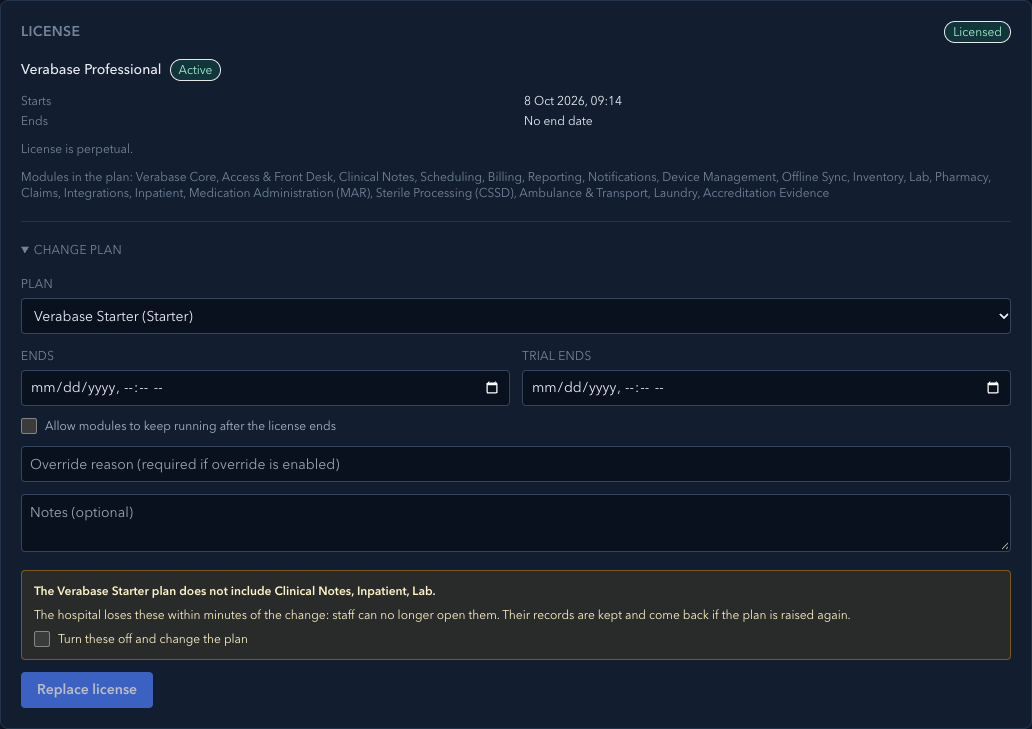
Open the tenant from Tenants. The License card shows the plan, its state (Licensed), when it started and ends (day first: 8 Oct 2026, 09:12), and the modules the plan includes.
2. Change the plan
- Open Change plan and choose the new Plan.
- If the new plan leaves out modules the hospital has granted, the card says which: The Verabase Starter plan does not include Clinical Notes, Inpatient, Lab. Replace license stays disabled until you tick Turn these off and change the plan.
- Choose Replace license. The card says Plan saved.
The grants are kept, so moving back up restores them. Until then, each affected module says so in Module provisioning:

Moving to a larger plan needs no confirmation. Each plan change is recorded in the audit trail with the modules it turned off (CP-05).
3. Suspend
Use this when the account owner asks for access to be paused (for example, non-payment).
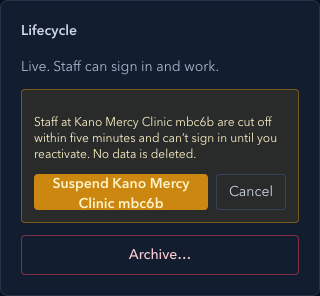
- In Lifecycle, choose Suspend….
- Read what will happen: staff are cut off within five minutes and can't sign in until you reactivate; no data is deleted.
- Choose Suspend Kano Mercy Clinic.
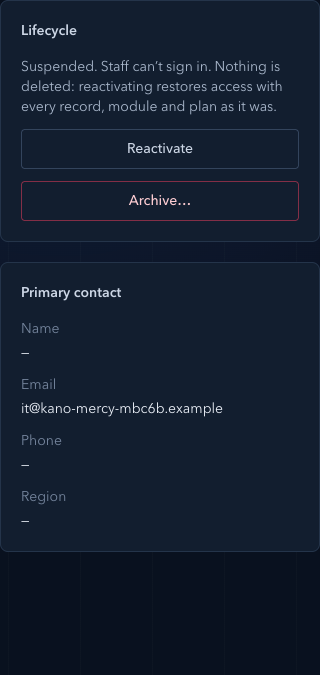
The tenant shows Suspended, and the panel offers Reactivate and Archive…:
4. Reactivate
Choose Reactivate. The hospital is live again with the same plan, modules and records.
5. Archive
Use this only when the hospital has left and the account owner has confirmed it in writing.
- Choose Archive….
- Type the tenant's slug (for example
kano-mercy-m80z3). Archive stays disabled until it matches exactly. - Choose Archive Kano Mercy Clinic.
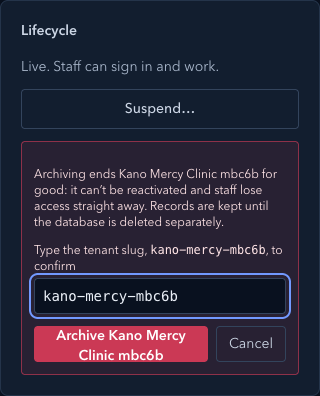
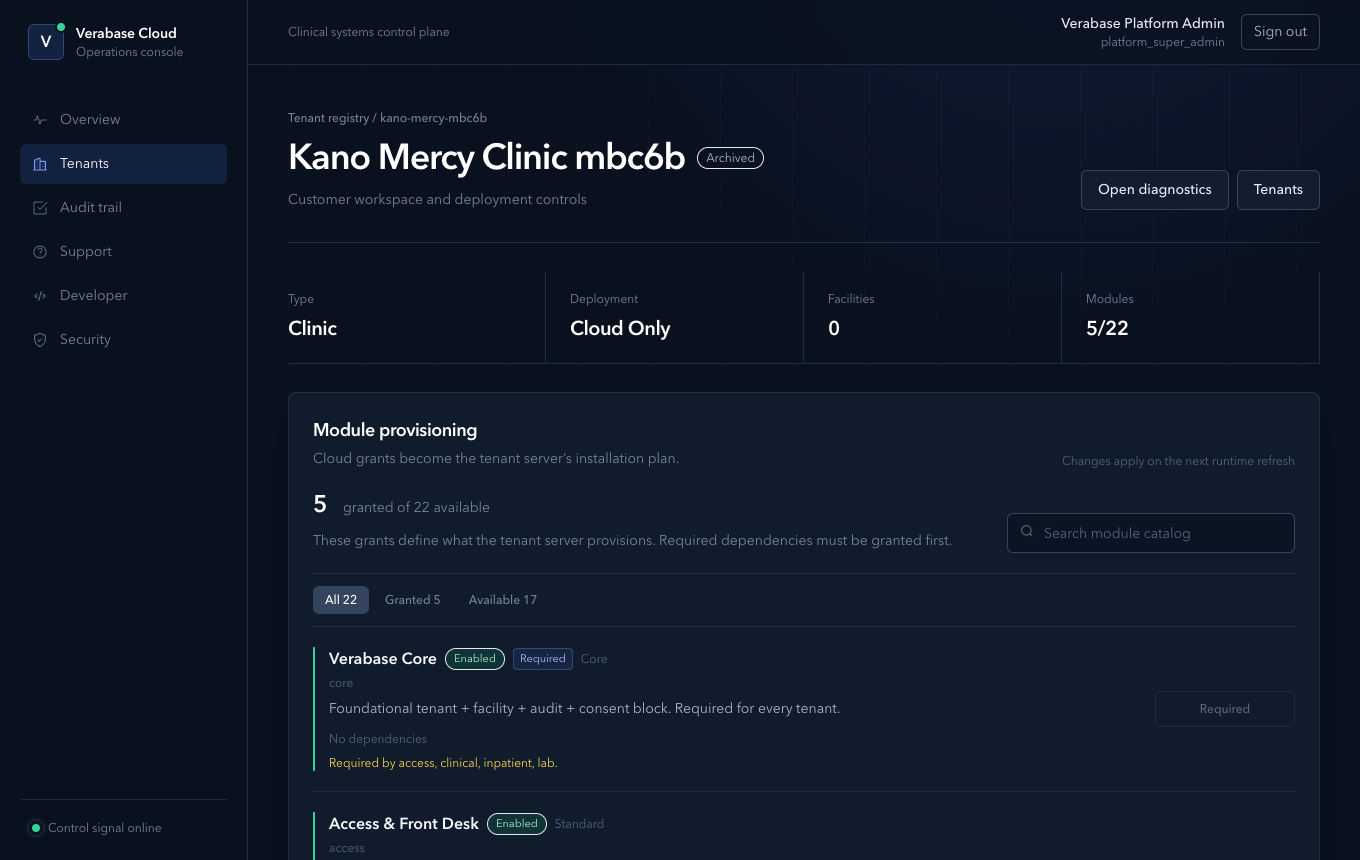
The tenant shows Archived and the lifecycle panel has no actions left. The hospital's records are kept: deleting its database is a separate, audited step.
What Verabase will refuse and why
| You try to… | Verabase says | Why |
|---|---|---|
| Save a smaller plan without confirming | Replace license stays disabled; through the API: The … plan does not include …. Confirm to change the plan anyway. | A downgrade switches modules off at the hospital |
| Archive without typing the slug | Archive stays disabled | Archiving is final |
| Reactivate an archived hospital | No lifecycle actions are offered; the API refuses the change | Archived is the end state |
| A change from a state that has moved on (another operator acted first) | That change is not possible from the tenant's current state. Reload the page to see it. | The page was out of date |
You're done when…
- [ ] The plan matches the signed order, and you know which modules (if any) it switched off.
- [ ] A suspended hospital was reactivated with its modules unchanged.
- [ ] An archived hospital shows Archived and was confirmed with the account owner first.
Practice task
On a local practice tenant with Lab granted, move it to the Starter plan and back. Check: the warning named Lab before saving; Lab showed Granted, but not in the Verabase Starter plan while on Starter; and the audit trail has two licence updates, the first listing lab as turned off.
Not walked
- The hospital's side. The local control plane cannot create a hospital database (provisioning needs Turso), so no hospital server was running against this tenant. That a suspended hospital's staff are refused within five minutes, and that modules outside the plan are refused, comes from the code and its tests (the tenant server's control-plane lookup and licence checks), not from this walk. Staff then see a generic No active tenant message: see gaps.
Related journeys
CP-02 Onboard a hospital · CP-04 Support a hospital · CP-05 Investigate an audit event