Appearance
IMP-08 · Pharmacy routing, barcode policy and ward scanners
Steps
1. Route prescriptions to the pharmacy
Pharmacy → Prescribing integration. Tick Provider orders so outpatient prescriptions become dispense requests at the counter. Tick Drug chart (MAR) if ward drugs are supplied and charged through pharmacy. Until one is on, chart prescriptions never reach the counter (FAC-OPD-01 step 0).
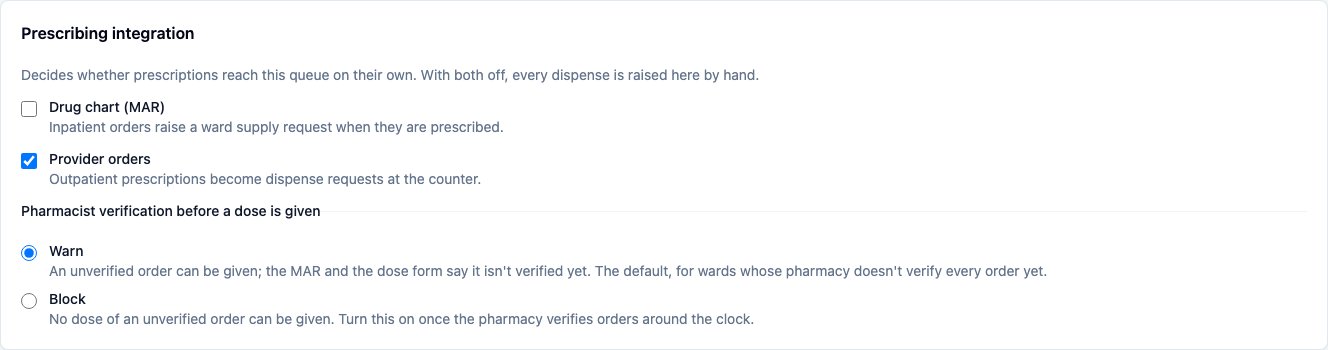
1b. Decide whether an unverified order can be given
Under the routing switches on the same card, Pharmacist verification before a dose is given is Warn by default: nurses can give a dose the pharmacist hasn't verified yet, and both the round and the dose form say so. Choose Block only once the pharmacy verifies orders around the clock, including nights, otherwise the ward is stuck waiting. See FAC-MAR-02 step 5.
2. Barcode policy
General settings → Require barcode scanning to give a medication is on by default, the strongest safety control on the drug round: the nurse scans the wristband and the drug on an attested device. Turn it off only if the facility has no scanners. The five rights are still checked, and unscanned doses are recorded as unscanned.
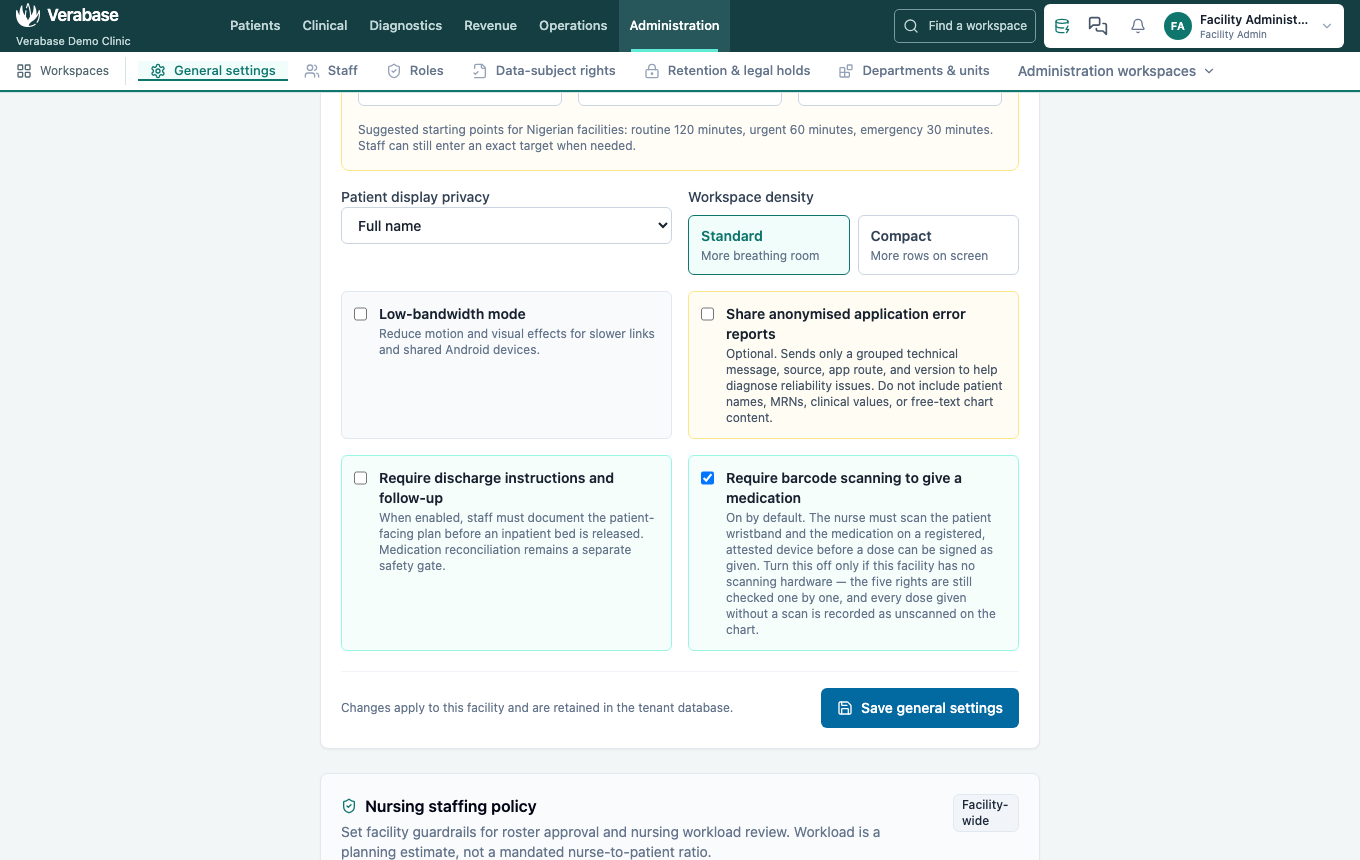
3. Register and commission each scanner
- Devices → Register a device: a Device name that says where it lives (Ward B bedside scanner), Kind of device = Barcode scanner, then Register device. It shows as ASSIGNED.
- Put into service and give a reason. It becomes ACTIVE.
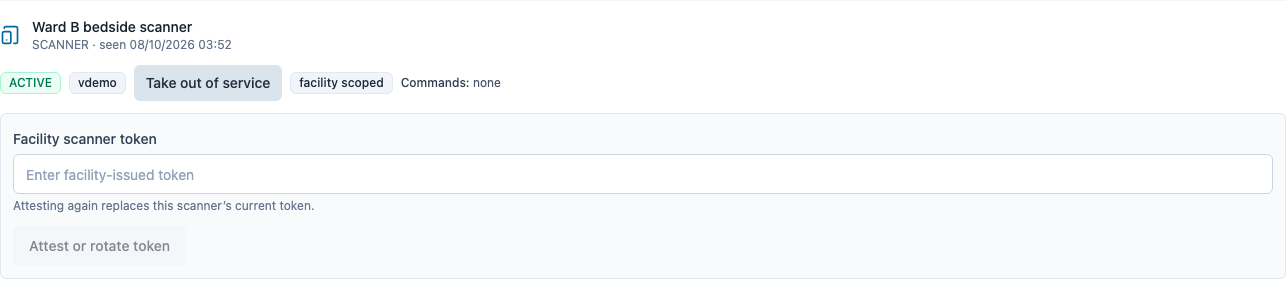
- Attest it once with a token your facility chooses: on the scanner's row under Devices → Managed devices, enter the Facility scanner token and choose Attest or rotate token. The row then shows Attested until …. Keep the token with the ward's IT lead; attesting again replaces it. Only staff who can register devices (the Facility Admin) see this.
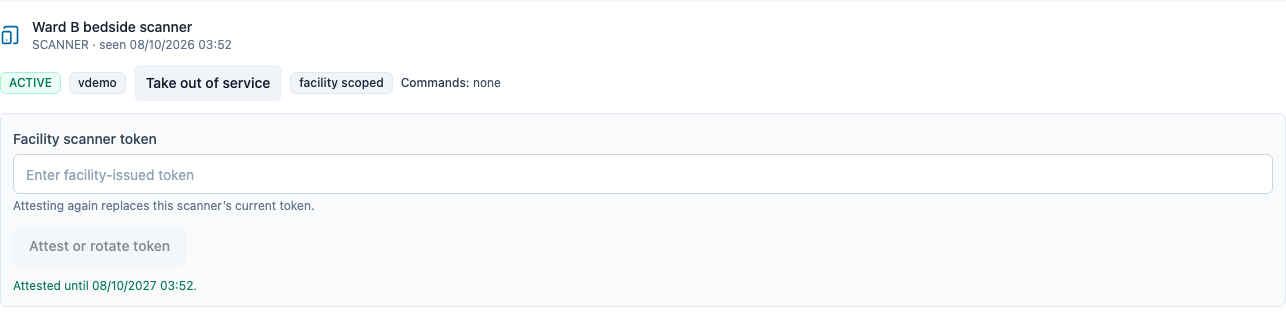
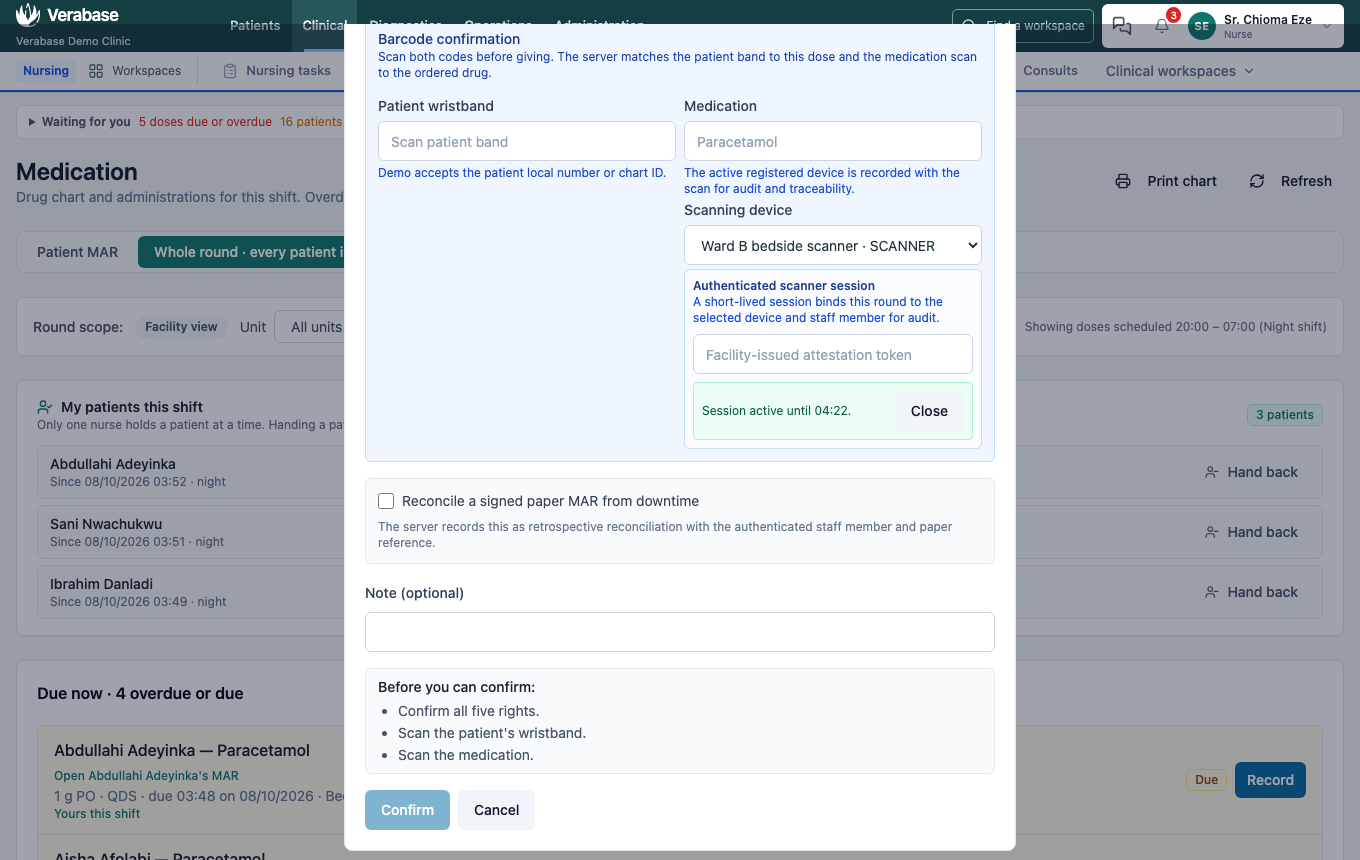
- On the ward, the nurse picks the scanner in a dose's Record form and enters the facility token to start a short round session.
4. Each drug round
The nurse opens a dose, picks the scanner, enters the token and chooses Start session. The page shows Session active until HH:MM, binding the round to that device and nurse (FAC-IPD-01 step 6).
You're done when…
- [ ] Chart prescriptions arrive at the counter.
- [ ] Every ward has an attested scanner, and a nurse on each ward has started a session.
Practice task
Register HDU scanner, put it into service and attest it. Check: an HDU nurse can start a session on it.