Appearance
FAC-WF-01 · A medication agreement from the library to a cosigned record in the chart
Paper agreements, checklists and acknowledgements become department workflows: the admin designs them once (starting from the library), a department reviewer approves them, and staff run them for a patient. Each signed record lands in the chart. The demonstration uses the supplied Patient medication agreement, whose wording is synthetic.
Demonstration wording
Every supplied starter is synthetic text. Before clinical use the hospital replaces it with its own approved wording, and a clinical reviewer approves it. An agreement never prescribes, never authorises giving a medicine, and is not procedure consent.
Why this matters
A paper agreement can be signed by anyone, on any version of the form, and lost. Here the record says who explained it, who signed and in what capacity, who independently cosigned, and exactly which approved revision of the wording they all saw.
Before you start
- Facility Admin
admin@demo-clinic.test/DemoAdmin-2026designs and publishes. Designing does not approve clinical content. - General Outpatients reviewers (seeded): Dr. Ngozi Okafor and Dr. Tunde Balogun, both medical and confirmed clinical reviewers (
dr.okafor@…,dr.balogun@…/Verabase-2026). - General Outpatients assistant (seeded): Sr. Chioma Eze (
nurse.eze@…). - A patient with an open visit: Aisha Garba.
Steps
1. Preview a starter
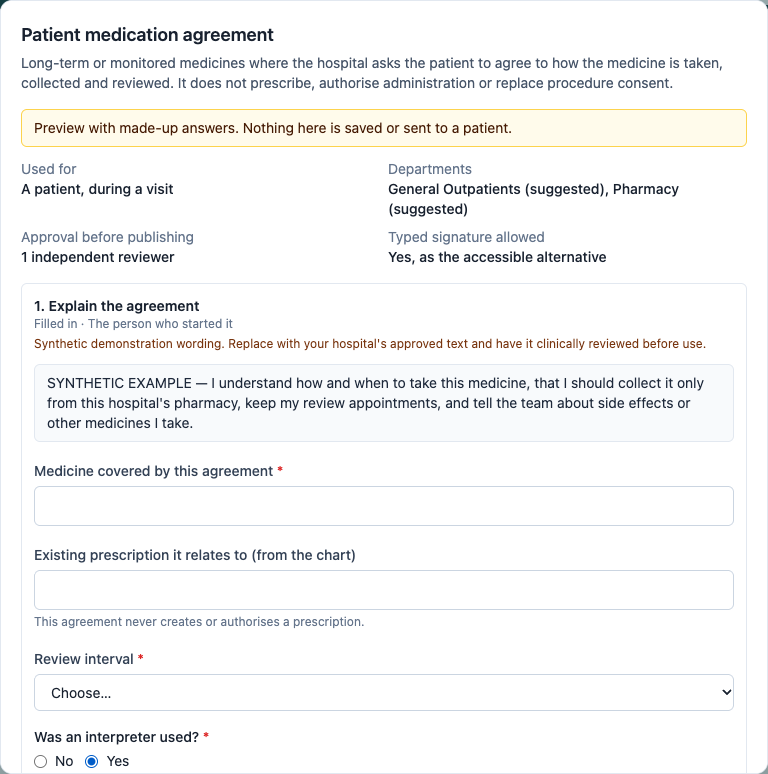
Administration → Workflow templates shows the starter library and the hospital's own templates. Preview a starter to see its steps, who signs, and which steps apply only for certain answers. Try the answers: choosing Yes for an interpreter brings in the interpreter's signature.
2. Use it, change it, assign departments, send it for review
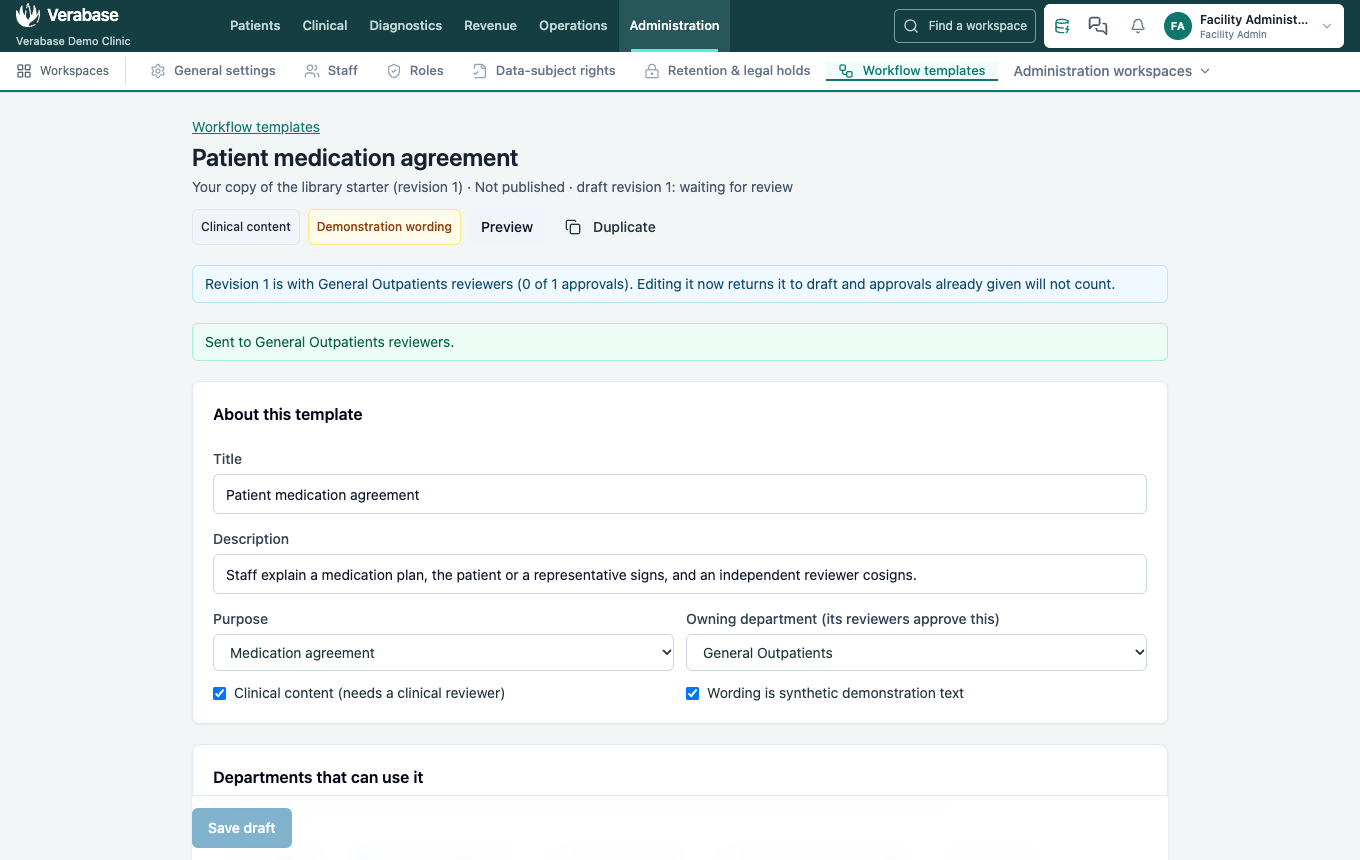
Use template makes the hospital's own draft. The library original never changes. Change wording where needed, choose the Owning department (its reviewers approve it), and tick the Departments that can use it. Save draft, then Send for review. The page lists anything still missing before review is possible.
3. A department reviewer approves it
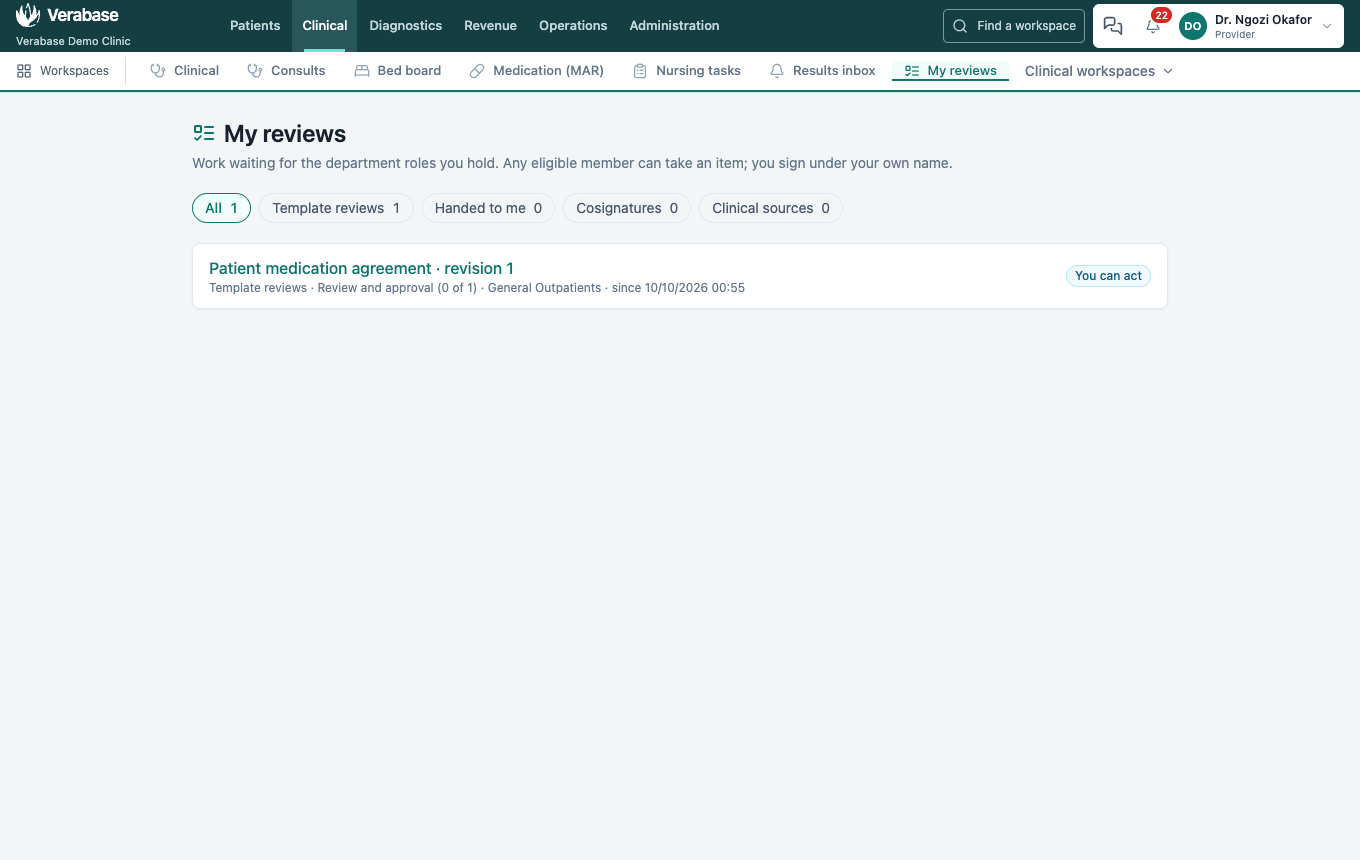
The reviewers share one queue: My reviews. Any current reviewer who didn't prepare it can act.
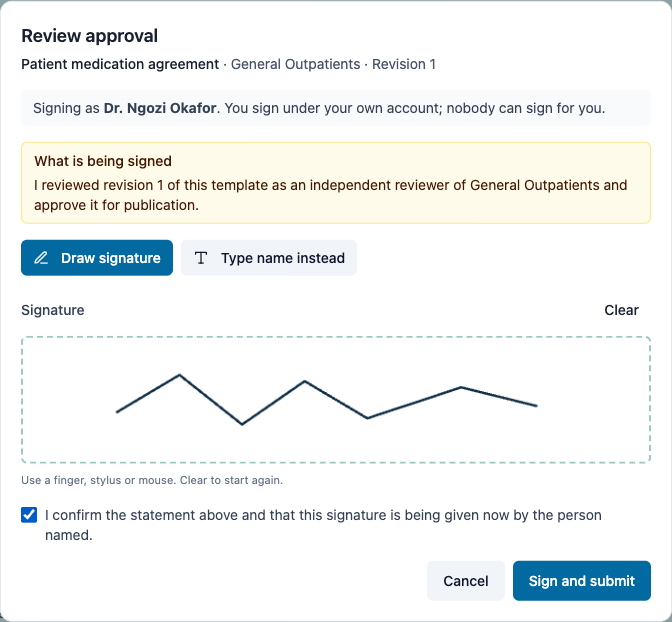
They read the exact revision, then Approve and sign. The signing window says what is being signed and that it is signed under their own account.
4. The admin publishes it
Publish revision 1 asks the admin to tick each department, so a template copied or edited never reaches a department by accident.
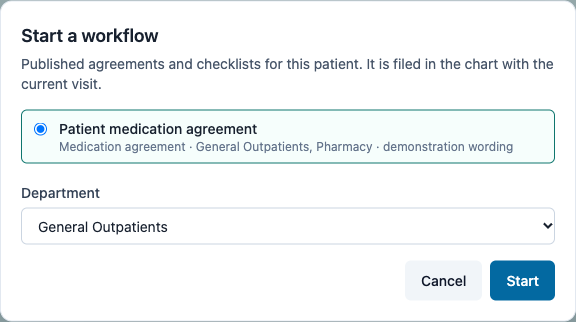
5. Start it from the patient's chart
The nurse opens the chart → Forms & consent → Department workflows → Start a workflow. It starts in the current visit and the department the nurse belongs to.
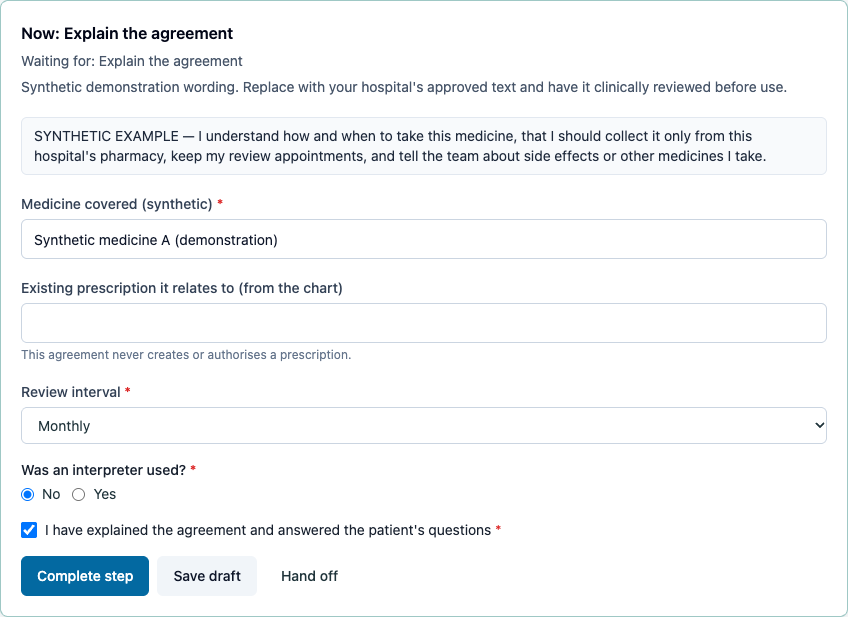
6. Explain and fill it in
The agreement shows its demonstration warning. Required answers are named if missing; questions that don't apply (the interpreter's name, when no interpreter was used) are not asked.
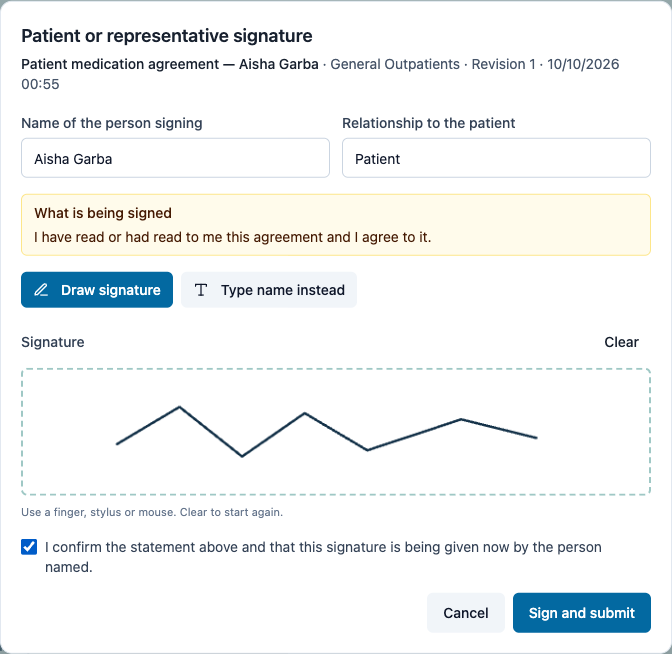
7. The patient signs
Capture patient or representative signature: enter the signer's name (and, for a representative, their relationship and authority), draw with finger, stylus or mouse, tick the confirmation and Sign and submit. The patient's signature is recorded as theirs, captured by the nurse; it never counts as a staff signature.
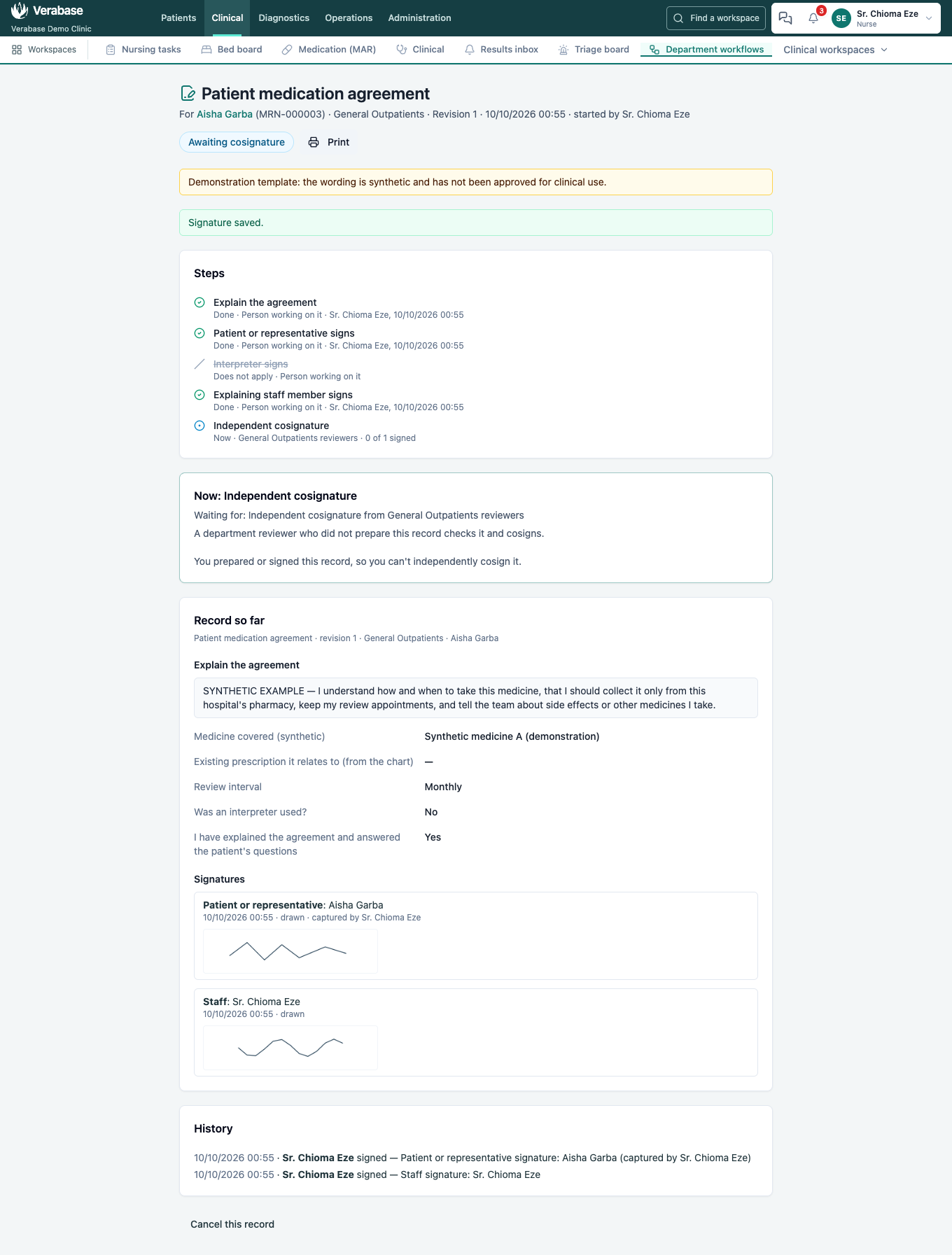
8. The nurse signs; it waits for an independent cosignature
The nurse signs as herself. She prepared the record, so she can't cosign it: the page says so.
9. Another reviewer cosigns
The second reviewer finds it under My reviews → Cosignatures, reads it and Cosigns. With the default policy one independent cosignature completes it.
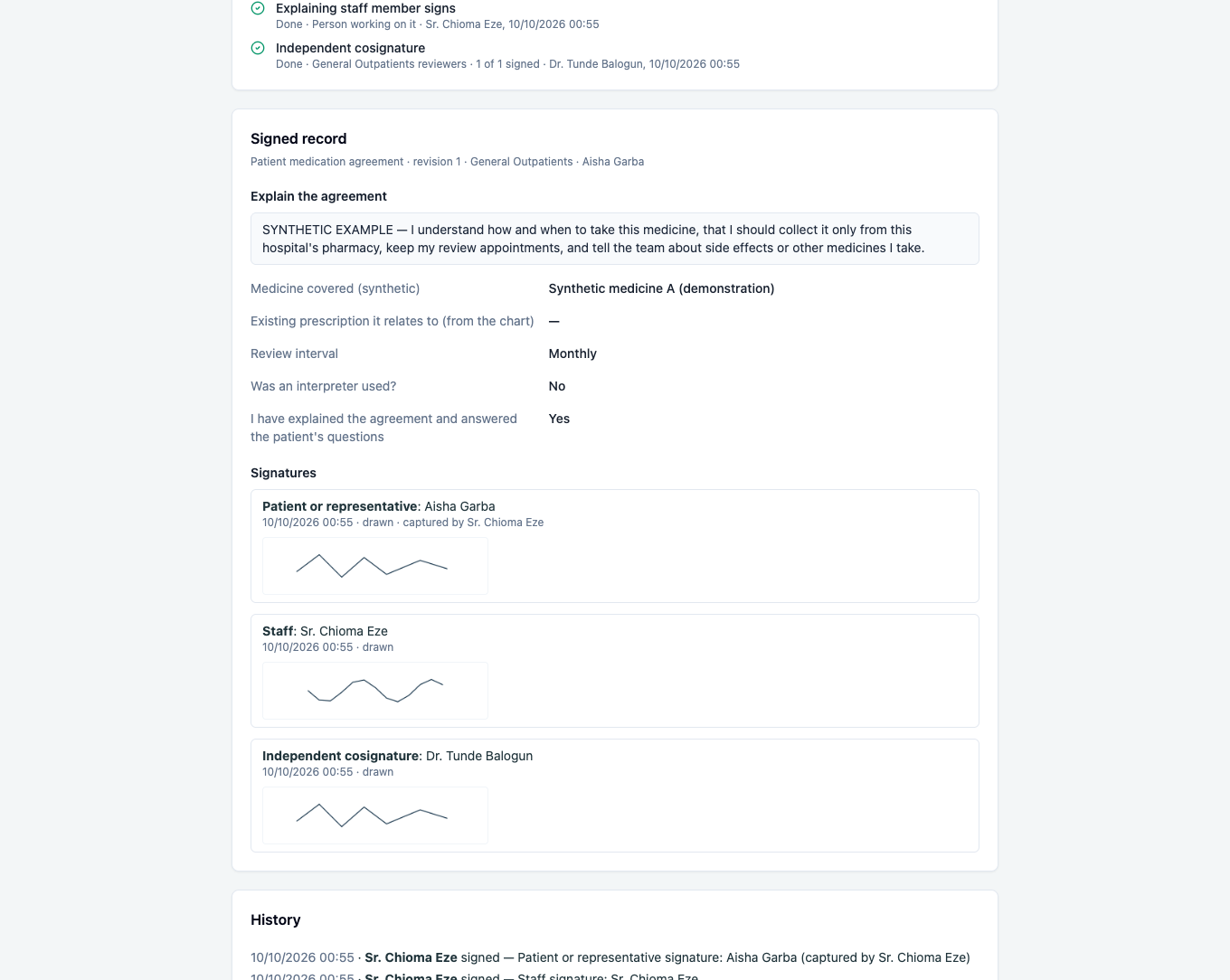
10. It is in the chart
The chart lists it as Completed and signed, on revision 1. Print gives the same answers and signatures.

What Verabase will refuse and why
| You try to… | Verabase says | Why |
|---|---|---|
| Publish before a reviewer approves | No Publish button | Designing isn't clinical approval |
| Approve your own submitted revision | You prepared or submitted this revision… | Independent review |
| Approve clinical content without confirmed competence | This is clinical content… | Role names don't prove competence |
| Cosign a record you prepared or signed | You prepared or signed this record, so you can't independently cosign it. | Each person counts once |
| Sign with an empty drawing, or without ticking the confirmation | Sign and submit stays disabled; the server refuses a blank image | No accidental signatures |
| Sign under someone else's session | A different person is signed in now… | Staff sign as themselves |
| Start it outside an assigned department | You are not assigned to … | Assignment controls who can start it |
| Open a workflow as Front Desk | You do not have access to department workflows. | Least privilege |
You're done when…
- [ ] The chart shows the agreement as completed, on the revision that was approved.
- [ ] The record shows three distinct signatures: patient (captured by the nurse), staff, and an independent reviewer.
- [ ] The review history names who submitted, approved and published the template.
Practice task
Use the Patient education acknowledgement starter for General Outpatients, have Dr. Okafor approve it and publish it, then run it for a patient as Sr. Eze. Check: the patient's signature says captured by Sr. Chioma Eze, and the chart lists the record on revision 1.
Related journeys
FAC-WF-02 Corrections, declines, department checklists and withdrawal · FAC-WF-03 Department reviewers and readiness