Appearance
FAC-REP-01 · Reports and the custom report builder
Revenue → Reports holds the facility's figures. It has today's summary, a period summary, the clinical KPI dashboard and the finance detail. It also has a report builder for lists the fixed reports don't give you, downloaded as a CSV for Excel. Every figure comes from the facility's own record, in its currency and on its clock (Administration → Settings).
Why this matters
Management meetings, HMO reconciliations and the board pack all start from a number someone can trust and trace. Reports here are counted from the record, not typed in, so the figure on screen is the one an auditor finds.
Before you start
- Facility Admin:
admin@demo-clinic.test/DemoAdmin-2026. - Reports are for the facility admin and management roles. A ward nurse who opens the page is taken back to her own work.
- The builder lists patient names, so it needs patient-data access as well as reports access.
Steps
1. Today at a glance
The Daily summary counts the day: patients registered, visits opened, the queue, invoice revenue, cash collected, bed occupancy, admissions, outstanding bills and low stock. Invoice revenue counts every bill opened that day, including bills still gathering charges because the visit hasn't closed. Cash collected is what was actually paid. Choose another Report date to see a past day. Export daily CSV downloads the same figures.
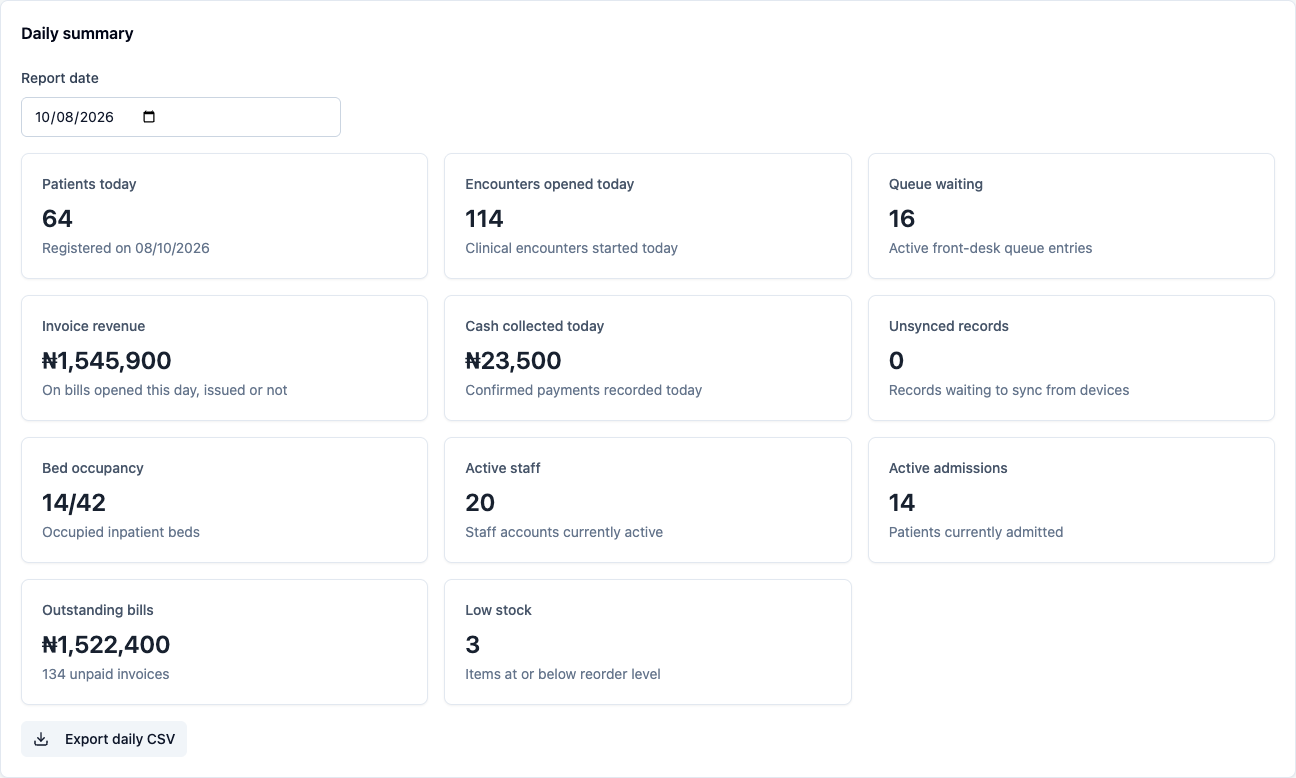
Further down, the Period summary gives the same counts for a date range. The Facility KPI dashboard adds length of stay, readmissions, lab turnaround and theatre cases. On the demo data, lab turnaround shows 0 min: the seed receives and completes its orders seconds apart.
2. Build a report
Build a facility report lists records from one of four datasets: patients, visits (encounters), appointments or invoices.
- Choose the Dataset.
- Set From and To. The note beside the dates says which date counts: invoices created in the range, patients registered in it, and so on.
- Tick the Columns you want.
- Choose Run report.
The first 25 rows show on screen, with the count and the timezone the times are in. Money is shown in the facility's currency, statuses in plain words, and times on the facility's clock.
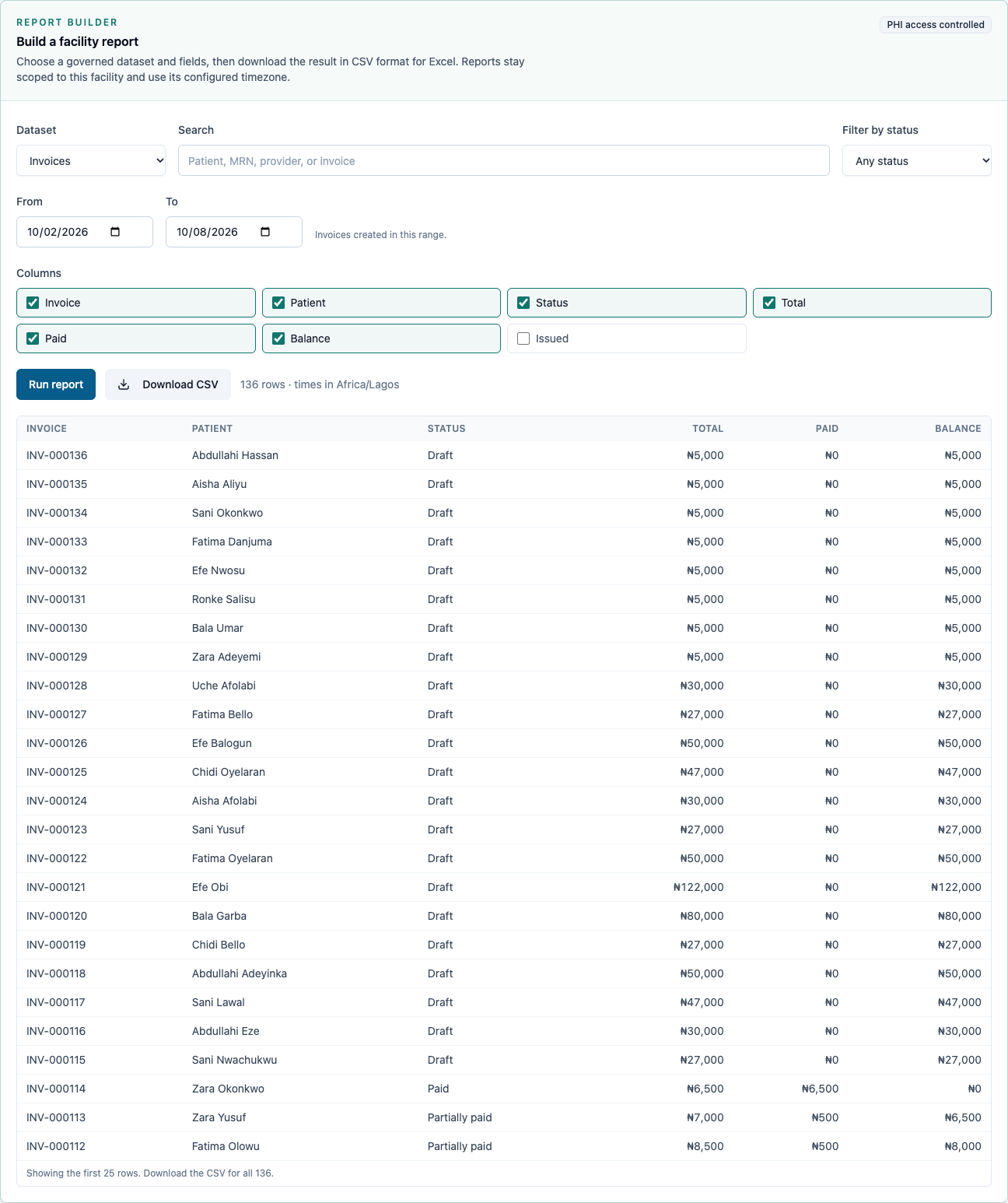
The fields are fixed per dataset ("governed"). You can't add a column the catalogue doesn't offer, so a report can never expose data it shouldn't, such as passwords or another facility's records.
3. Filter it and download the CSV
Narrow it with Search (patient, patient number, provider or invoice number) and Filter by status. Here, only paid invoices: every balance is ₦0.
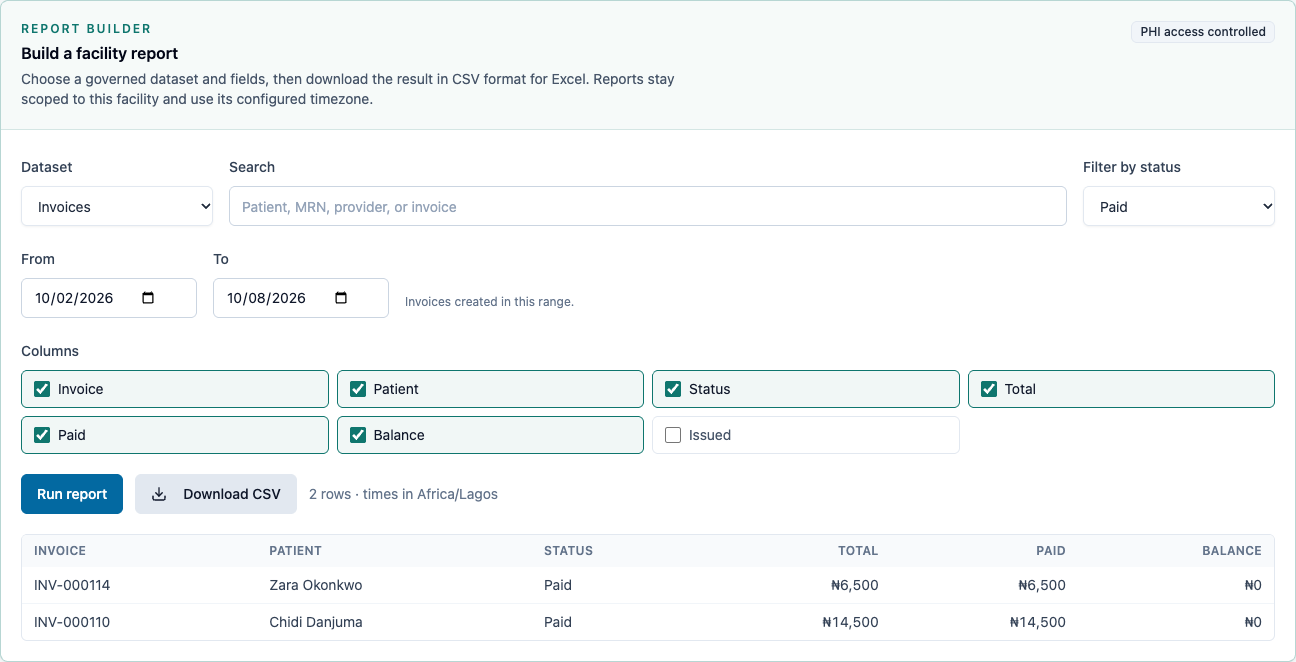
Download CSV saves every row (not just the 25 on screen) for Excel:
- Amounts are plain numbers with the currency in the header (
Total (NGN),5000.00), so Excel can add them up. - Times are on the facility's clock (
2026-10-08 08:12). - Statuses are in the same words as on screen.
A report holds at most 500 rows. When it reaches that, the page says so: narrow the dates, status or search.
4. The finance detail
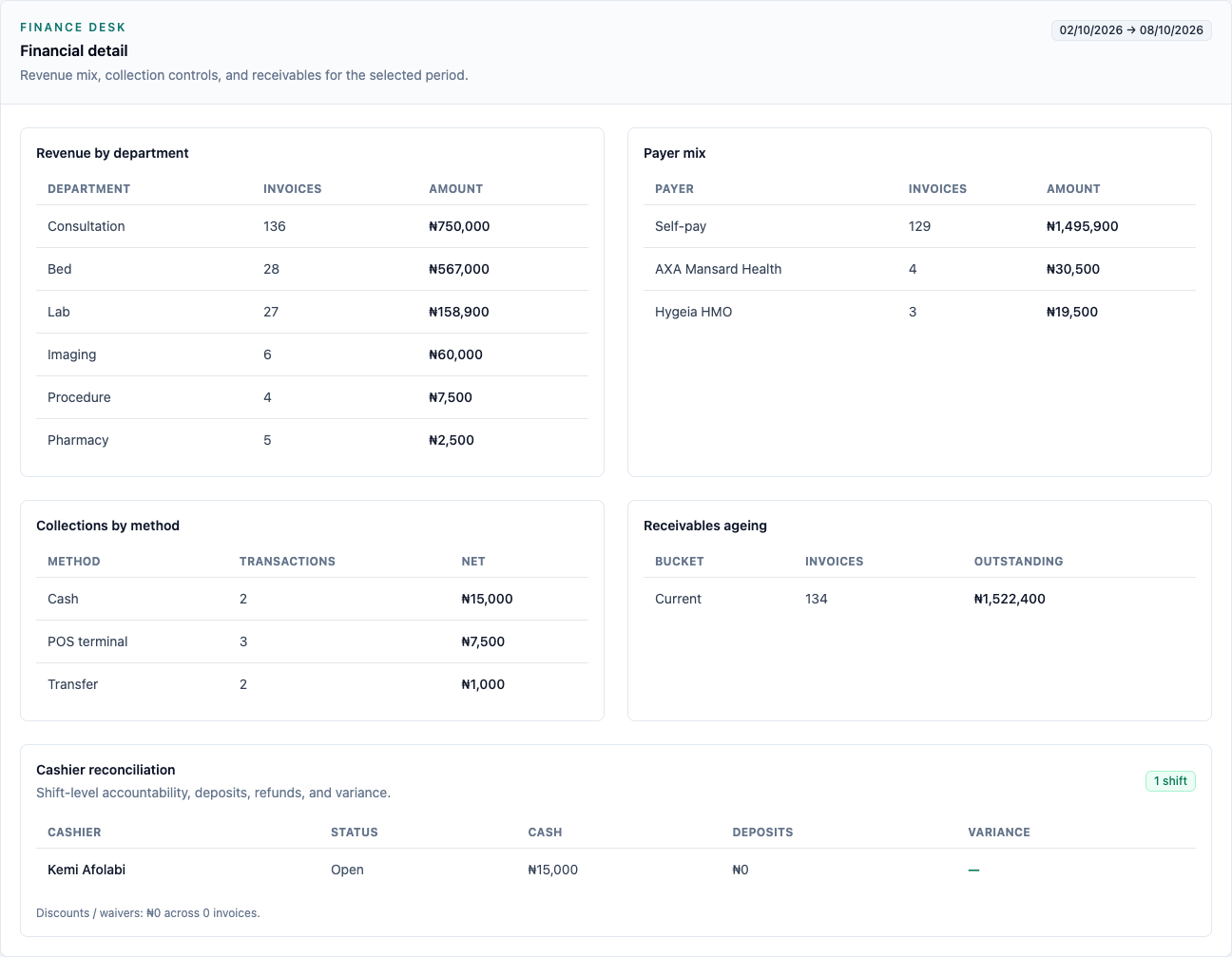
Financial detail breaks the period's money down:
- Revenue by department: what was invoiced, by the service area each catalogue item belongs to (IMP-04).
- Payer mix: self-pay against each HMO or insurer.
- Collections by method: cash, POS terminal, transfer.
- Receivables ageing: what is still owed, and how old it is.
- Cashier reconciliation: each shift's cash, deposits and any variance.
What Verabase will refuse and why
| You try to… | Verabase says | Why |
|---|---|---|
| Open Reports as a ward nurse | You're taken to Nursing tasks | Facility figures are for management |
| Ask for a column outside the catalogue (through the API) | One or more selected report columns are not available for this dataset. | Reports are governed |
| Run a report with From after To | Run report stays disabled | There is nothing between them |
You're done when…
- [ ] You can give the day's cash collected and outstanding bills from the daily summary.
- [ ] You can produce, for any week, a CSV of paid invoices that opens and adds up in Excel.
Practice task
Download last week's partially paid invoices with their balances. Check: the trainer adds up the Balance column in Excel and finds it matches the unpaid part of those invoices on the billing page.
Related journeys
FAC-BILL-05 Receivables, deposits & appeals · FAC-GOV-03 Notifiable disease register · FAC-OPS-04 Mortuary