Appearance
FAC-OPS-04 · Mortuary custody and authorized disposition
Verified in Chrome as Provider and Mortuary Officer on freshly seeded synthetic data. All three captures passed; all six screenshots were opened and inspected.
Before you begin
Practice on fresh synthetic demo data. The capture uses Dr. Tunde Balogun (Provider) and Mr. Samuel Okafor (Mortuary Officer). The register records custody and authorization details; staff must follow their facility's identification and release procedures.
Steps
Provider: file the source record
- Open the patient's record under Patients and confirm the identity.
- Complete File death record, including the time, place and causes.
- Save and check the recorded details and provider attribution.
Mortuary Officer: receive into custody
- Sign in. The Mortuary Officer lands on Operations → Mortuary, the mortuary's own workspace. Find the deceased patient by name in the Mortuary register.
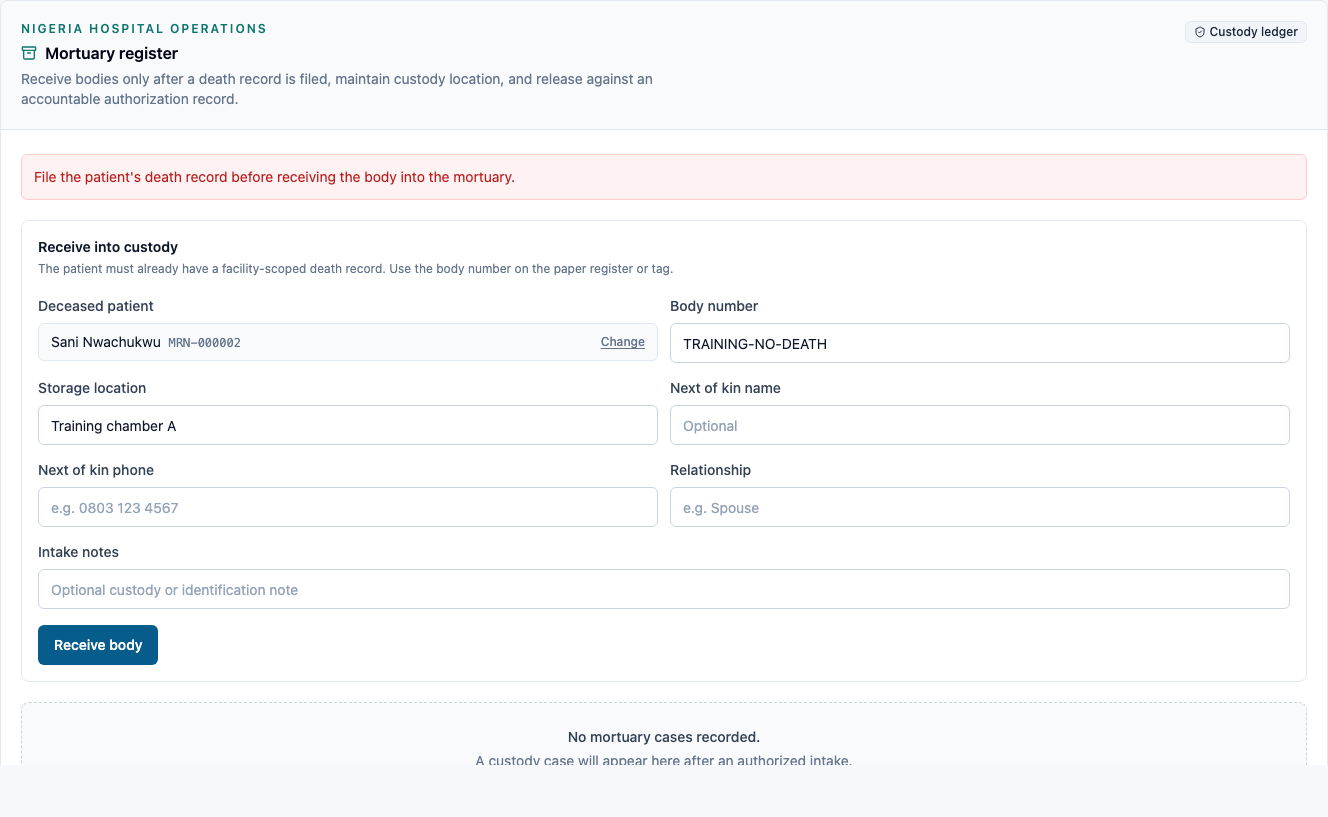
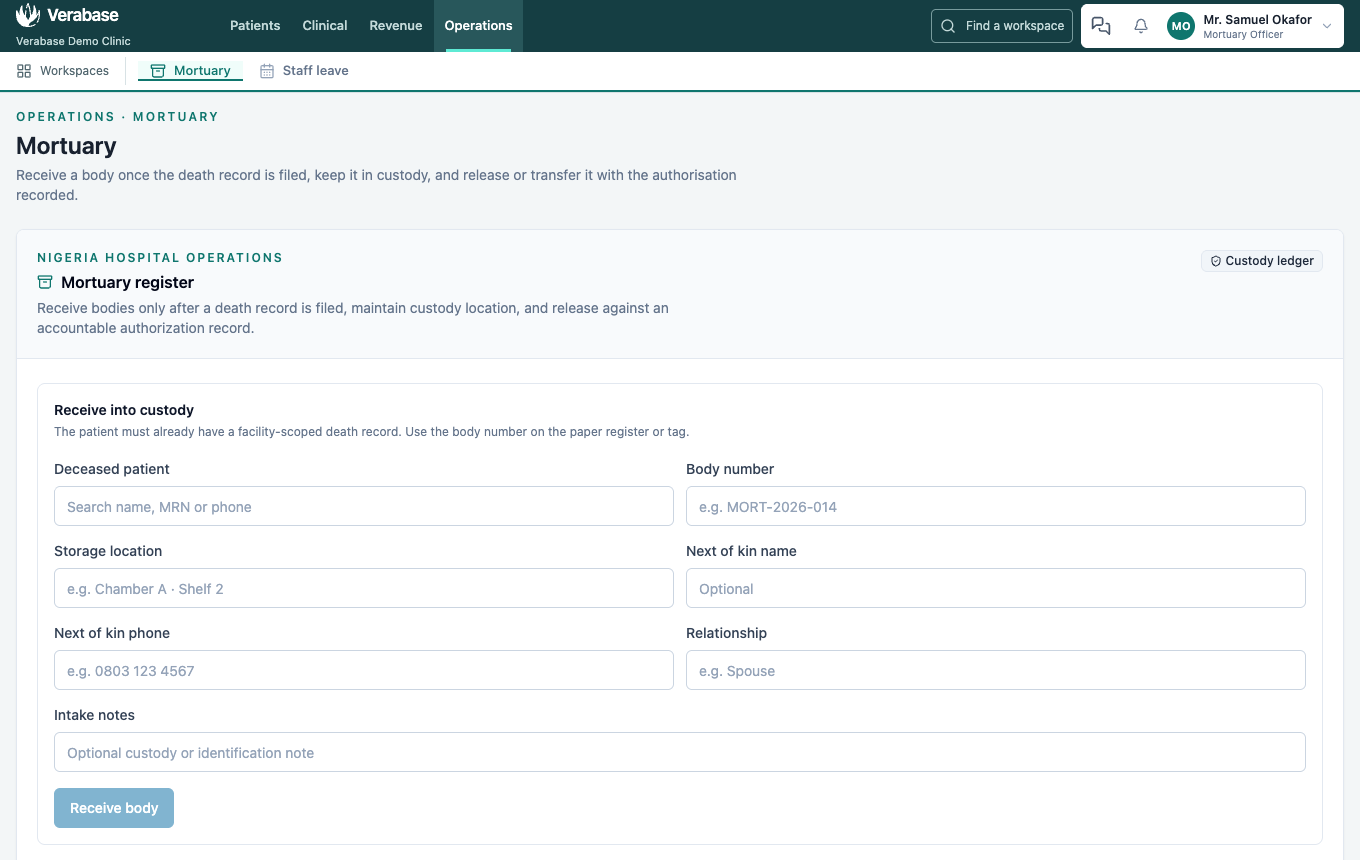 2. Enter the Body number, Storage location, next-of-kin details and Intake notes. 3. Select Receive body. Without a death record, the register must show the prerequisite refusal and create no custody case. 4. On success, check the patient's name, body number, In custody state, receiving staff and saved notes. The completed intake draft clears, including the patient search, so nothing is left to click for a second intake.
Mortuary Officer: record disposition
- On the intended custody case, select Release / transfer.
- Choose the disposition. For release, enter the recipient, relationship, authorization reference and destination. For transfer, enter the authorization reference and destination. For an unclaimed disposition, enter the disposition reference.
- Add the Disposition note and select the corresponding confirmation button.
- Check the final state, staff attribution and authorization details. Reload and confirm that both intake and disposition notes remain. A closed case must not offer another disposition action.
Verification evidence
On 2026-10-08, after the register moved to its own Mortuary page, capture/mortuary.spec.ts passed all three scenarios again in Chrome on the guide stack (:3210 → :8798) after a fresh Nothing skipped seed. Mr. Samuel Okafor landed on /mortuary with Mortuary in his menu; Front Desk opening /mortuary was sent to Schedule. The intake form and patient search were asserted clear after a body was received.
On 2026-10-07, capture/mortuary.spec.ts passed all three Chrome scenarios on the isolated production stack (:3212 → :8804) after a fresh Nothing skipped seed. Provider Dr. Tunde Balogun filed the source record; Mortuary Officer Mr. Samuel Okafor received and recorded release, transfer and unclaimed dispositions. Front Desk was redirected away from the register. Required fields, closed-case controls, retained notes and authorization details were asserted after reload.
Five server tests cover clinical and custody permissions, the death-record prerequisite, provenance, release validation, competing terminal updates and preservation of intake/disposition notes. The competing-request test does not force simultaneous repository reads; the conditional status/version write is also present in the implementation. The production webpack build passed. Firefox failed before app launch; the owner authorized Chrome fallback.
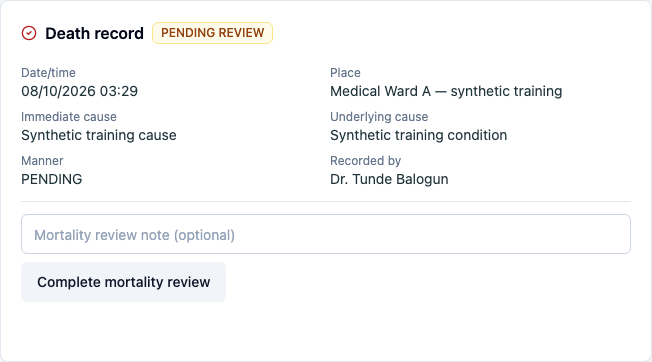
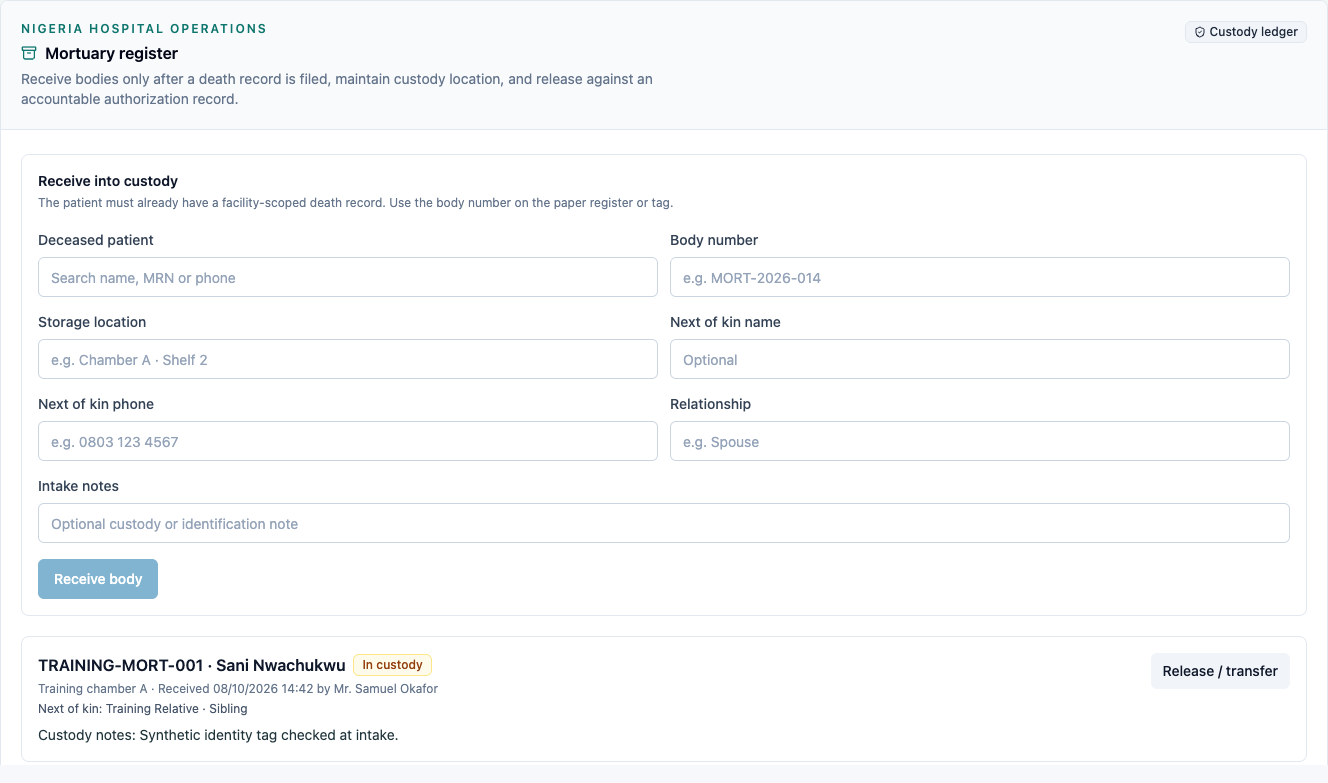
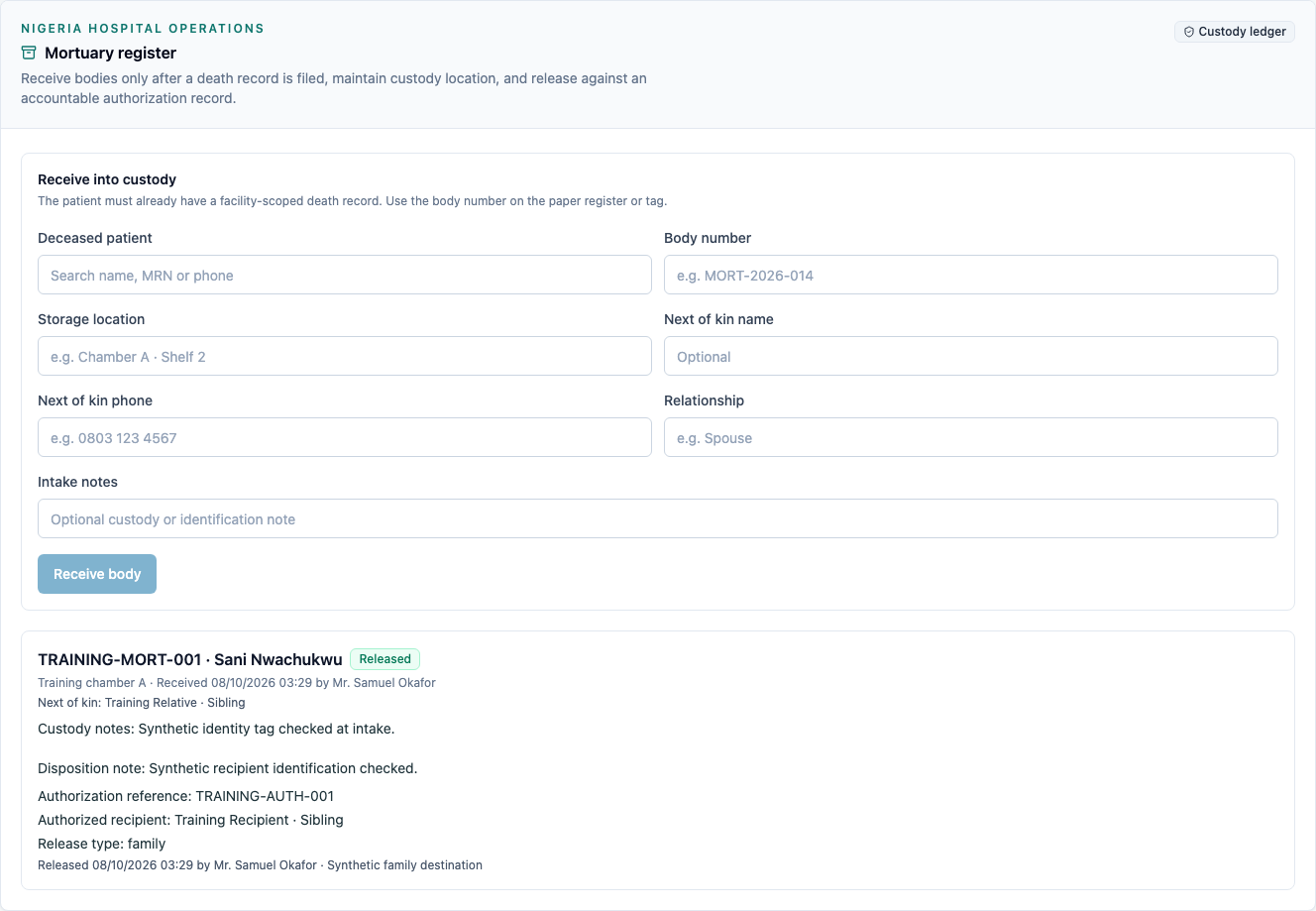


The save-error gap and Provider permission gap are fixed with this evidence. Physical custody handling, statutory certification integrations and external funeral-home integrations are outside this capture.
You're done when
The correct patient's source death record and custody entry are present, the intended disposition is saved with accountable authorization and staff attribution, and the intake and disposition notes remain after reloading. No further disposition controls appear on that closed case.
Practice task
On a fresh synthetic seed, attempt intake before filing the death record and confirm the visible refusal. File the source record as the Provider, then receive and release the training case as the Mortuary Officer. Confirm the saved recipient, reference and both notes after reloading.
The prerequisite refusal is visible when the clinical source record is missing: