Appearance
FAC-OPS-01 · Ambulance and patient transport
The Transport Coordinator selects the patient and care context, records the trip and reviews it from the patient chart. Staff attribution and cancellation reasons remain with the saved trip.
Before you begin
Sign in as the Transport Coordinator. Use synthetic patients and trips for practice. The capture uses Sani Nwachukwu's seeded admission and a synthetic receiving hospital, vehicle, driver and escort. Follow the facility's approved clinical transfer and handoff process; this page records the operational trip and does not authorise a clinical transfer.
Steps
Choose the patient and care context
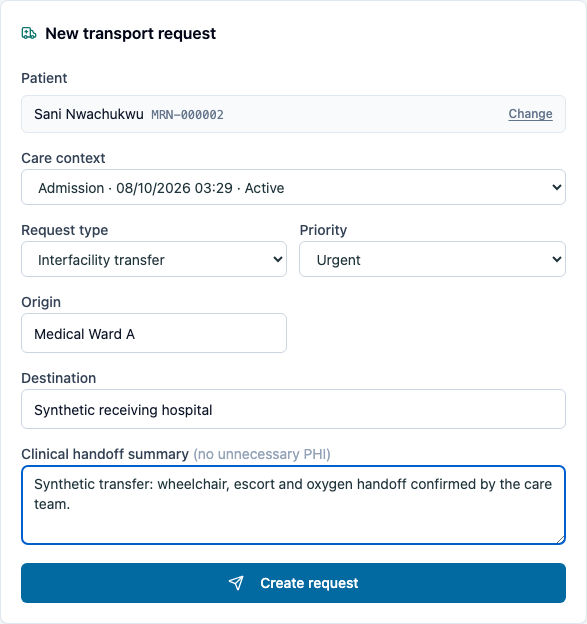
- Open Operations → Transport. In New transport request, search the patient's name or MRN and select the intended person.
- Choose the intended Care context by its visit/admission type, date and status. Check the identity before continuing.
- Set the Request type, Priority, Origin and Destination. Record relevant transport safety needs in Clinical handoff summary.
- Select Create request. Check the selected trip's patient, route, summary and requesting staff member. The request draft clears after saving.
Dispatch and complete the trip
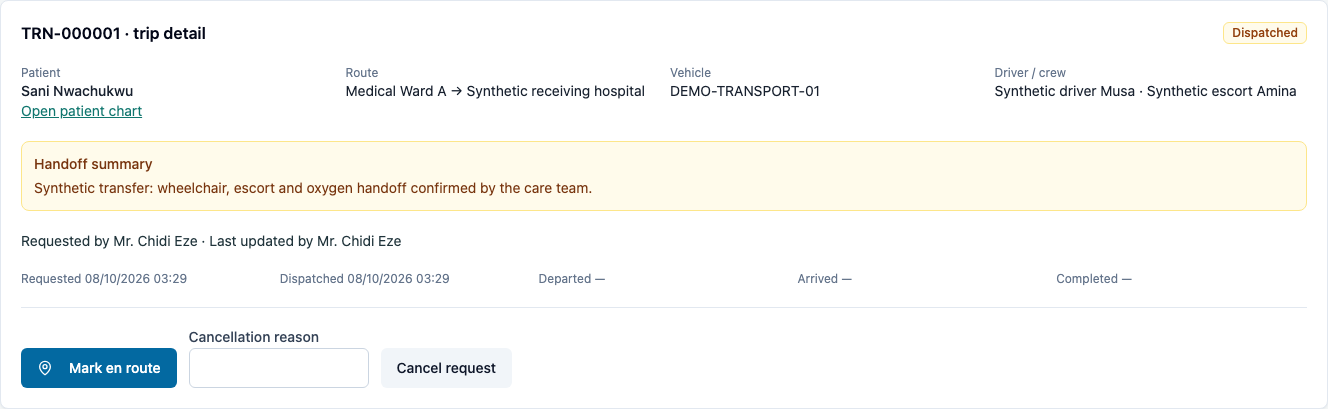
- Enter Vehicle registration, Driver and Crew, then select Dispatch.
- Check the recorded assignment, Dispatched state and updating staff member.
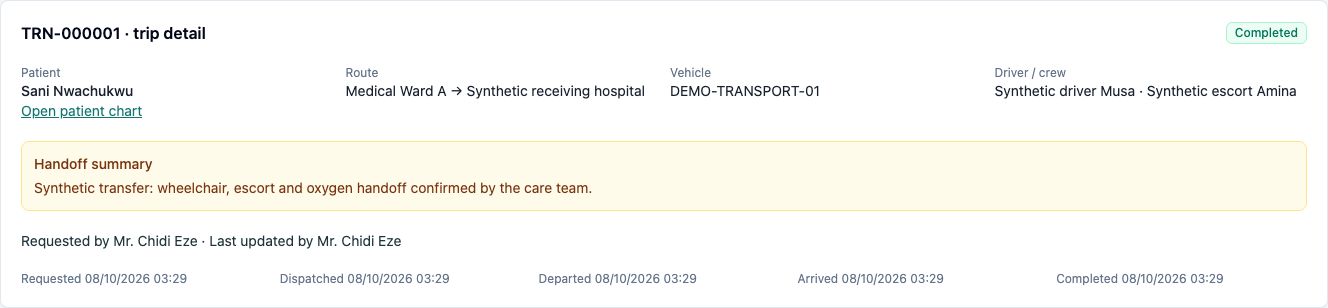
- Record Mark en route, then Mark arrived, then Complete trip when each event happens. Each action becomes available at the corresponding stage.
- Reload and confirm the completed trip, handoff summary and assignment remain saved. A completed trip has no cancellation or further movement controls.
Review from the chart and request another trip
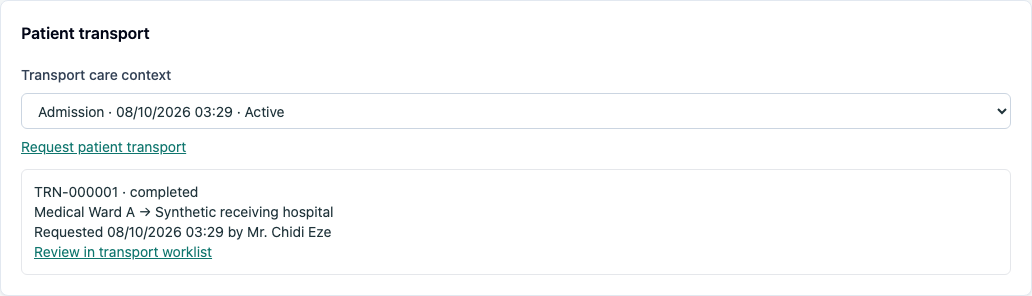
- Select Open patient chart. In Patient transport, review this patient's recorded trips.
- Choose the intended Transport care context, then select Request patient transport to open the composer with the patient and selected visit or admission. Confirm the named care context before saving a new request.
- Check the new trip has empty dispatch fields. Unsaved dispatch and cancellation drafts clear when changing the selected trip.
Cancel with a reason
- For a trip that will not proceed, enter the actual Cancellation reason, then select Cancel request. A reason is required.
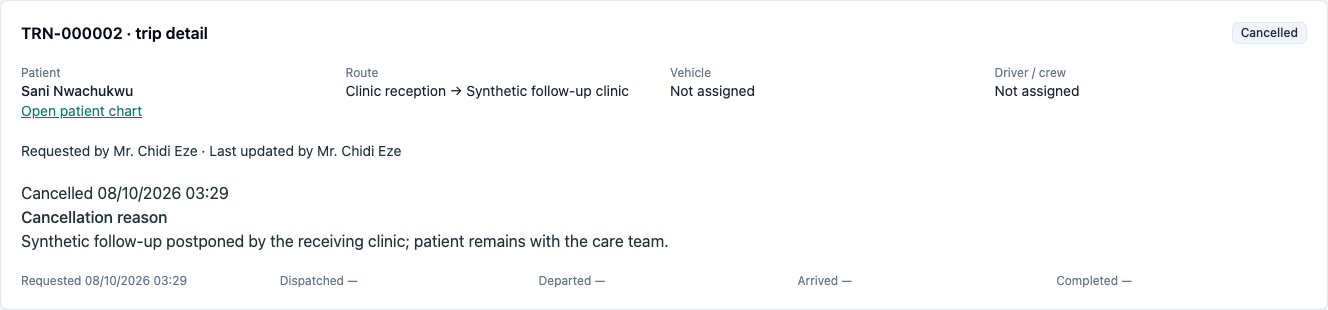
- Check Cancelled, the saved reason, cancellation time and updating staff member. Reload to confirm the saved reason remains.
- A cancelled trip cannot be dispatched or advanced again. Arrange any replacement as a separate request.
You're done when
- The trip refers to the intended patient and visit/admission without pasted IDs.
- Dispatch retains the assignment and staff attribution.
- The trip proceeds through departure, arrival and completion in order.
- The patient chart shows the saved trip and opens a new request with the selected visit or admission.
- Cancellation retains its reason and terminal state; unrelated staff cannot use transport controls.
Evidence
Verified in Chromium on 2026-10-05 as Mr. Chidi Eze (Transport Coordinator), using Sani Nwachukwu's freshly seeded admission and synthetic trip details. capture/transport.spec.ts passed on the rebuilt production guide app at :3212 → tenant-server :8798; the seed completed with Nothing skipped. All five screenshots were opened and inspected.
The capture asserts named care-context selection, dispatch assignment and provenance, ordered departure/arrival/completion, persistence after reload, chart history, the exact selected admission carried into a second request, cleared dispatch/cancellation drafts, required and retained cancellation reasons, terminal controls, and Front Desk's redirect away from transport. Five server tests and the focused SDK transport test pass, including narrow lookup permissions, patient/facility isolation, conflicting dispatch, stale versions and invalid transitions. SDK type checking and the production build passed.
The earlier walks exposed raw ID fields and a chart link that lost the care context for this role; both are fixed. Firefox's 2026-10-04 attempt failed during browser launch with a local sandbox/compositor error before visiting VERA. Firefox layout verification remains pending.
GPS, vehicle hardware, live dispatch integrations and physical patient handling are outside this manual trip-record workflow.
Practice task
As Transport Coordinator, select a synthetic patient and admission, record a transfer request, dispatch a training vehicle/crew and complete the trip. Open the chart and confirm the record is visible. Choose its transport care context and request a separate follow-up trip, cancel it with a specific reason, and confirm the reason persists after reload.