Appearance
FAC-MAR-01 · The drug round in depth: your patients, refusals and PRN doses
FAC-IPD-01 gave one dose: the five rights, both scans and a scanner session. This journey is the rest of the round. It covers taking your patients so nobody's doses fall between two nurses, recording a dose that wasn't given as the clinical fact it is, and the as-needed (PRN) dose, which isn't finished until someone records whether it worked.
Why this matters
A missed dose usually happens between two nurses who each thought the other had the patient. A chart that only shows what went right hides every refusal. And a PRN dose with no "did it work?" leaves the next nurse guessing. Verabase makes each of these explicit.
Before you start
- Nurse:
nurse.eze@demo-clinic.test/Verabase-2026. - The demo ward round has doses due now, high-alert insulin, and PRN orders for oral rehydration salts and morphine. Salbutamol is scheduled on the chart.
- A Facility Admin has attested the ward scanner under Devices. Nurses enter the current facility token to start a session; scanner attestation is not part of dose recording.
Steps
1. Open the round
Clinical → Medication (MAR), Whole round. The round opens on the current shift (Morning, Evening or Night; the times are shown on the right) with overdue and due doses first. Each dose shows the bed, and badges such as High alert, Controlled or Awaiting pharmacist verification. PRN orders are listed separately below.
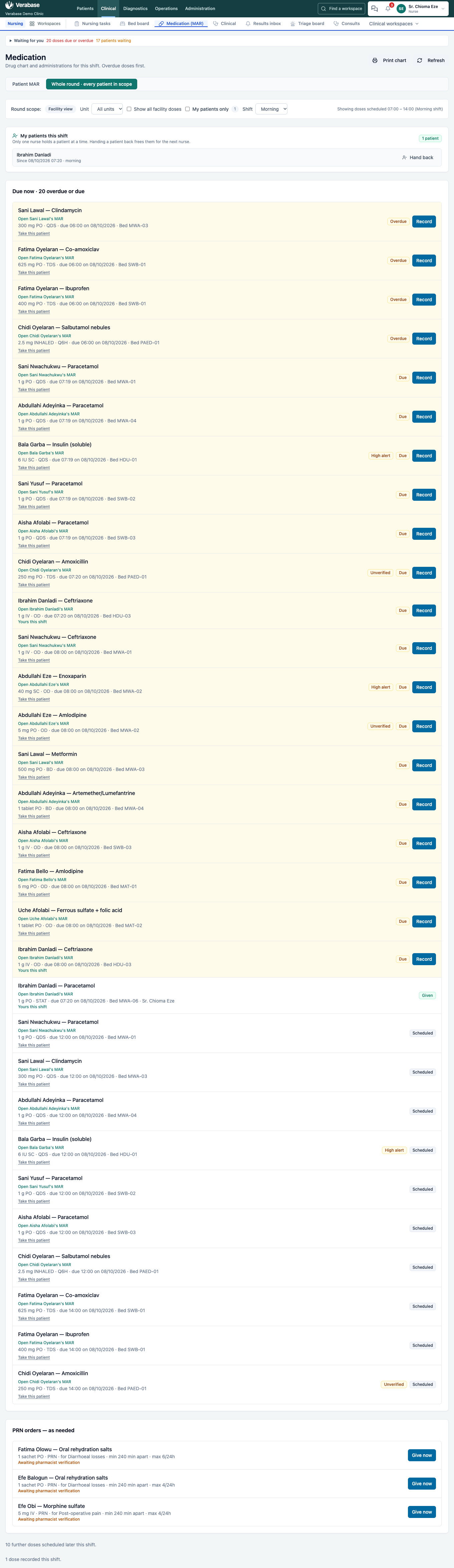
2. Take your patients
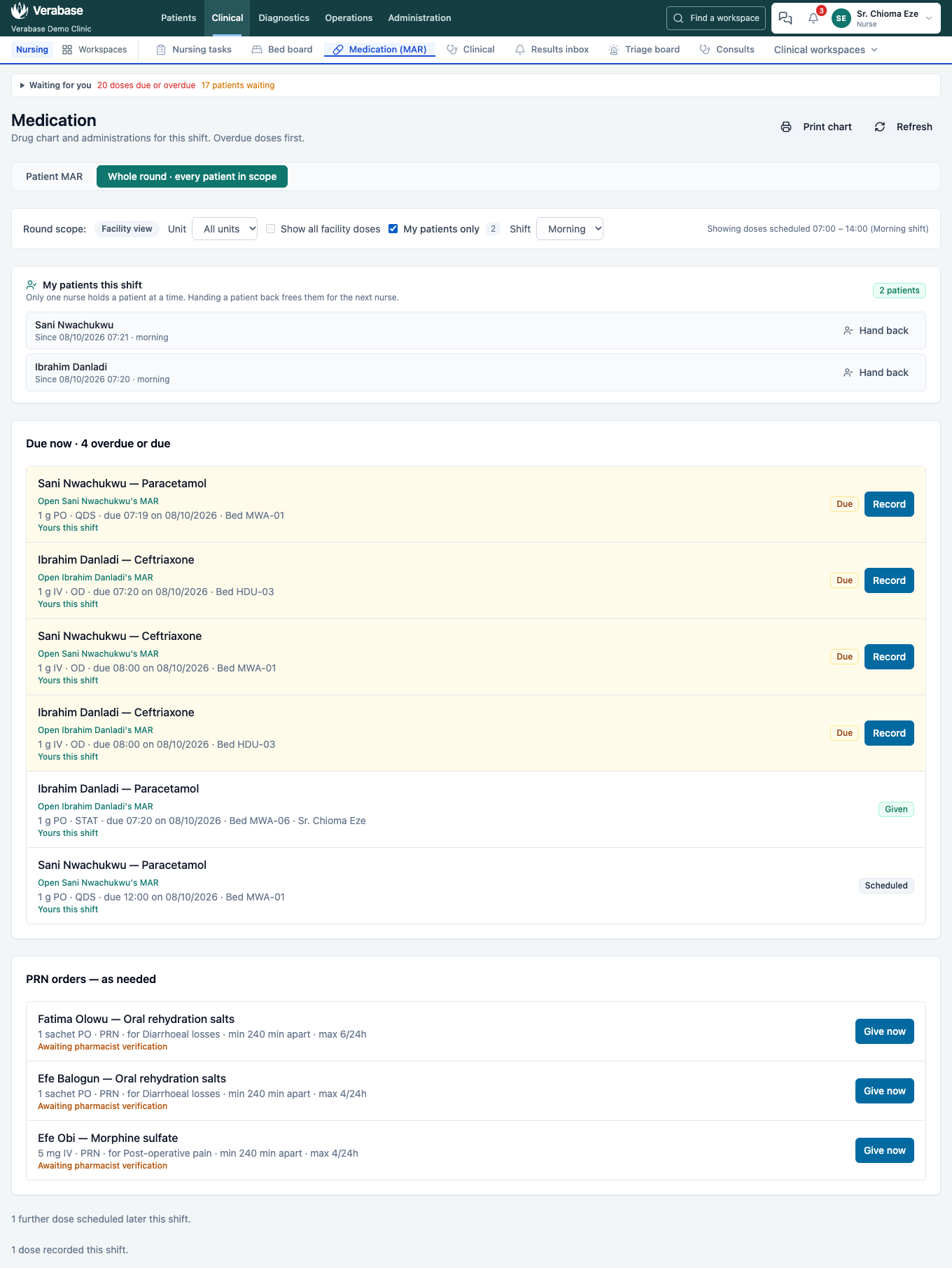
Choose Take this patient on a dose. My patients this shift now lists them, and their doses say Yours this shift. Only one nurse holds a patient at a time. Hand back frees them for the next nurse, for example at handover.
Tick My patients only to hide everyone else's doses.
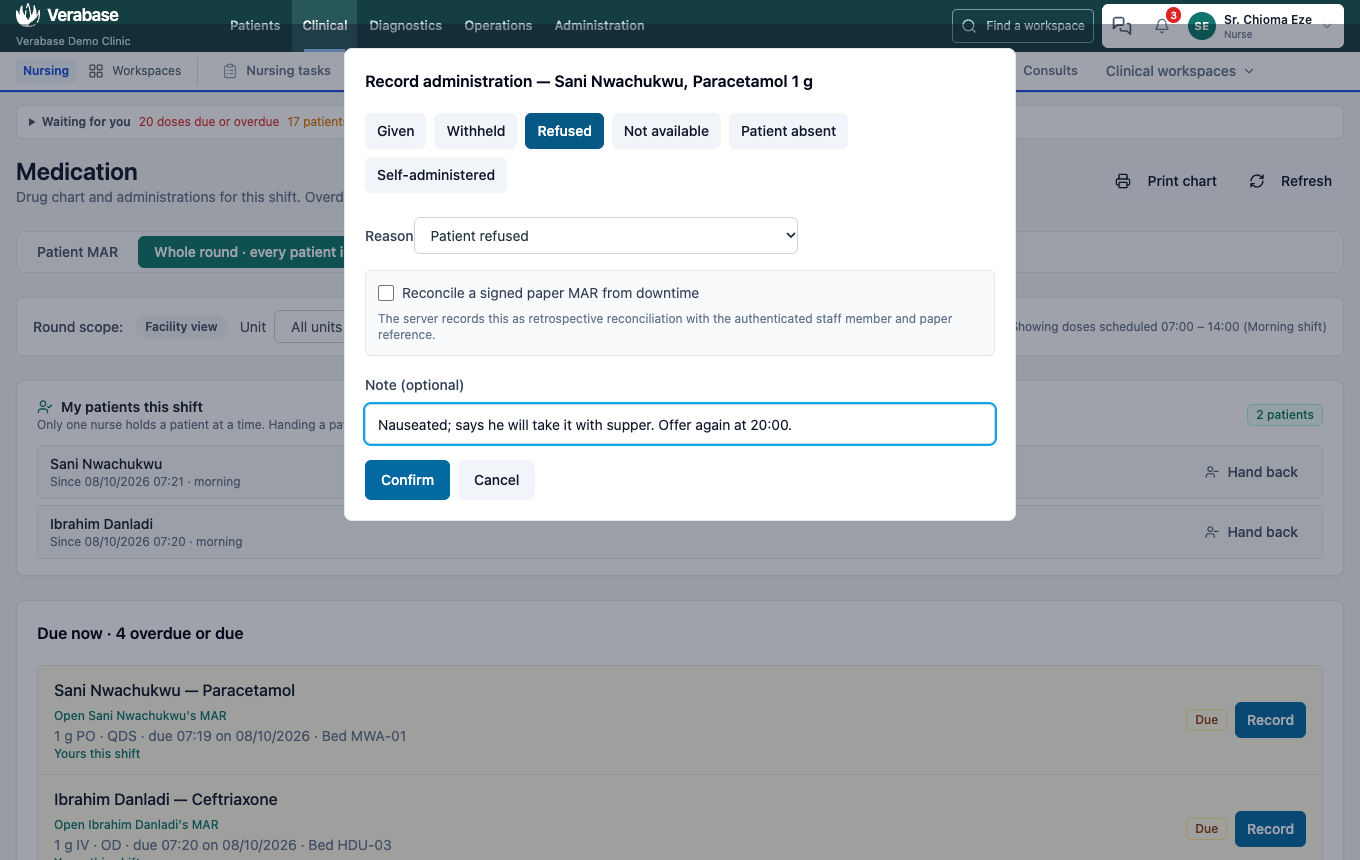
3. A dose that wasn't given
Choose Record, then what happened: Withheld, Refused, Not available, Patient absent or Self-administered. A dose that wasn't given needs a Reason (e.g. Patient refused, Nil by mouth, Vomited the dose). Confirm stays disabled until you choose one. Add a note saying what happens next.
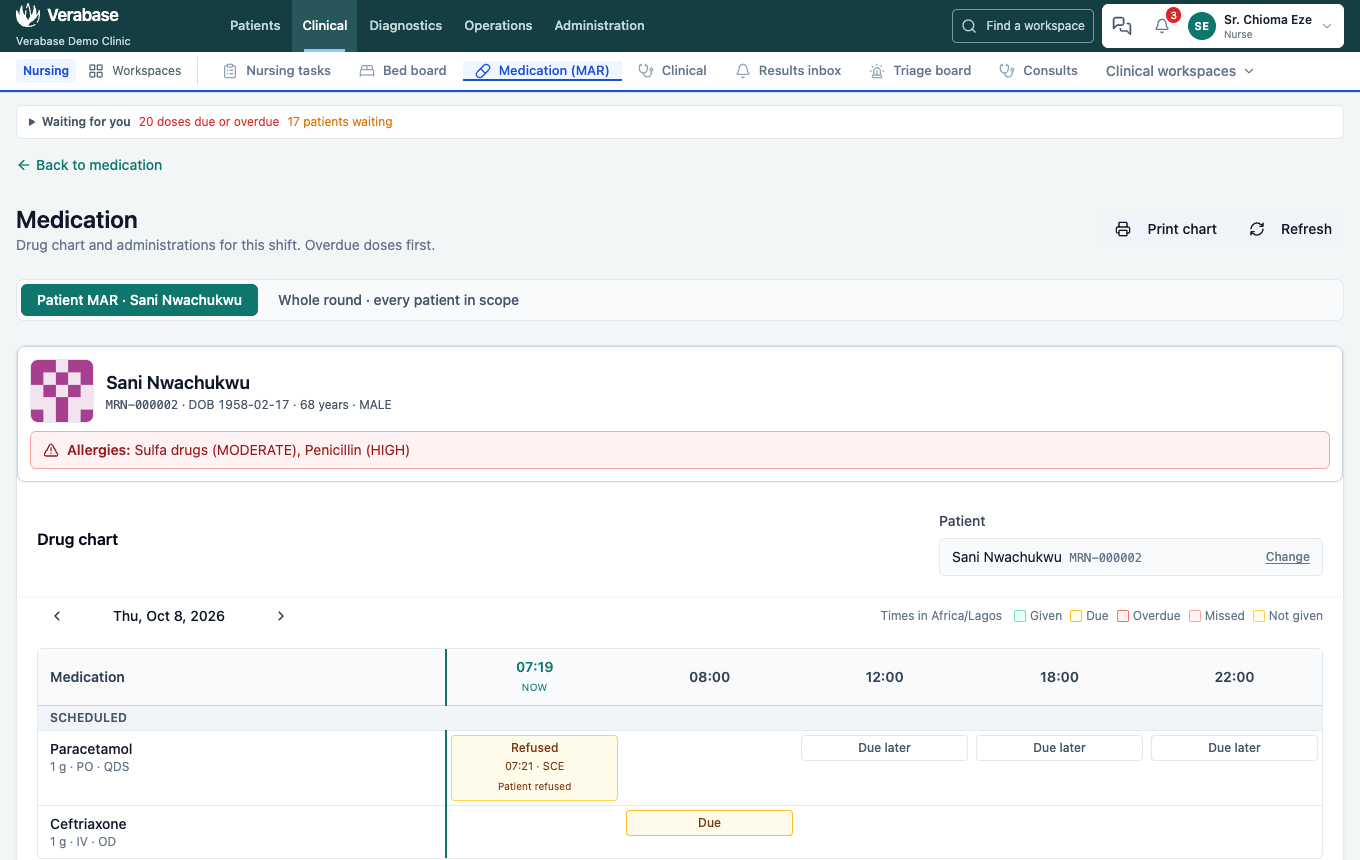
The round and the patient's drug chart both show Refused, with the reason:
4. A PRN dose, and whether it worked
Under PRN orders, each order shows what it's for, the minimum interval and the maximum in 24 hours. Choose Give now, then give it like any dose (five rights and both scans; see FAC-IPD-01 step 6).
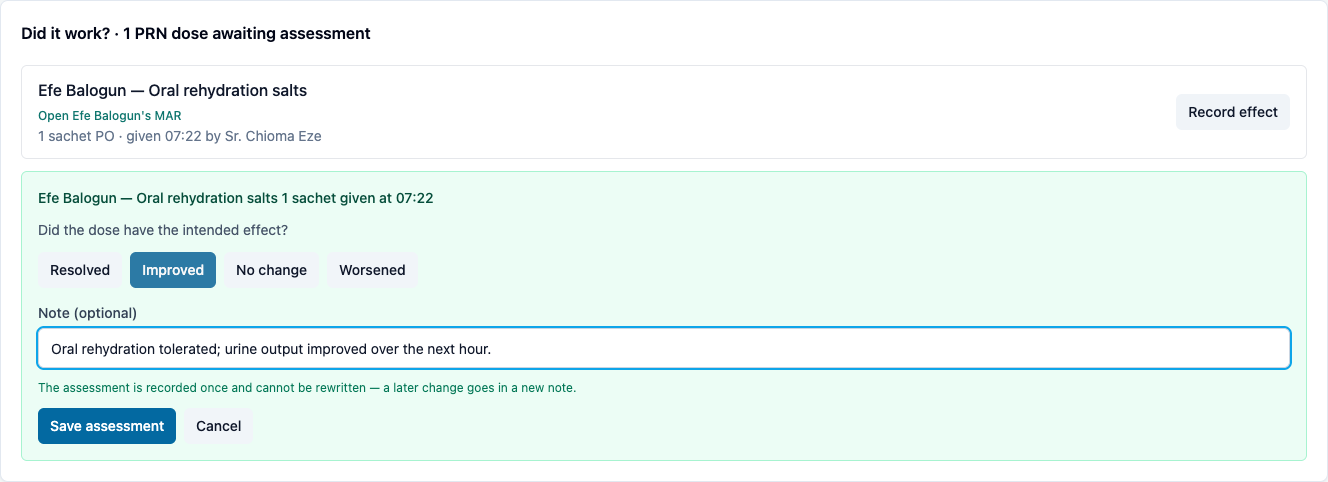
The dose then appears under Did it work? · PRN doses awaiting assessment. Later, choose Record effect: Resolved, Improved, No change or Worsened, with a note (e.g. Oral rehydration tolerated; urine output improved over the next hour). The assessment is saved once and can't be rewritten; a later change goes in a new note.
5. Too soon for another PRN
A second dose inside the order's minimum interval is refused, inside the dose form:

What Verabase will refuse and why
| You try to… | Verabase says | Why |
|---|---|---|
| Record a not-given dose with no reason | Choose a reason — a dose that was not given needs one. | "Not given" without a reason can't be acted on |
| Give a PRN dose sooner than the order allows | PRN doses require at least 240 minutes between them. | The prescriber's minimum interval is a safety limit |
You're done when…
- [ ] You hold your patients for the shift, and My patients only shows just their doses.
- [ ] Every dose you didn't give shows on the chart with its reason.
- [ ] Every PRN you gave has its effect recorded.
Practice task
Take two patients, record one dose as refused (with the reason and a plan), give a PRN oral rehydration salts dose and record its effect. Then try a second PRN straight away. Check: the trainer sees Refused on the chart, the effect under the PRN dose, and the interval refusal.
Related journeys
FAC-IPD-01 Inpatient stay (five rights, barcode, scanner session) · FAC-MAR-02 High-alert and controlled drugs · FAC-MAR-03 Downtime and the printed MAR