Appearance
FAC-THR-01 · Procedure consent, theatre record and recovery handoff
The Provider orders and documents the procedure. The Theatre Coordinator schedules the case and records the theatre handoff. The Billing Officer checks the charge on the patient's invoice.
Before you begin
Use synthetic patients for practice. The capture uses Aisha Garba, a Training fixation service and Training theatre resource. Its clinical text, implant identifiers and consent answers are examples for training. For real care, use the facility's approved procedure-specific consent and safety process.
Steps
Provider: order from the chart and capture consent
- Find the patient and open their Chart → Orders. Select Procedure and enter the procedure, body site and indication. Select Place procedure.
- Open Clinical → Procedures and select that order. Check the patient, procedure and indication before editing any record.
- In Procedure note, review the consent checkpoint. If consent is missing, select Capture consent for this procedure. The forms page identifies the procedure it will attach the consent to.
- Fill the approved consent form, select Save answers, reopen it and select Sign consent through the facility's consent process.
- Return to the same procedure. Confirm the linked consent form and signer appear at the checkpoint.

Theatre Coordinator: reserve capacity
- Open Procedures and select the case. Enter Starts and Ends, choose Room / theatre, and select Schedule. Times are in the facility timezone.
- Confirm Scheduled and the named resource's confirmed booking appear. If the resource is already booked for part of the interval, resolve the conflict before scheduling.
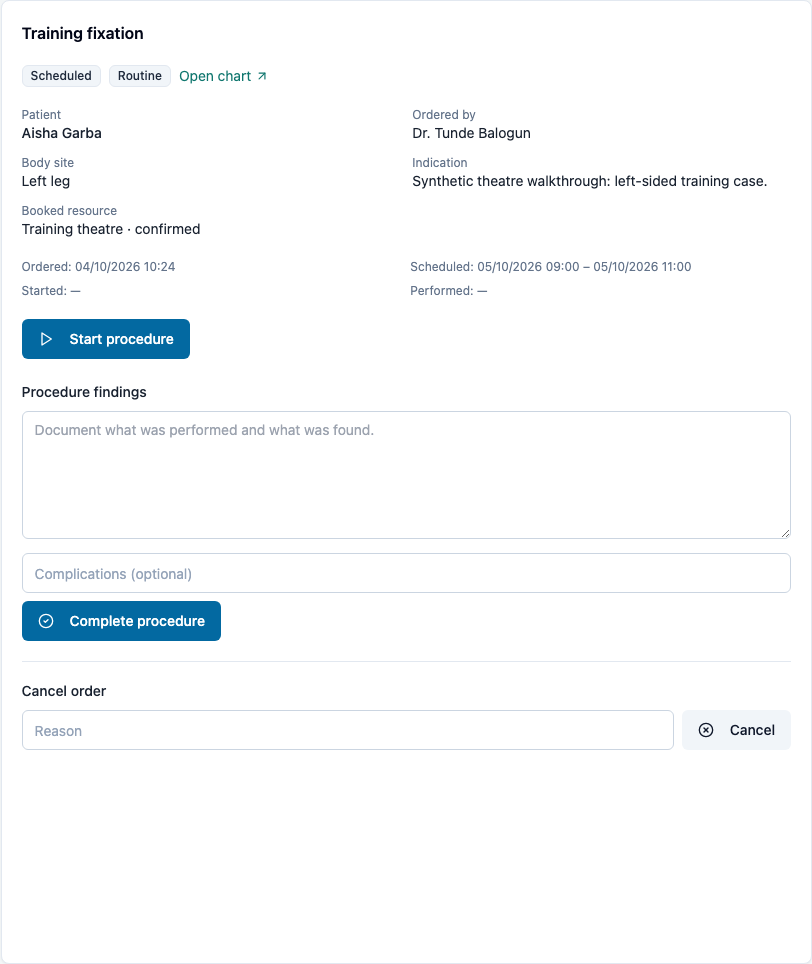
- Select Start procedure when the case begins.
Theatre Coordinator: record safety checks and the staged handoff
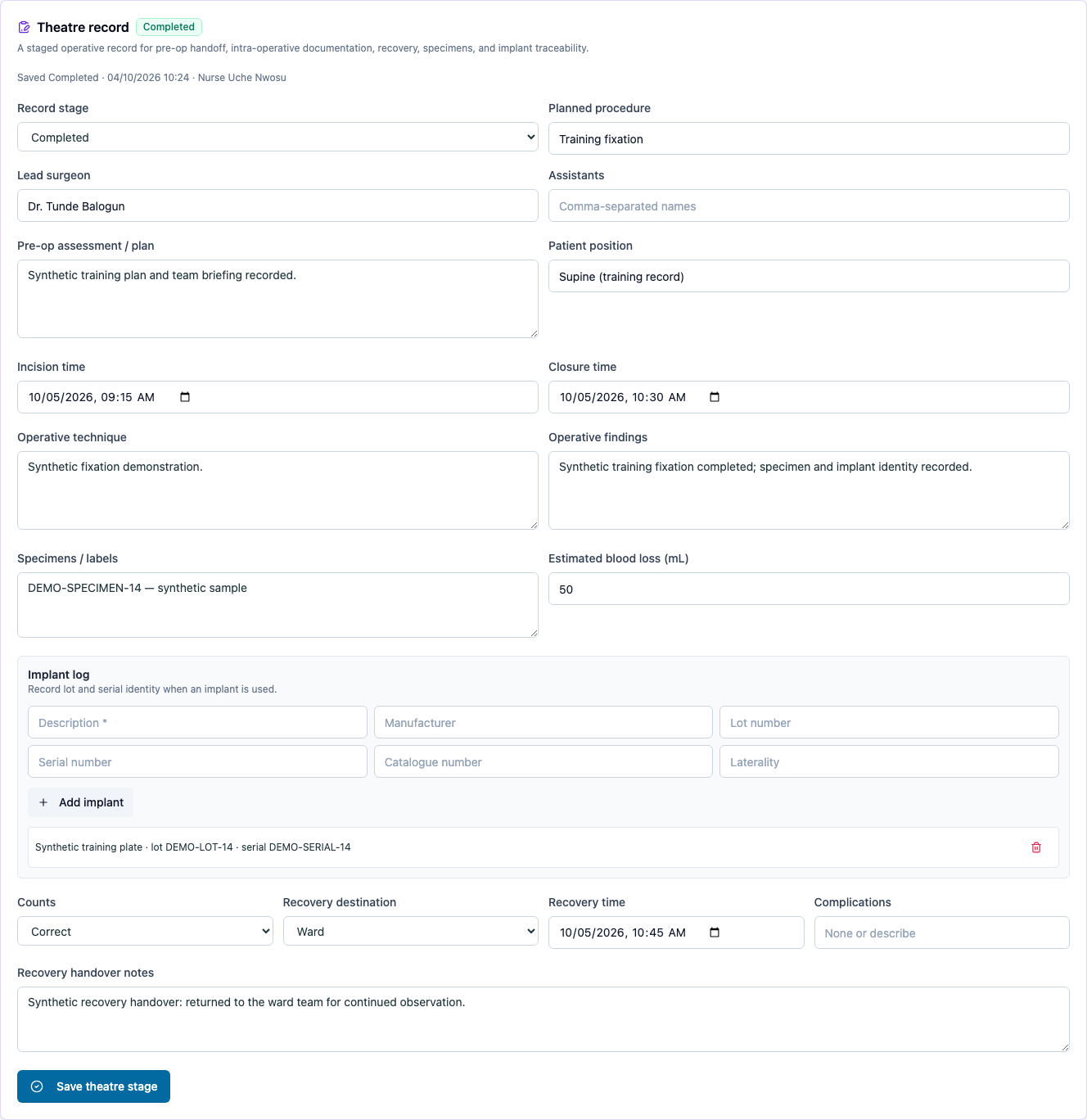
- In Theatre record, record the planned procedure, surgeon, pre-op assessment and position. Save the Pre-op stage.
- Complete the WHO surgical safety checklist through the team's safety process. Every required check must be confirmed before Complete checklist and sign out succeeds. Check the saved author and time.
- Choose Intra-op and record incision and closure times, technique, findings, specimens, blood loss and any implants. Add each implant to the log with its available lot and serial identifiers; then select Save theatre stage.
- Choose Recovery, record the destination, recovery time, complications and handover notes, and save.
- Confirm instrument and swab counts are correct before choosing Completed and saving. A rejected save leaves the previous saved stage visible.
- In the procedure details, record Procedure findings and select Complete procedure. Confirm the order and resource booking are completed.
Provider: record anaesthesia and sign the procedure note
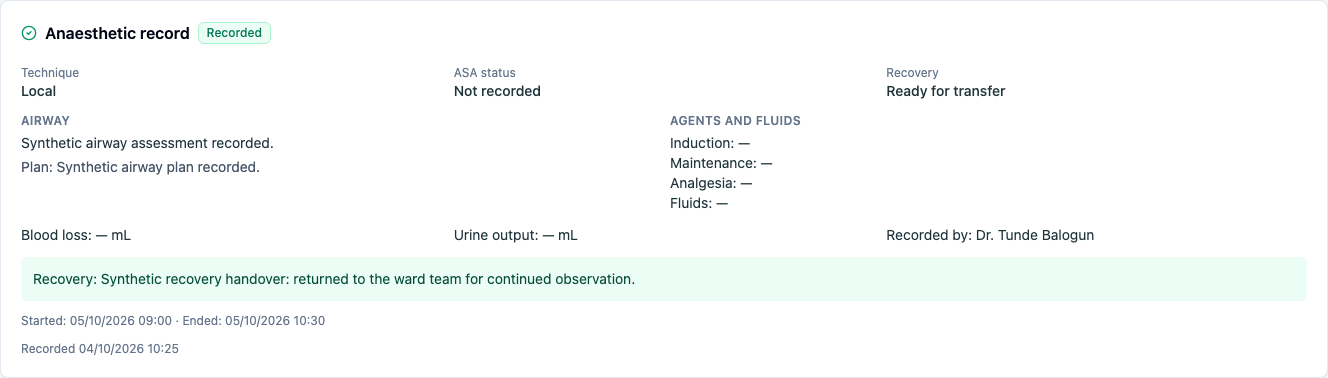
- Select the same procedure. In Anaesthetic record, record the technique, assessment and plan, drugs and fluids where applicable, start/end times, recovery status, recovery notes and complications. Select Record anaesthetic record.
- Check the saved times, recovery handoff and recorded author.
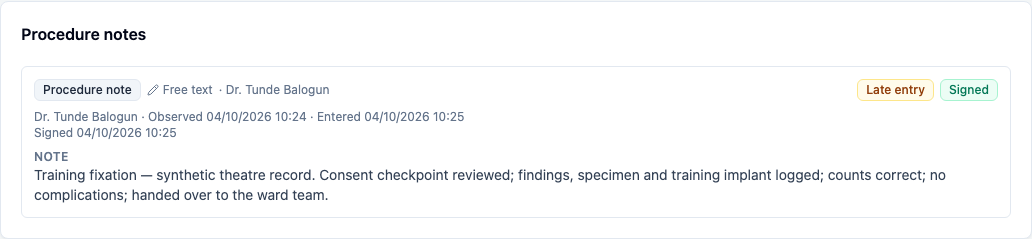
- In Procedure note, complete the required sections, select Save draft, then Sign note when ready.
- Select Open chart → Note. Under Procedure notes, confirm the signed note and its author are present in the same visit's record.
Billing Officer: reconcile the charge
- Open Billing and find the patient's visit bill in Receivables ageing. Select its invoice number; confirm the same number opens.
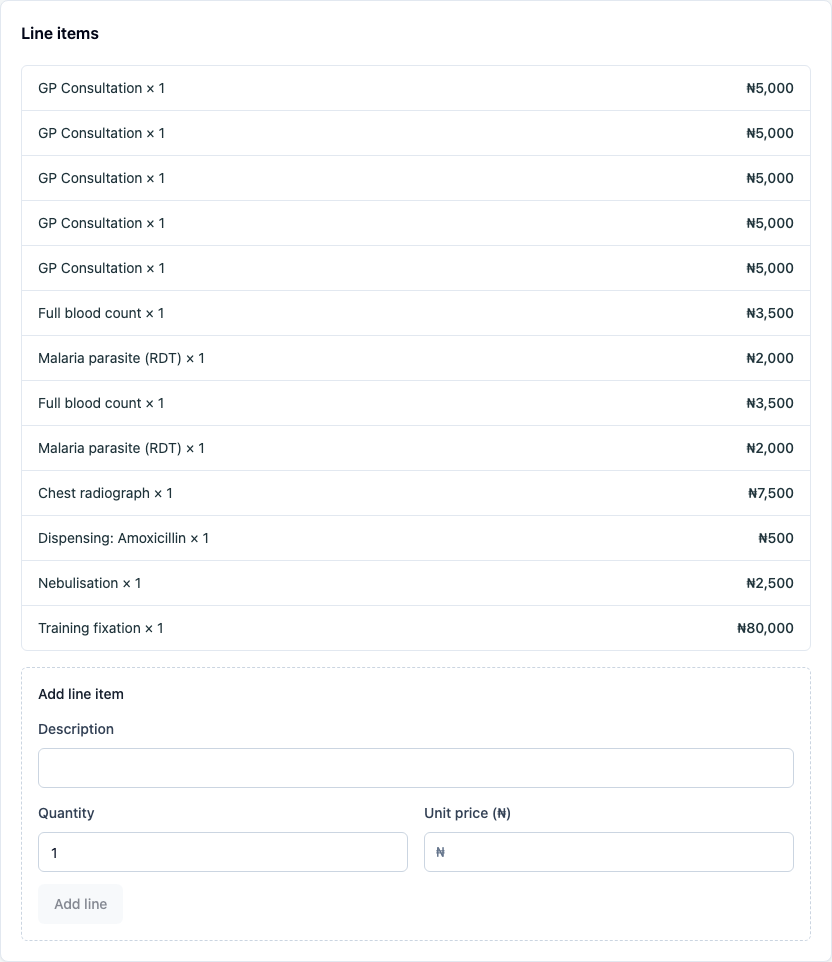
- Check the priced procedure appears once in Line items, with the facility's configured currency and amount. Follow FAC-OPD-01 to collect payment and issue a receipt.
You're done when
- The chart order, linked consent and reserved resource refer to the intended patient and procedure.
- The checklist and theatre record retain their saved stage, author, times, specimen/implant details and recovery handoff.
- Switching cases shows the selected case's fields, and reloading preserves facility-local times.
- The signed procedure note is visible in the chart and the priced procedure appears once on the bill.
Practice task
Run a synthetic case as three people: Provider, Theatre Coordinator and Billing Officer. Try scheduling a second training case in the occupied slot and advancing beyond pre-op without a completed checklist; both must be refused. Reload the saved intra-op record and compare the times and implant identifiers. Finish the handoff, then find the signed note and the bill charge.
Evidence
Chromium passed on a fresh synthetic guide seed as Dr. Tunde Balogun (Provider), Nurse Uche Nwosu (Theatre Coordinator), and the demo Billing Officer. The capture checks the selected consent context, occupied-resource refusal, case switching, checklist refusal/completion, staged saves, reload of facility-local timestamps, implant/specimen retention, anaesthetic handoff, the signed chart note, and the single procedure charge on the visit bill. The workstation uses America/Chicago while the facility uses Africa/Lagos.
The browser walk uses an encounter-linked case. Admission note-chain separation is covered by server regression tests; a full inpatient theatre case is not part of this walk. Payment collection is covered by the outpatient billing journey.
The full Chromium capture passed again on a fresh seed after the CSSD source-query and procedure-selection changes. Its six refreshed screenshots were inspected. FAC-CSSD-01 separately verifies the case's linked load records and exact CSSD source review.
Firefox was attempted on a fresh seed but failed at browser launch with the macOS sandbox/compositor error before opening VERA. Firefox layout verification remains pending; run BROWSER=firefox npx playwright test capture/theatre.spec.ts from a normal terminal.