Appearance
FAC-CSSD-01 · Sterile processing, failed loads and theatre traceability
The Provider orders the procedure from the patient chart. The CSSD Technician records the load and its release checks. The Theatre Coordinator reviews the linked loads and their source records on the selected case.
Before you begin
Use synthetic patients and instruments for practice. This journey uses Aisha Garba, CSSD training case and DEMO-SET-01 · Training instrument set. The example notes and indicator decisions are training data. For real work, follow the facility's approved inspection, sterilisation, release and handling procedures.
VERA records manual cycle evidence. A recorded pass or release is a staff entry; it does not measure a steriliser or establish that a physical set is sterile. Available to load means the software permits a new load. Review the source release and the set's current condition before use.
Steps
Provider: create the procedure from the chart
- Find the patient, select Open chart → Orders → Procedure.
- Enter the procedure and indication, then select Place procedure. The same order becomes available to CSSD and theatre.
CSSD Technician: register and load a traceable set
- Open Operations → Sterile processing. In Register instrument set, enter its Set code, Name, category, instrument count and notes, then select Add set.
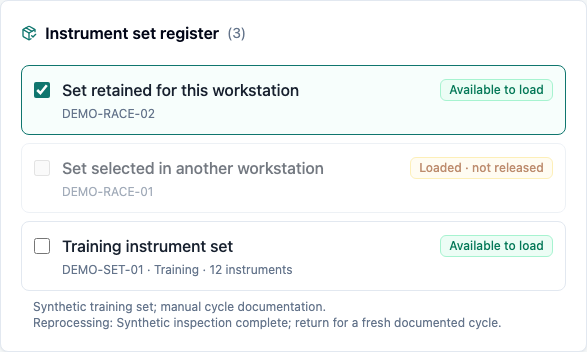
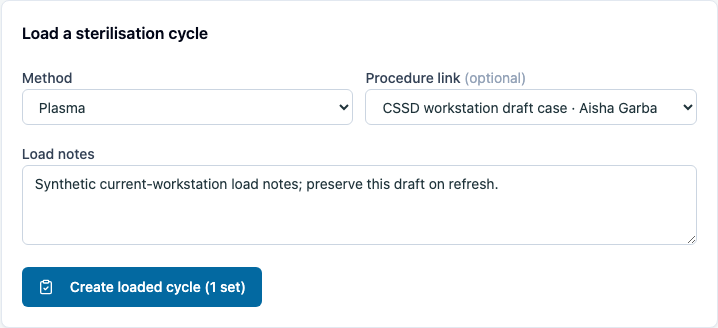
- In Instrument set register, select the available set. In Load a sterilisation cycle, choose the method and intended Procedure link; check the patient's name.
- Record the facility's load/indicator reference in Load notes, then select Create loaded cycle.
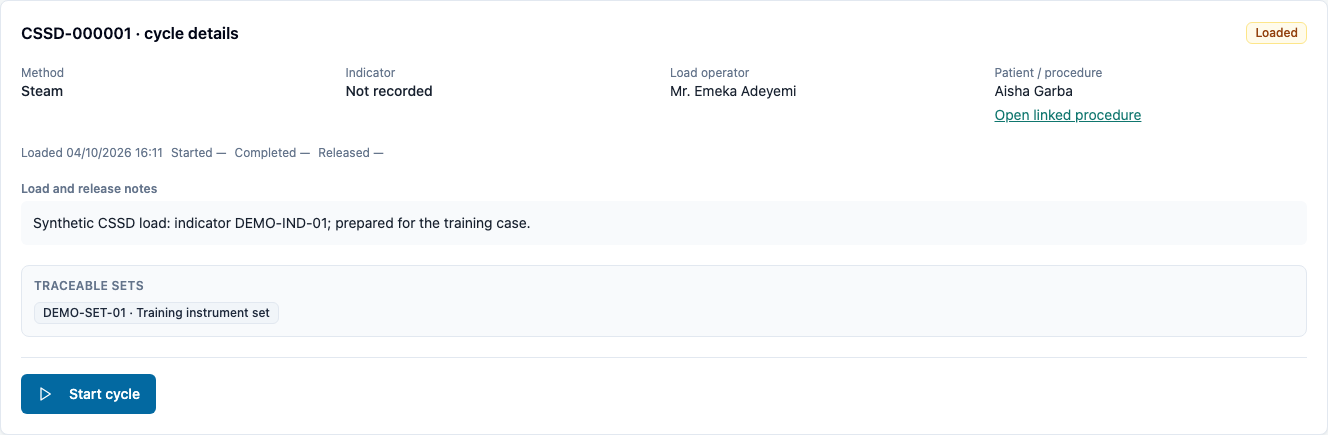
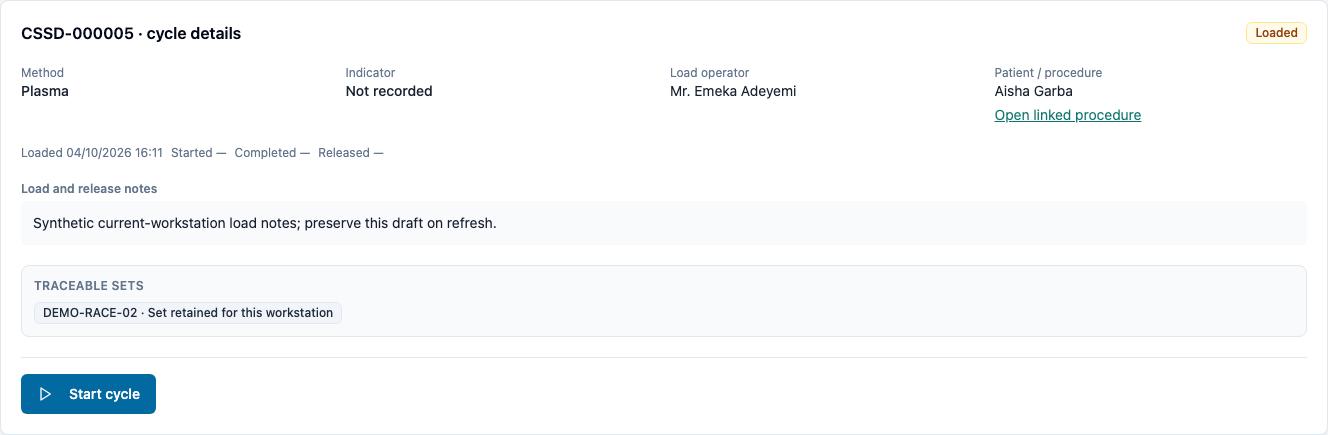
- Check the selected cycle number, patient, load operator, method, notes and traceable set. The set is unavailable for another load. The load composer clears its selection, procedure link and notes after saving.
CSSD Technician: record a pass and release
- Select Start cycle when the cycle starts. The set remains unavailable for another load.
- Record the facility's actual indicator decision. Pass indicator changes the cycle to Awaiting release; it does not release the set.
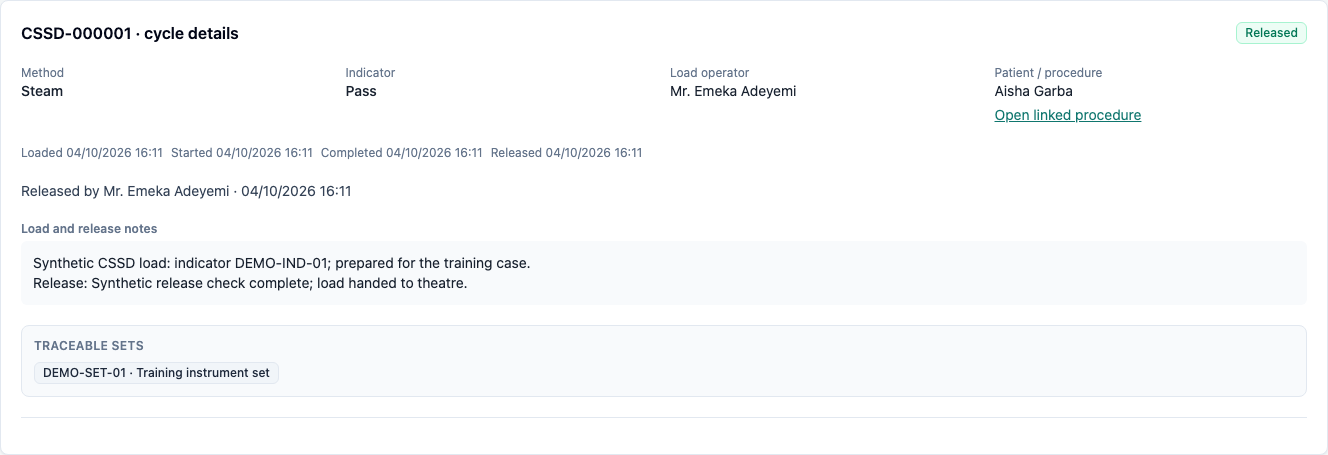
- Carry out the facility's release checks, enter Release note and select Release sterile sets.
- Check Released, the releasing staff member/time and both the load and release notes. Reload to confirm the saved record remains.
CSSD Technician: hold and reprocess a failed load
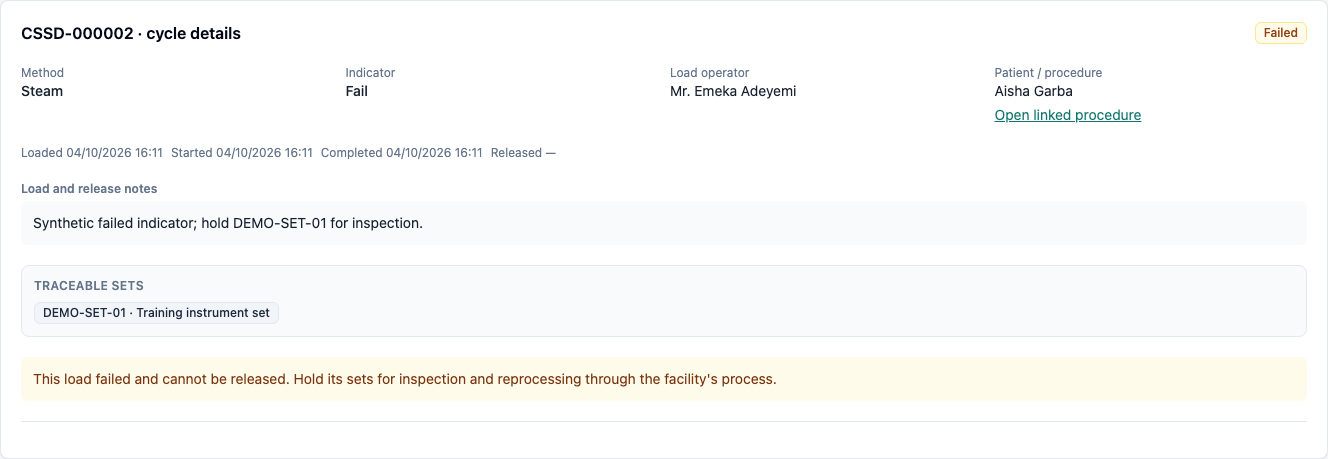
- For a running training load, choose Fail indicator. Confirm Failed and Held for inspection. The failed cycle has no release action.
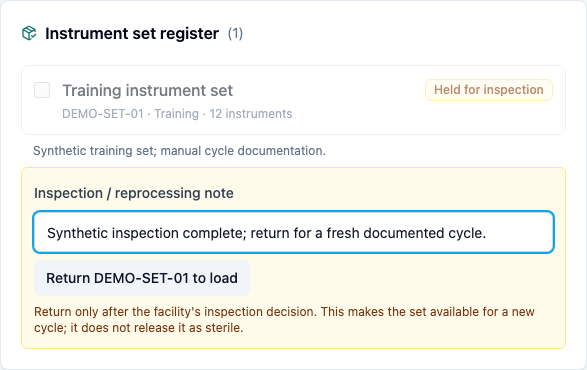
- Follow the facility's inspection process. Record the new Inspection / reprocessing note on the set, then select Return [set code] to load. A new note is required; returning a set does not release it as sterile.
- Select the set for a new cycle, explicitly select the procedure link and record fresh load notes. Complete that cycle's indicator and release checks.
- Confirm the failed cycle remains in history with its original failed indicator. Switching cycles clears an unsaved release note; one cycle's draft must not enter another cycle's record.
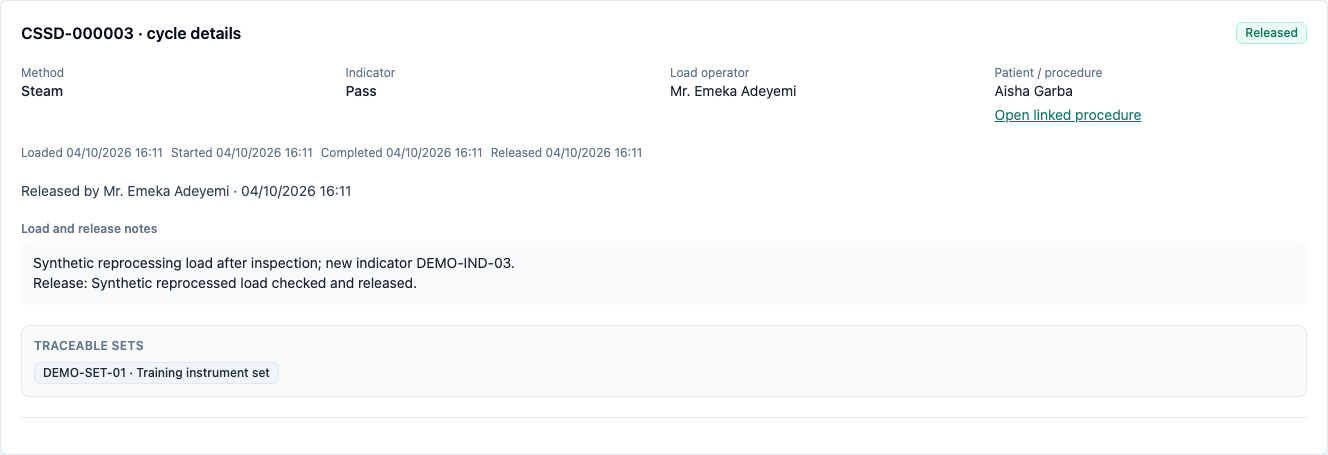
Theatre Coordinator: review the source on the selected case
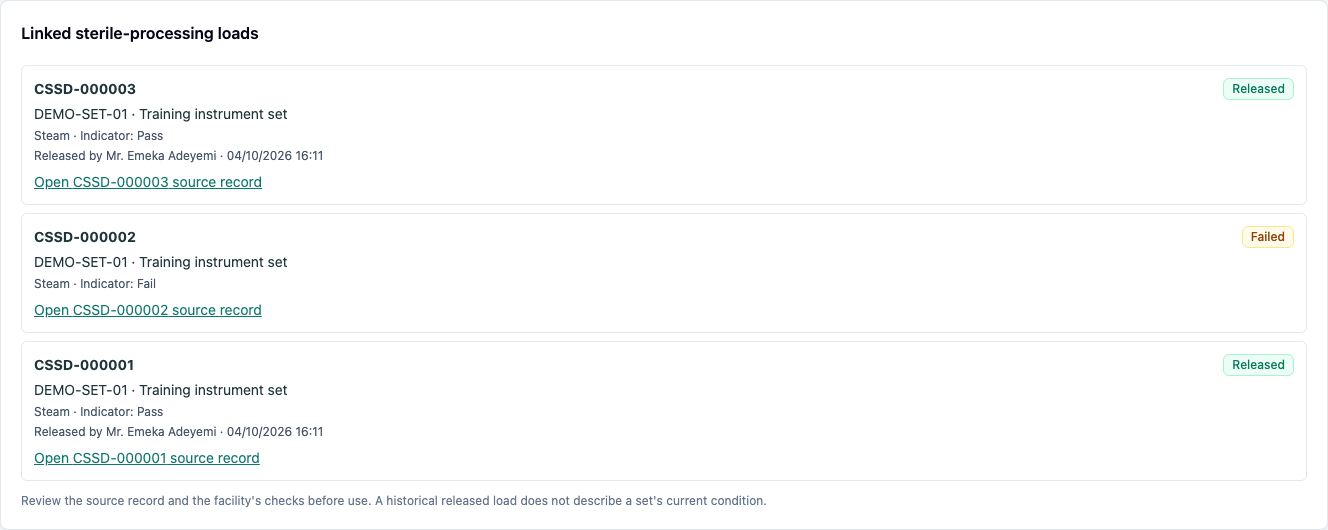
- Open Procedures and select the intended case. In Linked sterile-processing loads, check the cycle numbers, indicator decisions, sets and release attribution.
- Select Open [cycle number] source record. Check the exact cycle number and saved notes. A failed source remains failed even after a separate reprocessing cycle succeeds.
- Use Open linked procedure to return to the same chart order. Follow the theatre journey for consent, theatre checks, recovery documentation and the procedure charge.
CSSD Technician: recover a draft when another workstation loads a set
- Select available sets and prepare the method, procedure link and load notes.
- If another workstation loads one of those sets, select Refresh. That set becomes unavailable and is removed from your selection and load count. Other available selections, the method, procedure link and notes remain in your draft.
- Review the remaining selections before choosing Create loaded cycle. Confirm the saved cycle contains only those sets and the intended notes.
You're done when
- The chart's procedure, patient, load and traceable set refer to the intended case.
- Loaded, running and passed-but-unreleased sets cannot enter another load or be manually returned to availability.
- Release retains its staff attribution, time and notes after reload.
- Failed sets are held; inspection is documented before a new cycle, and the original failure stays in history.
- Theatre opens the exact CSSD source rather than another recent cycle.
- An unrelated role cannot open the CSSD workstation or use its mutation controls.
- Refresh removes unavailable selections and lets the remaining draft be reviewed and saved.
Evidence
Both Chromium captures passed on the rebuilt production guide stack with a fresh synthetic seed ending Nothing skipped. The build used Webpack, matching the facility Dockerfile, and passed TypeScript checking; it emitted a Forme PDF WASM target warning. PDF generation was not part of this selection-recovery walk. The walk used Dr. Tunde Balogun (Provider), Mr. Emeka Adeyemi (CSSD Technician) and Nurse Uche Nwosu (Theatre Coordinator), then checked that Blessing Umar (Front Desk) was redirected to Schedule with no CSSD worklist or mutation controls. All ten screenshots were opened and inspected.
The capture checks navigation, chart-to-procedure linkage, load-draft clearing, pass/release gating, saved notes and named staff after reload, failed-load hold, inspection-note refusal and retention, a new reprocessing cycle, release-draft clearing between cycles, and exact theatre source review. Eight server regressions cover ownership/availability, premature and stale release, filtered source isolation, reprocessing history, concurrent load/indicator decisions and reader/unrelated-role refusals. The SDK CSSD check also passes.
The theatre journey also passed its complete Chromium regression after the shared procedure-page changes. CSSD-001 was then reproduced against the unchanged UI in two independently signed-in CSSD workstations: Refresh left an unavailable set checked and counted. After the fix, the added capture proves that Refresh removes that set, retains the other selection and the method/procedure/notes draft, saves only the remaining set, and follows the saved link to the exact procedure and patient. Screenshots 08–10 retain this recovery evidence.
The earlier Firefox attempt on a fresh seed failed at launch with the macOS sandbox/compositor error before opening VERA. Its layout verification remains pending; run BROWSER=firefox npx playwright test capture/cssd.spec.ts from a working normal terminal. Steriliser telemetry, physical instrument handling, biological-indicator hardware and barcode/RFID integrations are outside this manual-record walk.
Practice task
As three staff members, order a synthetic procedure, register one training set, pass and release a linked load, then record a separate failed training cycle. Confirm the held set cannot be loaded until the inspection decision is recorded. Reprocess through a new cycle and ask the Theatre Coordinator to open the original failed source from the case. Compare its cycle number and notes with the new release; the original failure must remain visible.