Appearance
CP-05 · Investigate an audit event
Every sensitive platform action is written to a tamper-evident audit trail. Each event stores a hash of itself and of the event before it, so removing or editing one breaks the chain. Use this page to answer "who granted this module?", "when was this tenant suspended?", or a regulator's "prove nobody changed it".
Two audit logs
This is the platform audit trail: operator actions in the control plane. Clinical activity (who opened which chart) is in the hospital's own audit log, which the Facility Admin reads in facility-web.
Steps
1. Find the events
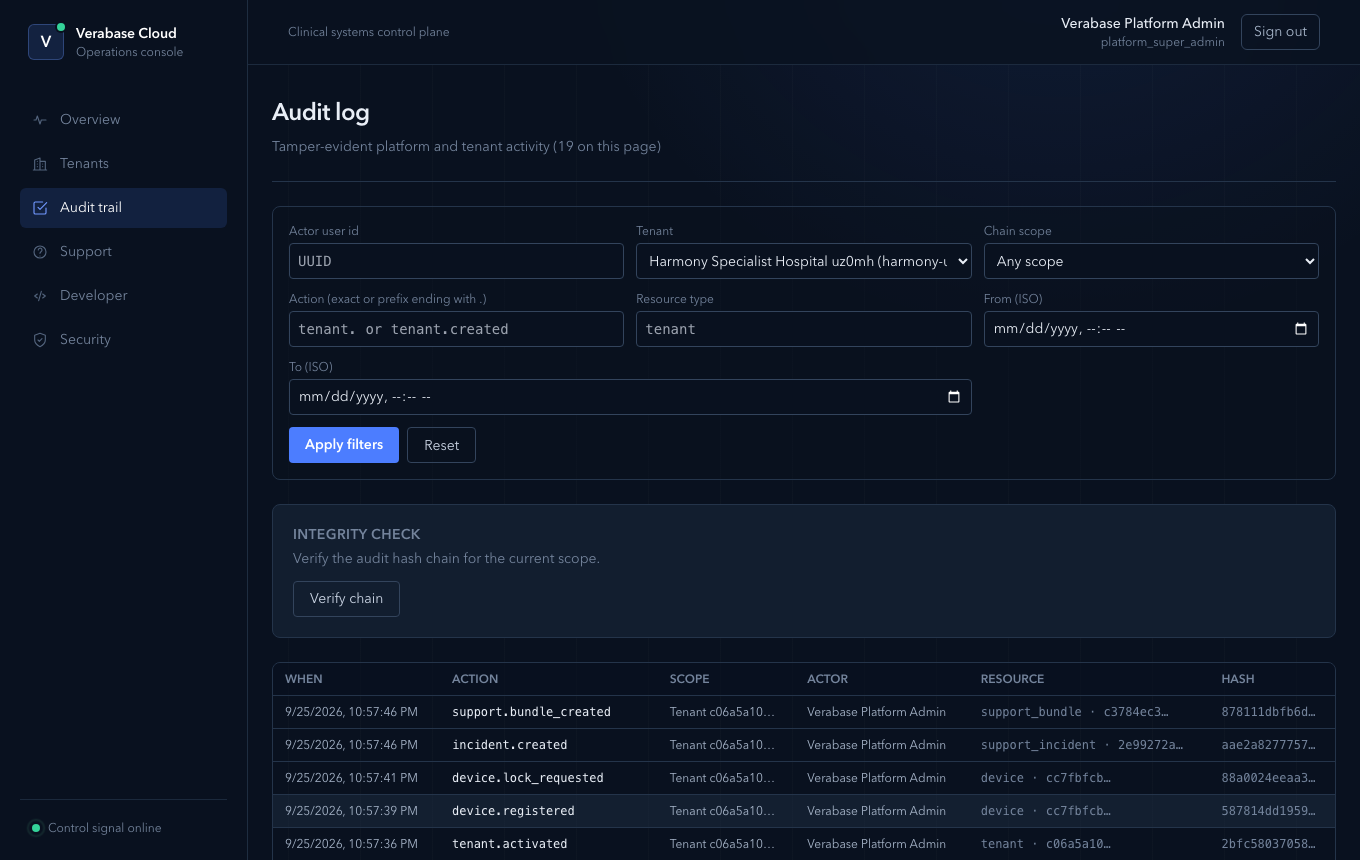
Audit trail lists events newest first. From a tenant's support workspace, Open full audit trail opens the list already filtered to that tenant.
2. Read one event
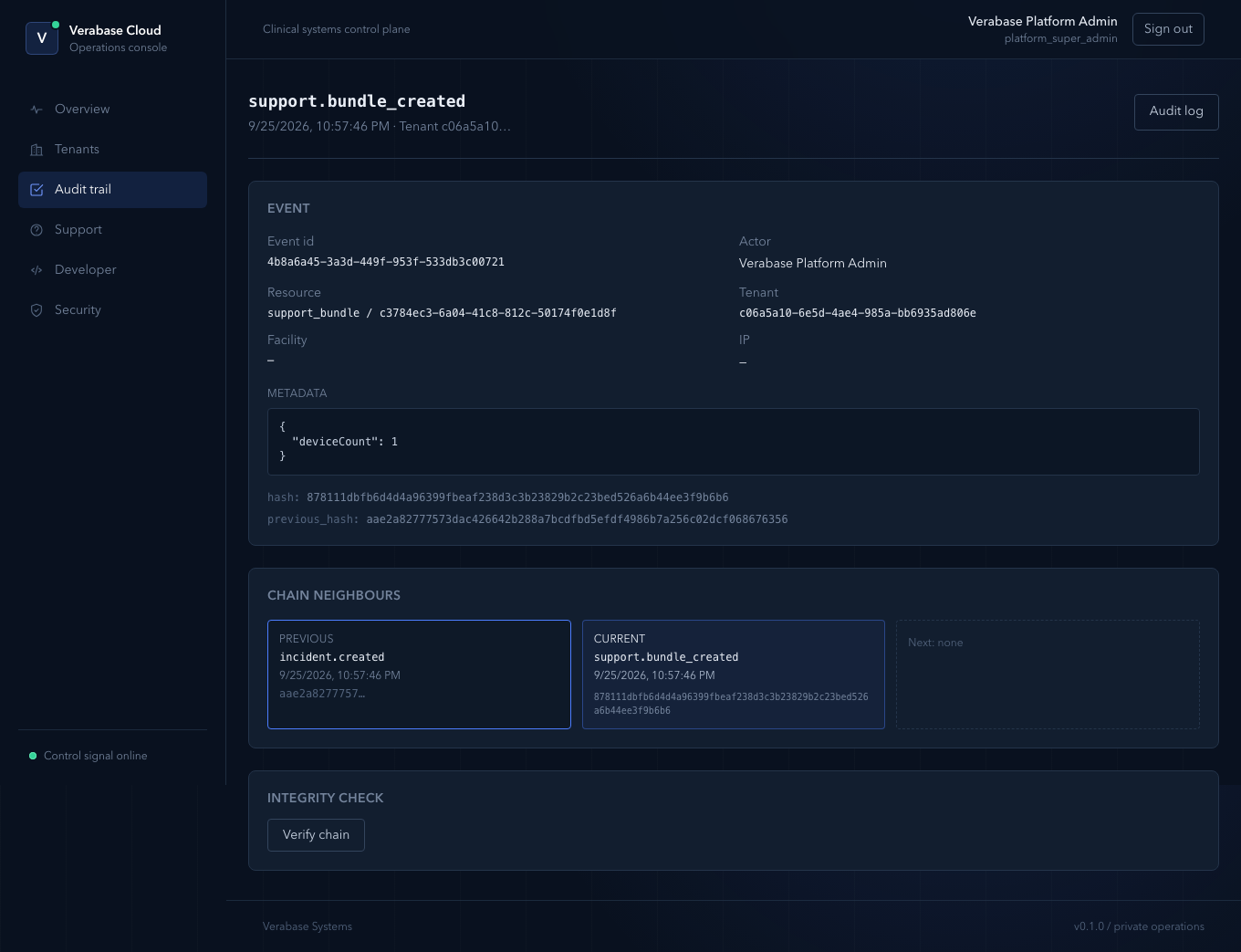
Open an event. It shows:
- Event id, Actor, Resource, Tenant, Facility, IP.
- Metadata: exactly what changed. For a device, its type, facility and serial.
- hash and previous_hash: this event's link in the chain.
- Chain neighbours: the events immediately before and after.
3. Verify the chain
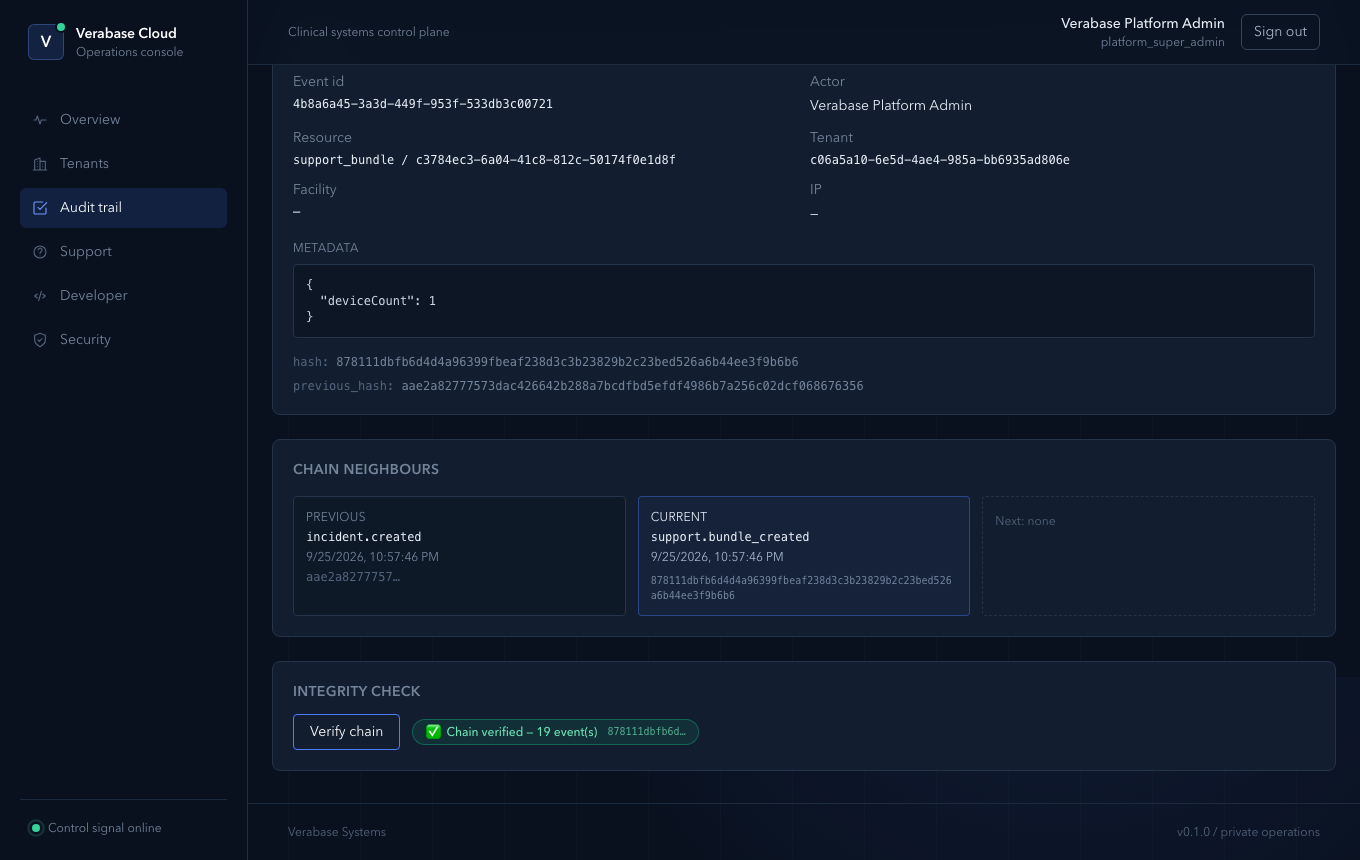
Choose Verify chain. Verabase recomputes the hashes and reports, for example, "Chain verified — 19 event(s)" with the head hash. A pass means no event in the chain has been edited or removed.
You're done when…
- [ ] You can name the actor and time of any change on a tenant within a minute.
Practice task
Find the tenant.activated event for your practice hospital and run Verify chain on it. Check: you can read out the actor, the time and the previous event.