Appearance
FAC-CHAT-09 · Invite an outside clinician to a conversation
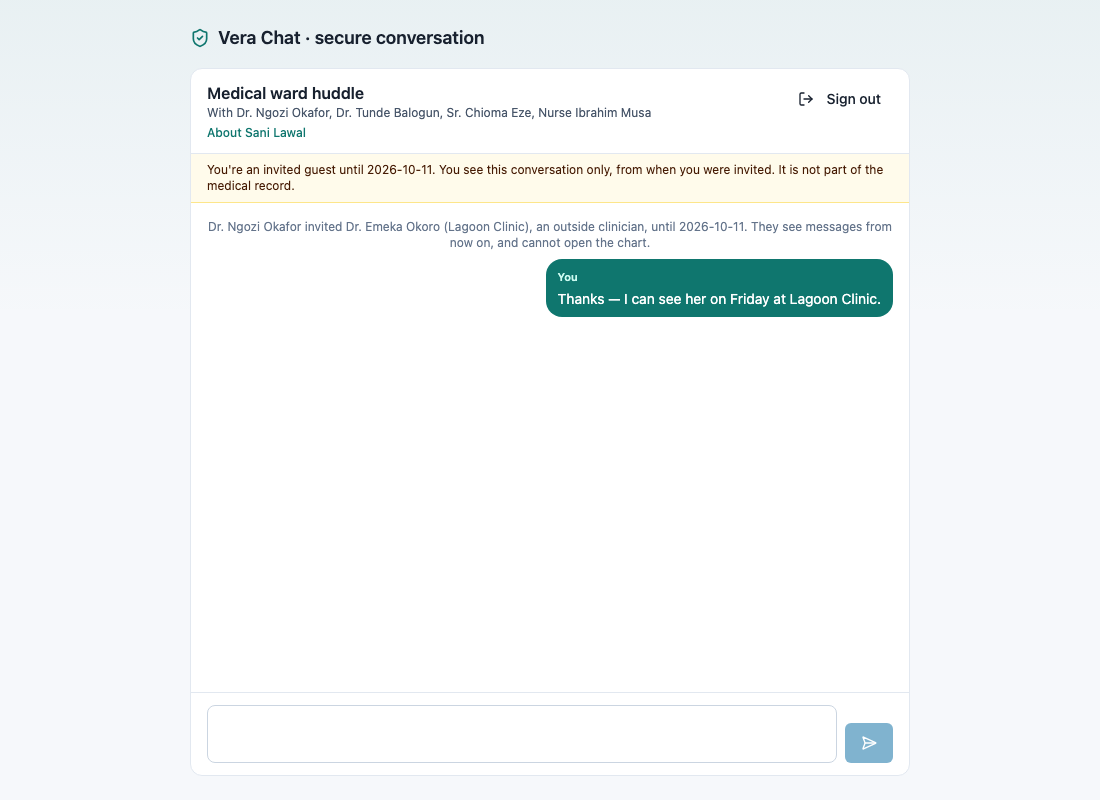
A referring or consulting clinician outside the hospital can join one group conversation for a few days. They confirm a code sent to their email and see that conversation only, from the moment they were invited, with the patient's name. They can't see the chart, other conversations or anything earlier.
Steps
1. Invite — as Provider
In a group conversation: ⋮ → Invite outside clinician. Enter their name, email and organisation, and how long they need: 1, 3, 7 or 14 days. Send invitation emails them a link; you can also copy it.
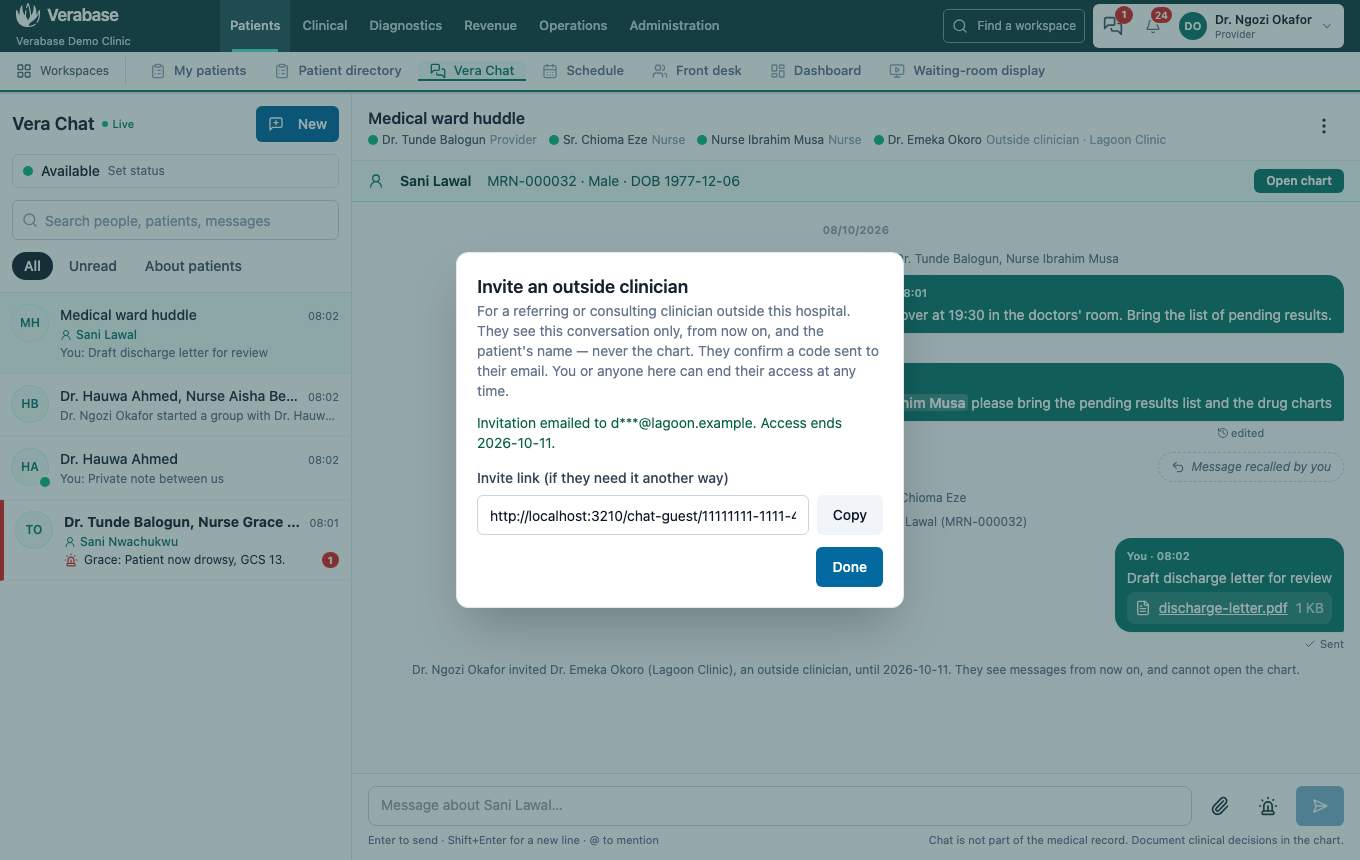
Invitations are for groups only, so one-to-one conversations stay private. Providers can invite.
2. They join — the outside clinician
They open the link, choose Email me a code, and enter the 6-digit code from their email. The code lasts 10 minutes; codes and attempts are limited.
3. Everyone can see they're there
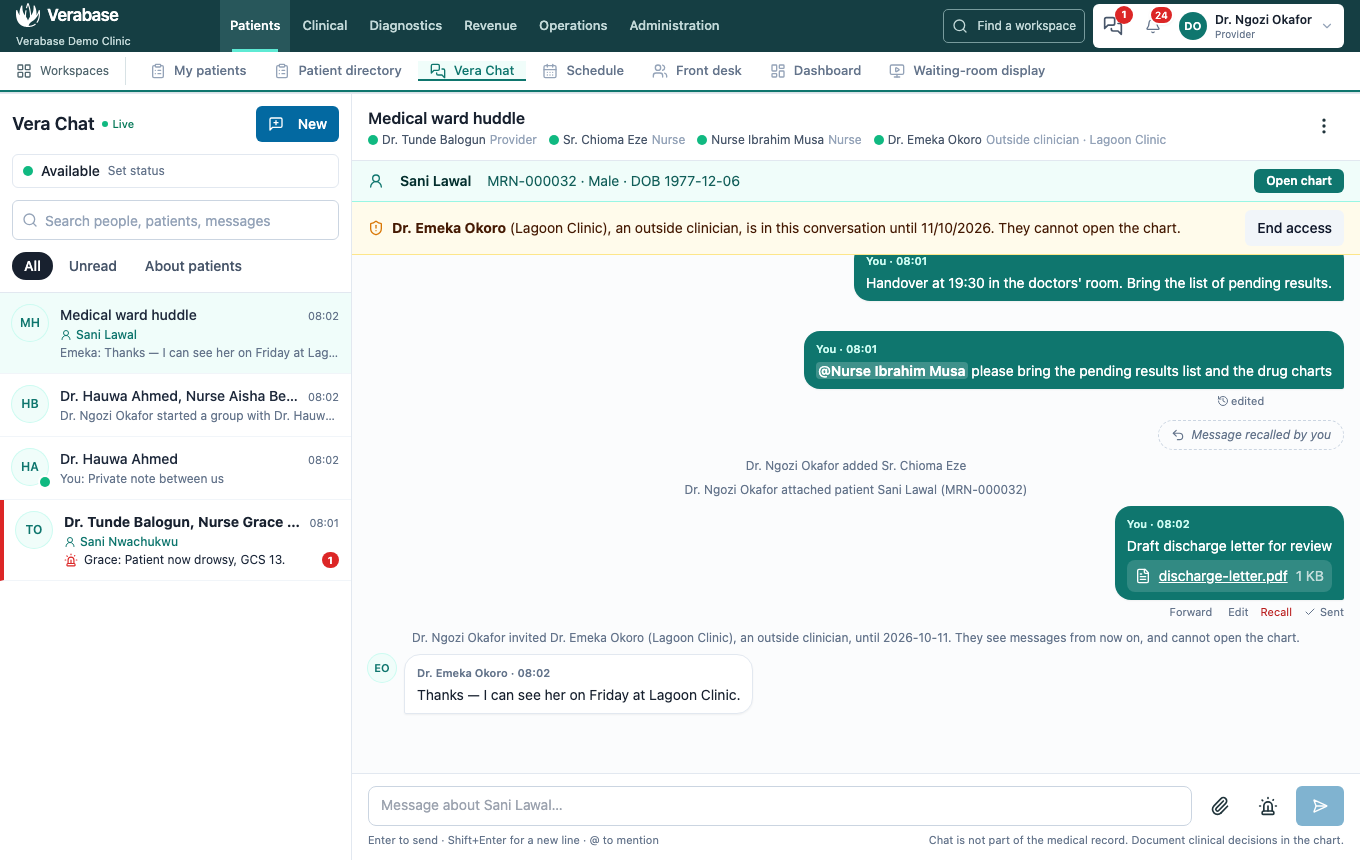
An amber banner names them and when their access ends. Their messages are labelled Outside clinician · organisation.
4. End access
Anyone in the conversation can choose End access, and the guest is out immediately. Access also ends by itself on the date shown.
You're done when…
- [ ] The banner shows the guest and their end date.
- [ ] Their message appears, labelled with their organisation.
- [ ] After End access, their link no longer opens the conversation.
Practice task
Invite a colleague (at a test email address) for 1 day, have them reply, then end their access. Check: the trainer sees the banner, the labelled reply, and the system line recording that access ended.