Appearance
FAC-CHAT-07 · Chat retention, legal hold and export
Vera Chat isn't part of the medical record, but complaints and legal requests sometimes need it. Administration → Chat records is the facility administrator's one, audited way into conversations they aren't part of.
Before you start
- Facility Admin:
admin@demo-clinic.test/DemoAdmin-2026. Only this role has Chat records.
Steps
1. Set retention
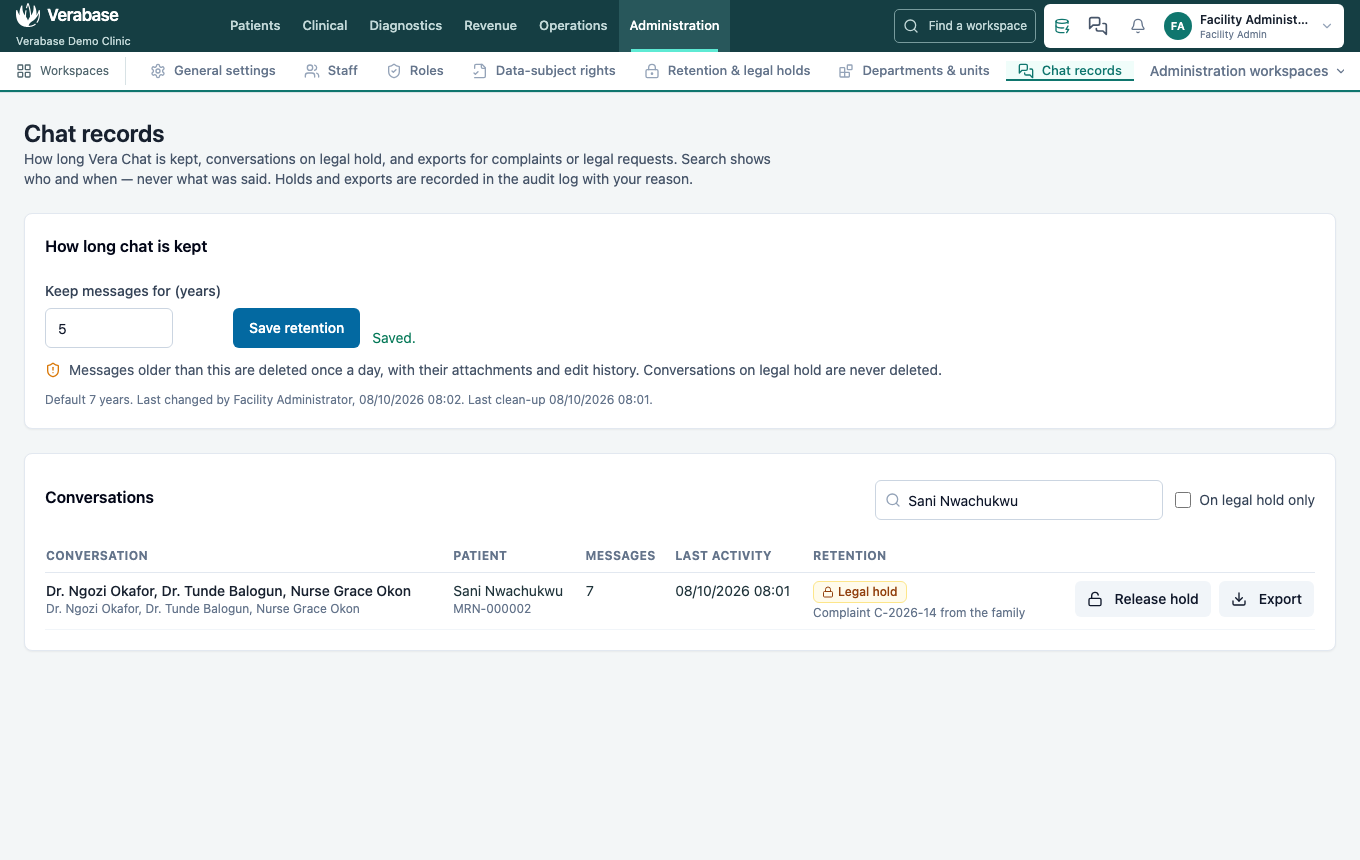
Keep messages for (years): the default is 7, and the minimum is 1. Once a day, messages older than this are deleted with their attachments and edit history. Conversations on legal hold are never deleted.
2. Find a conversation
Search by person, patient, MRN or title. The list shows who, when, how many messages and when deletion falls due, never what was said.
3. Place a legal hold
Place hold asks for a reason, such as a complaint number. The hold and reason show in the list, and Release hold asks for a reason too.
4. Export
Export asks for a reason and downloads either a printable transcript (HTML) or data (JSON). The export is complete: it includes edit history and recalled messages that participants can no longer see. Treat it as confidential.
Every hold, release and export is in the audit log with your name and reason. Even the facility admin can't simply open a conversation they aren't in.
You're done when…
- [ ] Retention shows the period you set.
- [ ] The conversation shows Legal hold with your reason.
- [ ] The downloaded transcript opens and states why it was exported.
Practice task
Place a hold on a conversation for "Training exercise T-1", export it as HTML, then release the hold. Check: the trainer finds all three actions in the audit log with the reason.