Appearance
FAC-CHAT-06 · Add people, attach a patient later, share a PDF, and forward a message
Conversations change as care does: someone else needs to be in it, it turns out to be about a particular patient, or a message needs to reach a colleague who isn't there.
Steps
1. Add a colleague to a group — as Provider
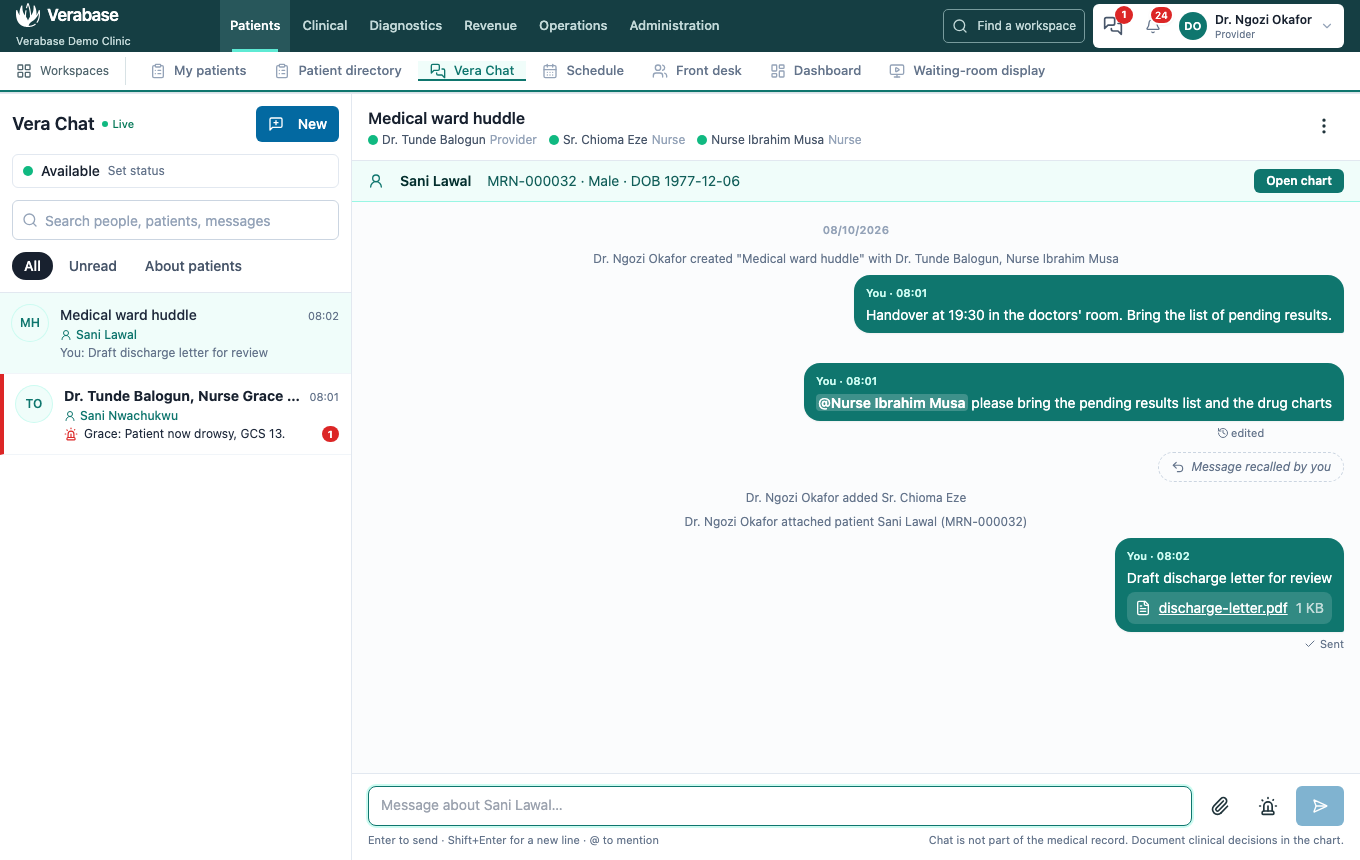
⋮ → Add people, choose them, Add. Everyone sees a line recording it. In a group, new members can read the history; only new messages count as unread for them.
2. Attach a patient afterwards
⋮ → Attach patient, search, choose, Attach patient. The patient strip appears with Open chart, and a line records who attached them.
3. Share a PDF
The paperclip takes a PDF (or a photo) up to 5 MB. Click it in the thread to open it.
4. Forward a message
Hover a message → Forward. Choose A conversation you're in, or People to send it to directly, and add a note if you like.
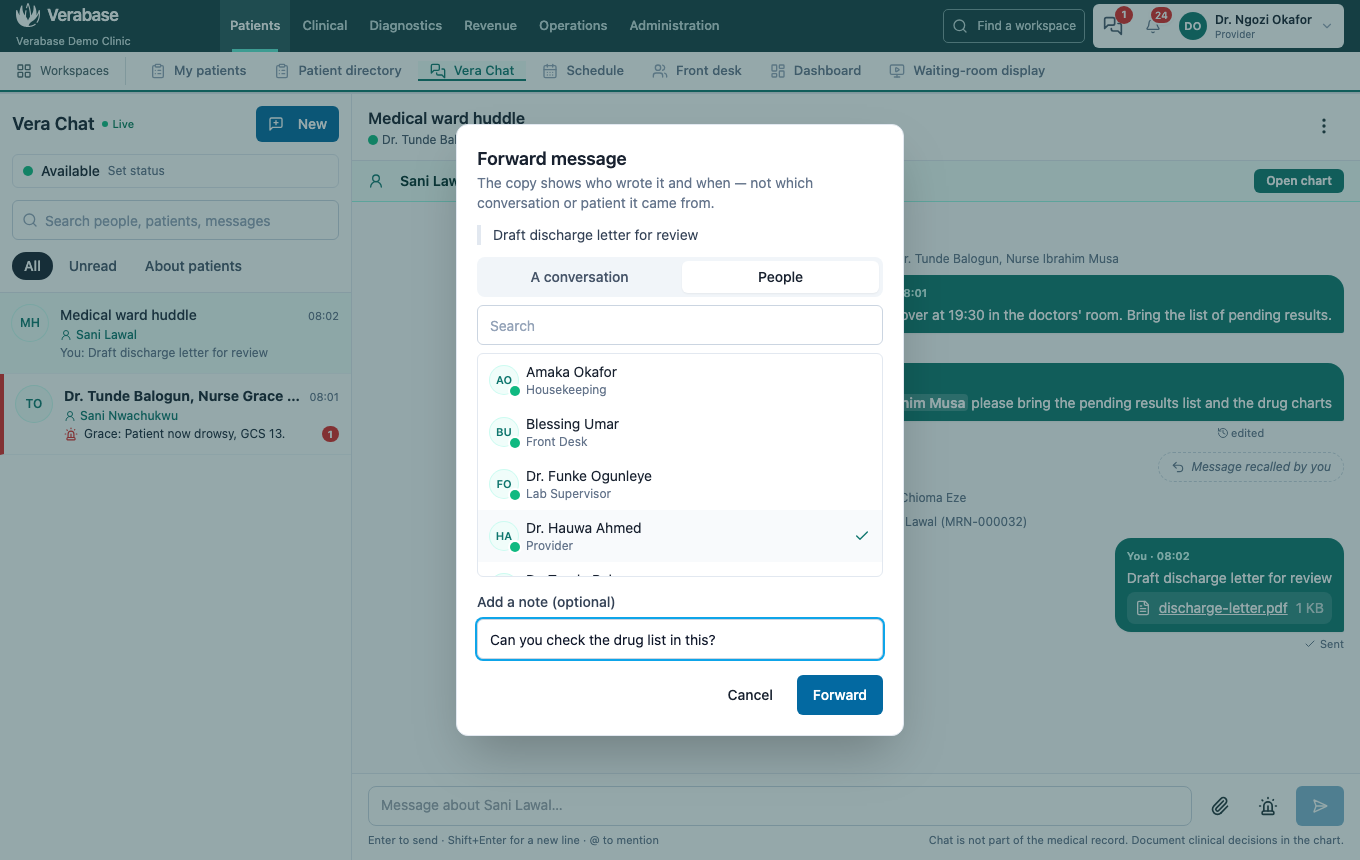
The copy says Forwarded · originally from … with the original time. It does not say which conversation it came from, or carry that conversation's patient. Attachments come with it. Recalled messages can't be forwarded.
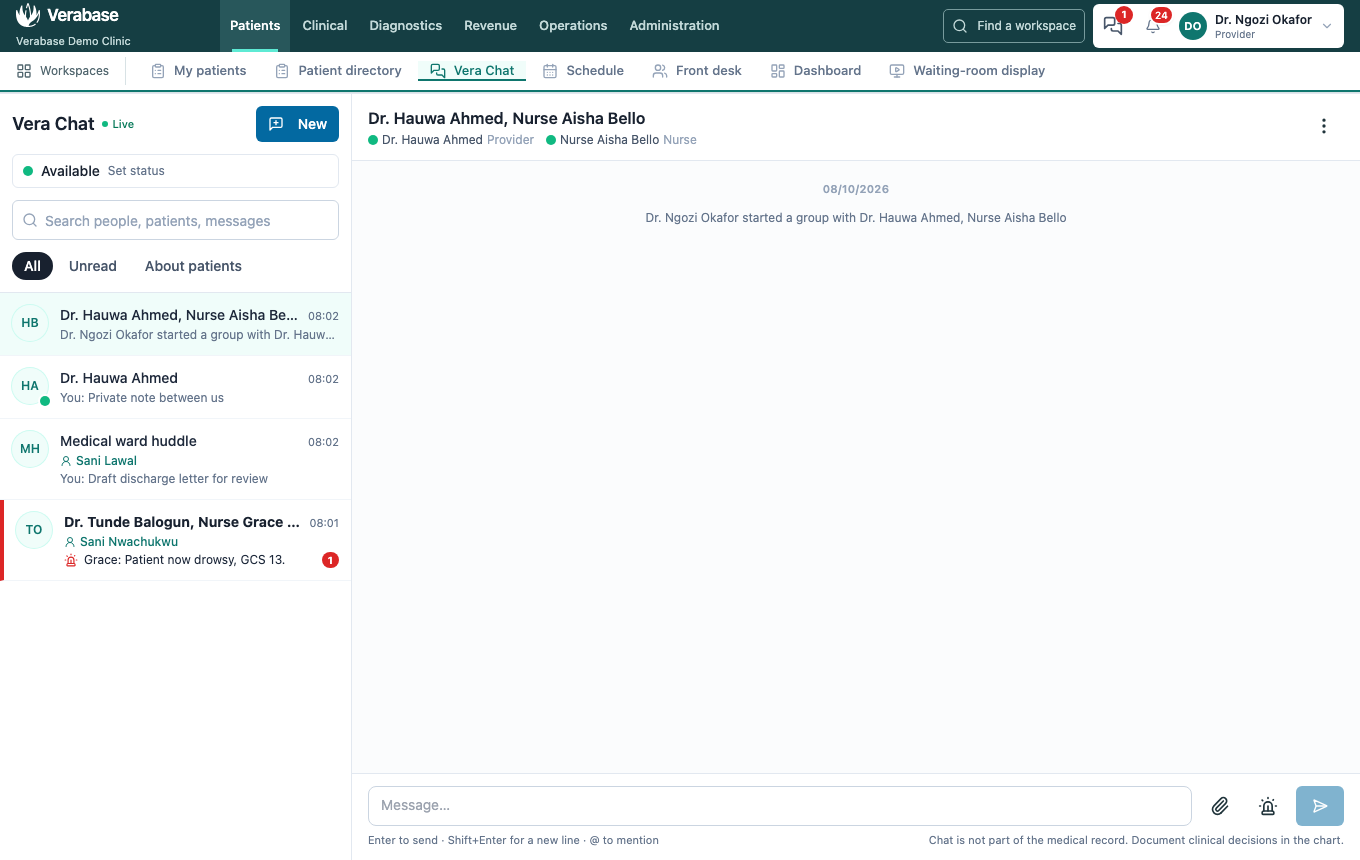
5. Adding someone to a one-to-one starts a new group
In a one-to-one, Add people starts a new group with the same patient attached. Your private one-to-one messages stay where they were.
You're done when…
- [ ] The colleague you added is in the group, and a line records it.
- [ ] The patient strip shows the patient you attached.
- [ ] The PDF opens from the thread.
- [ ] The forwarded copy shows who originally wrote it, with no patient attached.
Practice task
Attach a patient to a group that has none, share a PDF, and forward it to a colleague with a note. Check: the trainer sees the patient strip, the PDF, and Forwarded · originally from on the colleague's screen.