Appearance
FAC-CHAT-08 · Voice and video calls
In a one-to-one conversation, the phone and camera buttons call the other person. Calls ring wherever they are in Verabase. Audio and video go directly between the two browsers, or through the hospital's relay when the network needs it, encrypted end to end. Verabase never hears or sees the call.
Steps
1. Call — as Nurse
Open a one-to-one conversation and choose Voice call or Video call. The browser asks once for the microphone (and camera).
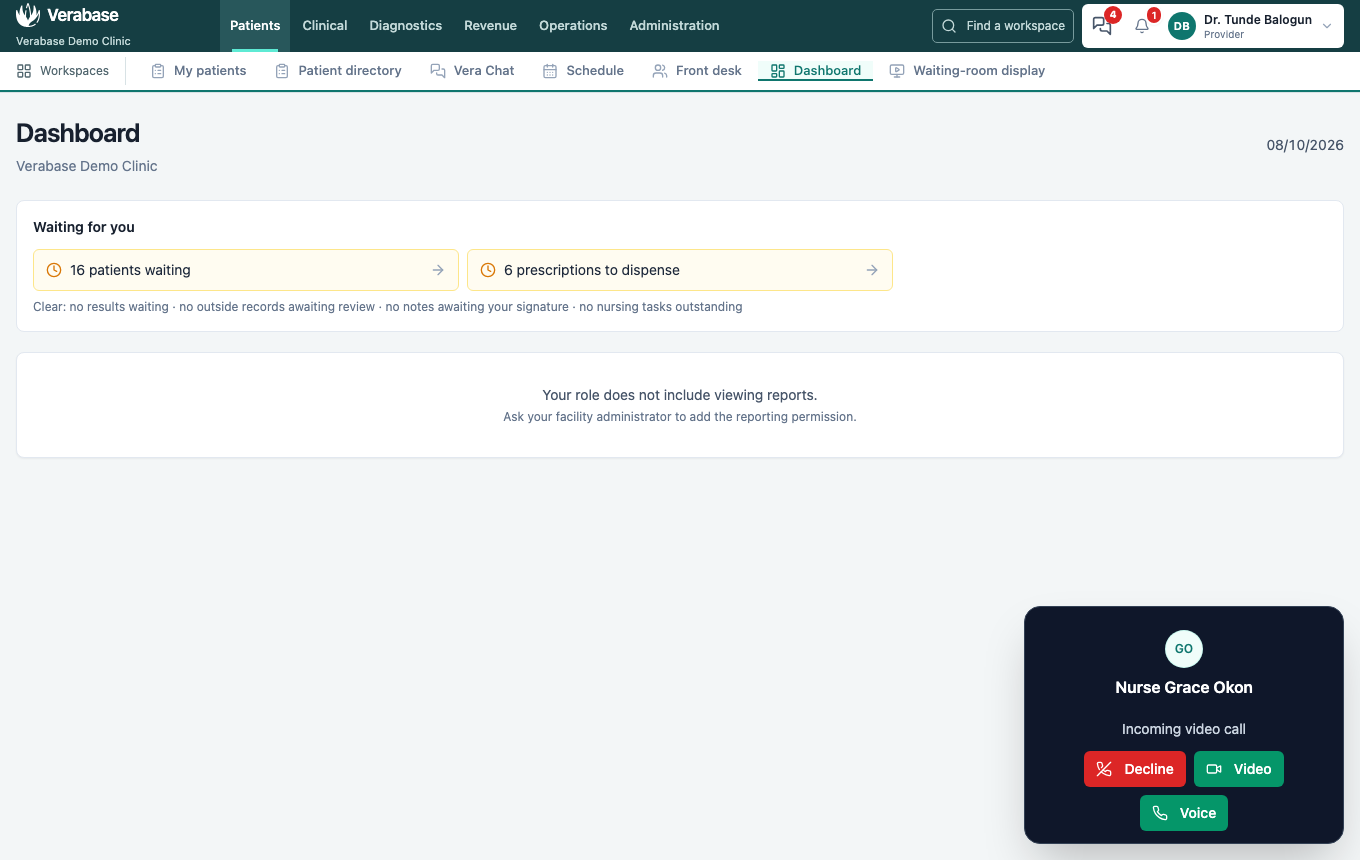
2. Answer — as Provider
The call rings with a soft tone. Choose Video, Voice (audio only) or Decline. Unanswered calls stop ringing after 45 seconds.
3. Talk
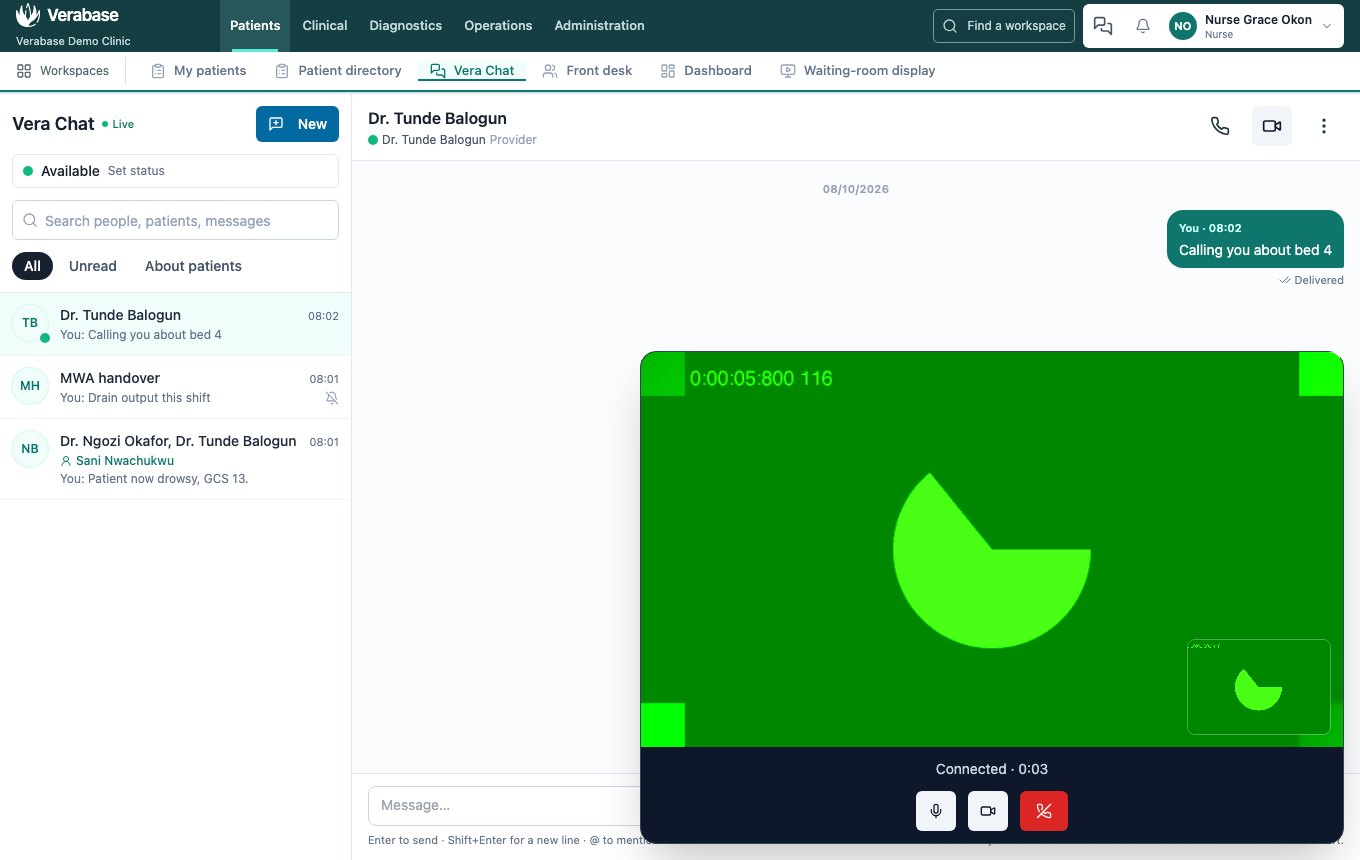
Mute, turn the camera off, or hang up from the call window. Closing the tab hangs up too.
4. The conversation records the call
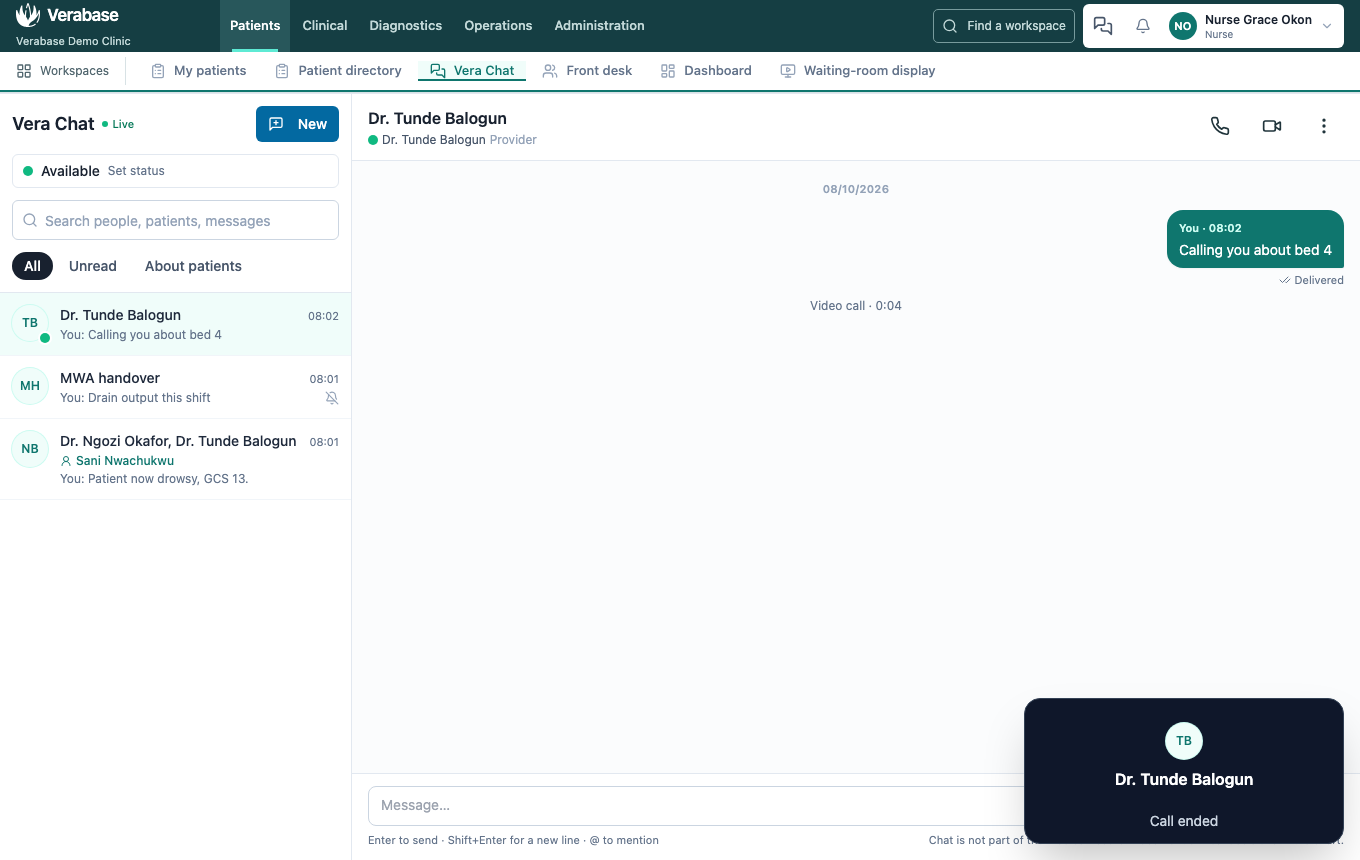
Video call · 2:31, Missed voice call from …, … declined a video call. Only that the call happened and how long it lasted, never what was said.
For implementers
Calls go peer to peer and fall back to the shared TURN relay (coturn) beside the control plane. The relay is reached as turns:turn.<domain>:443 through Caddy, so hospital networks need no changes. Each relay password lasts 10 minutes and names the tenant and person. Setup: cloud-platform/infra/docker/docker-compose.turn.yml. To check a network, set localStorage["vera-chat-relay-only"]="1" and run __veraCallStats() in the browser console during a call; it returns relay when the relay carries the call.
You're done when…
- [ ] The call connects and both sides see video.
- [ ] After hanging up, the conversation shows Video call · m:ss.
Practice task
Make a voice call to a colleague, mute and unmute, then hang up. Check: the trainer sees Voice call · m:ss in the conversation.