Appearance
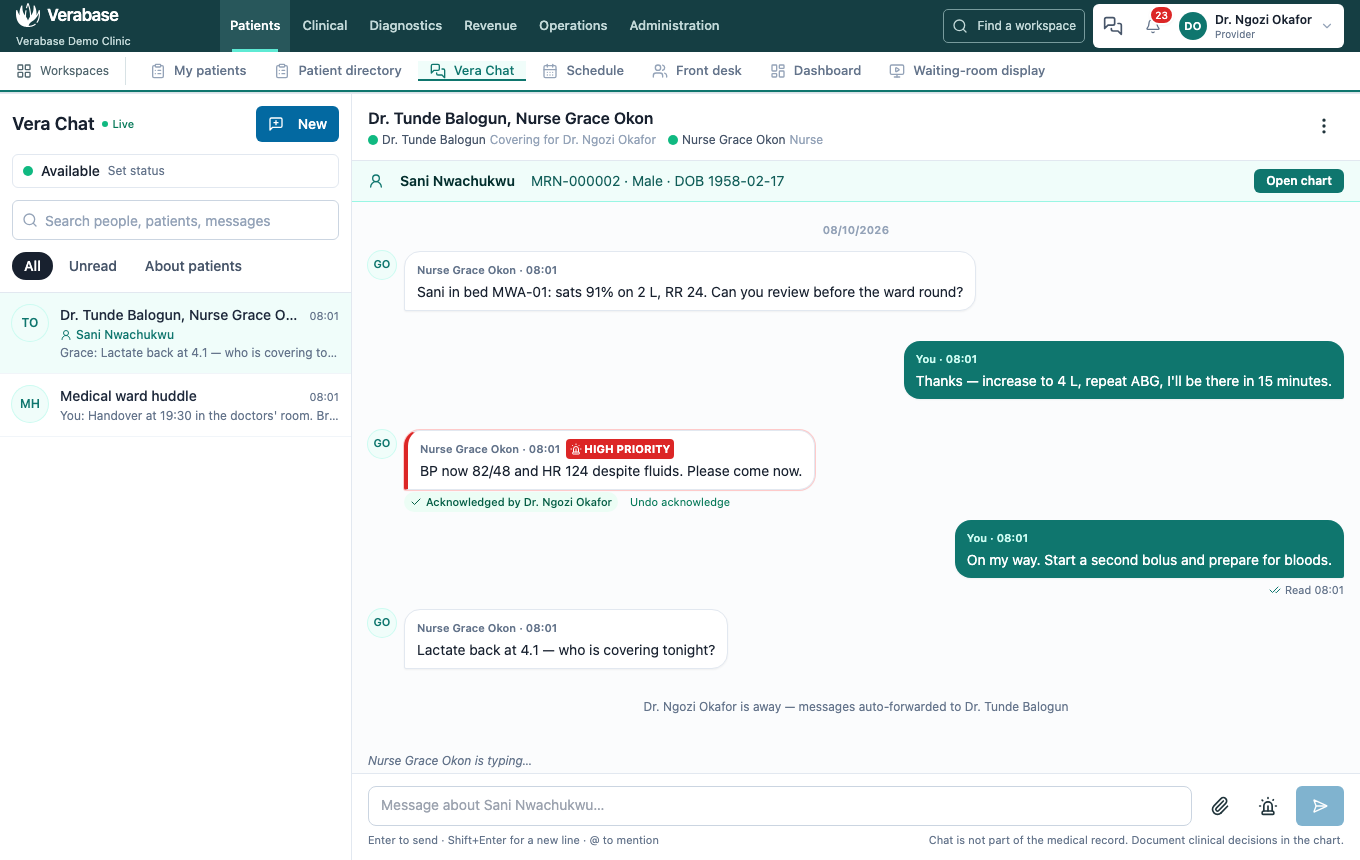
FAC-CHAT-03 · Messages, typing and alerts arrive live
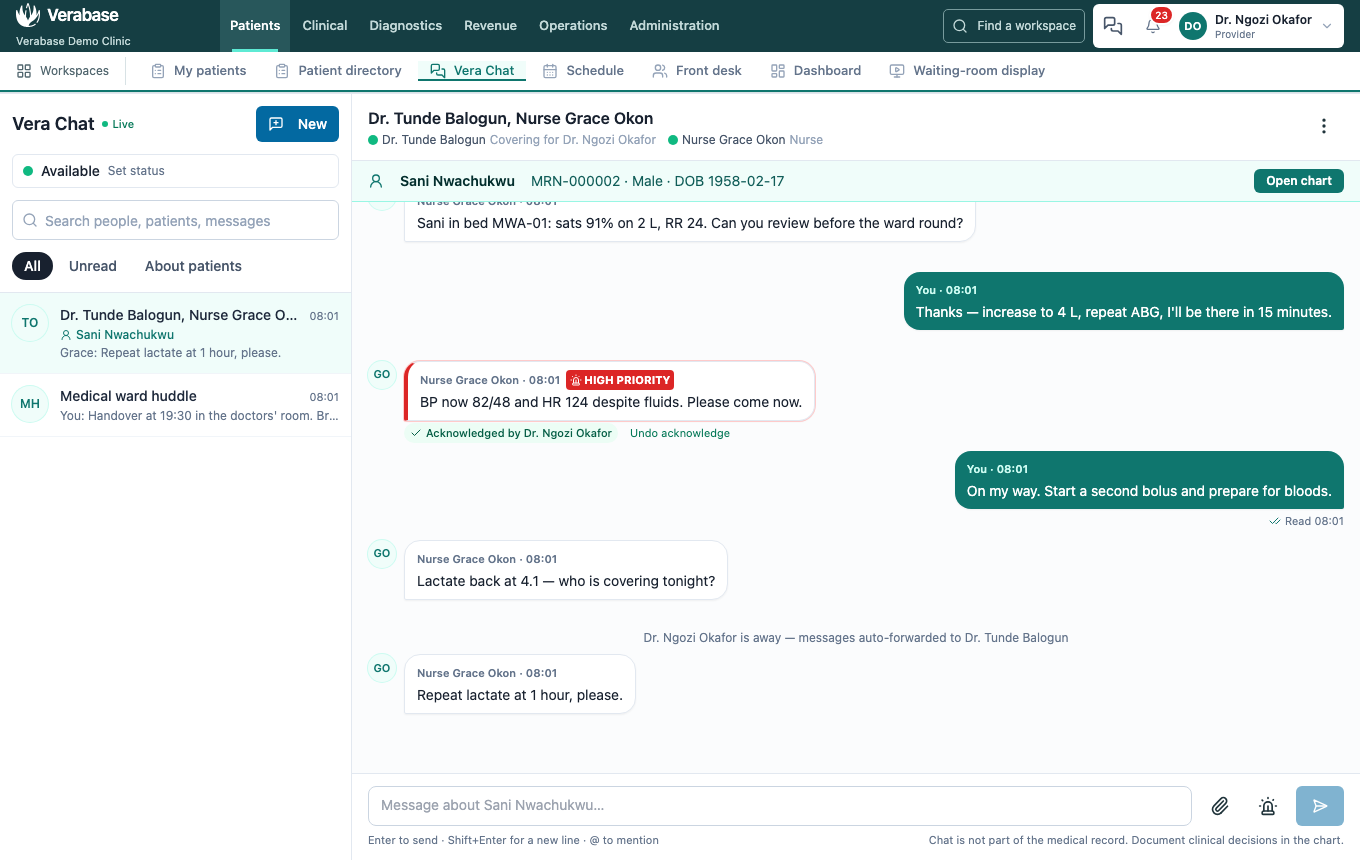
Vera Chat pushes changes to your screen as they happen: new messages, "is typing…", read receipts, acknowledgements and the header badge. The push runs over Verabase's own connection to the hospital's server, with no outside notification service.
Before you start
- Two people signed in at once, e.g. Nurse Grace Okon (
nurse.okon@demo-clinic.test) and Dr. Ngozi Okafor (dr.okafor@demo-clinic.test), passwordVerabase-2026. - The conversation from FAC-CHAT-01.
Steps
1. Check you're live
Next to the Vera Chat title, ● Live means changes arrive the moment they happen. Reconnecting… means the connection dropped (a network blip, or the browser was asleep). Chat still works in that state; screens refresh every few seconds instead, and Vera reconnects on its own.
2. Typing and messages appear at once — as Provider, while the nurse types
"Nurse Grace Okon is typing…" appears under the thread as she types, and her message appears when she presses Enter. Her screen changes to Read as soon as it's on yours.
3. Turn on desktop alerts
On the chat page, Turn on under your status lets the browser show an alert when a message arrives while you're in another screen or tab. Clicking the alert opens the conversation. High-priority alerts stay on screen until you dismiss them. Muted conversations don't alert unless the message is high priority, and you're never alerted about the conversation you're looking at.
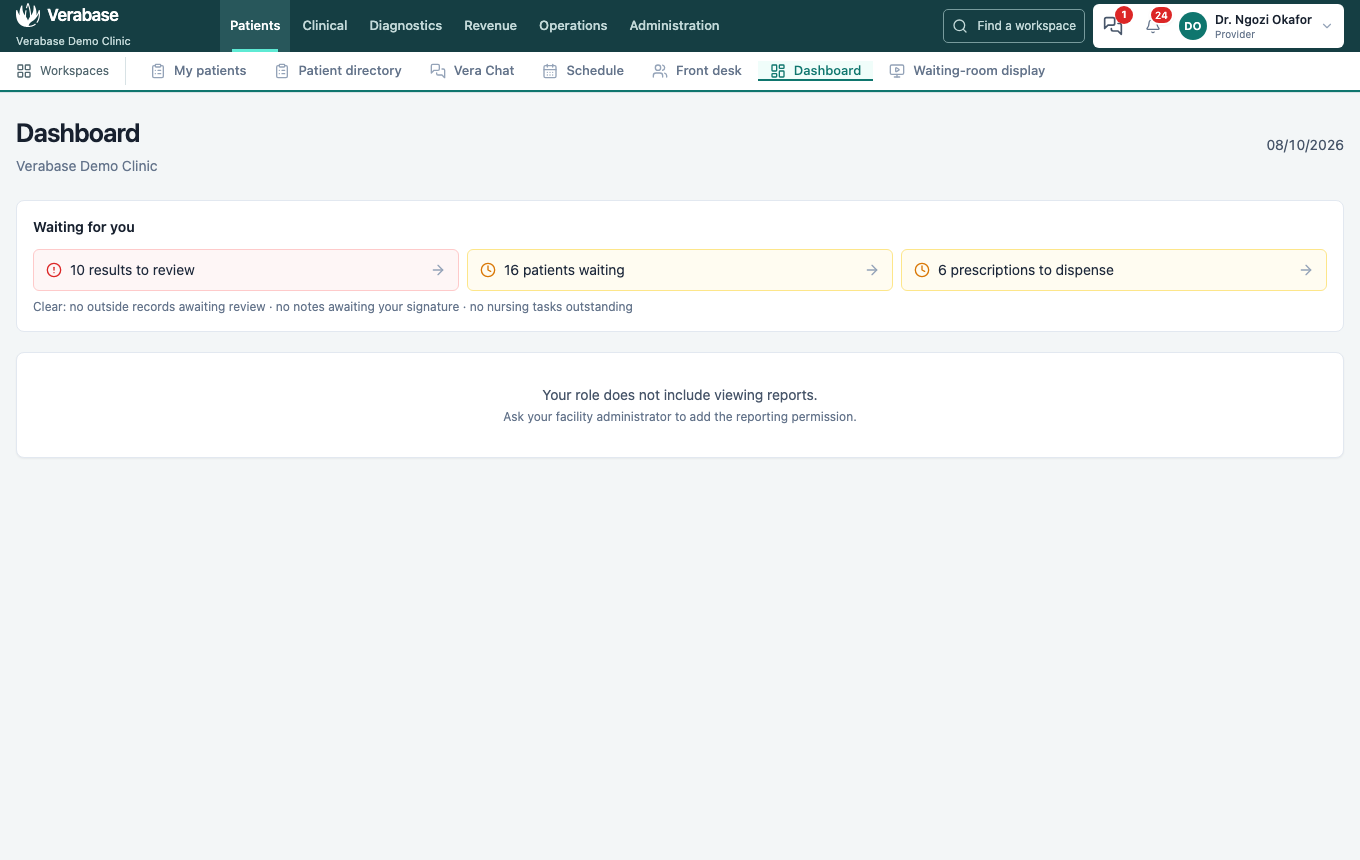
4. Elsewhere in Verabase, the badge still moves — as Provider, on the dashboard
A high-priority message turns the chat icon red straight away, and raises a desktop alert if you turned them on.
For implementers
The live channel is GET /chat/events on the tenant server, using Server-Sent Events. Each stream closes after five minutes and the browser reconnects with its current sign-in, so a revoked session stops receiving events within five minutes. Events say only what changed; screens then re-read through the normal, permission-checked endpoints. Behind a reverse proxy, leave response buffering off for text/event-stream (Caddy's default). One tenant-server process per tenant is assumed; deployment instructions are in cloud-platform/deploy/vps/M8-PILOT.md.
You're done when…
- [ ] Both screens show ● Live.
- [ ] A message, and the typing indicator before it, appear on the other screen without a refresh.
- [ ] A high-priority message turns the chat icon red on a screen outside chat.
Practice task
Open the same conversation as two different people in two browser windows. Type and send from one. Check: the trainer sees "is typing…" and then the message on the other window within a second or two, and Read appear on the sender's message.