Appearance
FAC-CHAT-04 · Group chats from who's on duty, photos, and a tidy list
When you don't know who's covering tonight, On duty now lists everyone rostered on each unit at this moment, with on-call cover marked. Start a group with them, share a photo, and keep your conversation list manageable with names, search, mute and mark-as-unread.
Before you start
- Nurse:
nurse.okon@demo-clinic.test/Verabase-2026(Nurse Grace Okon). Later,nurse.musa@demo-clinic.test(Nurse Ibrahim Musa). - The demo seed puts a ward nurse and an on-call registrar on Medical Ward A, and a nurse and on-call anaesthetist on HDU, for the current shift.
Steps
1. Start a group from On duty now — as Nurse
Vera Chat → New → On duty now. Each unit lists who is rostered right now, their role, whether they're on call, and when their shift ends. Choose people, give the group a name and write the first message.
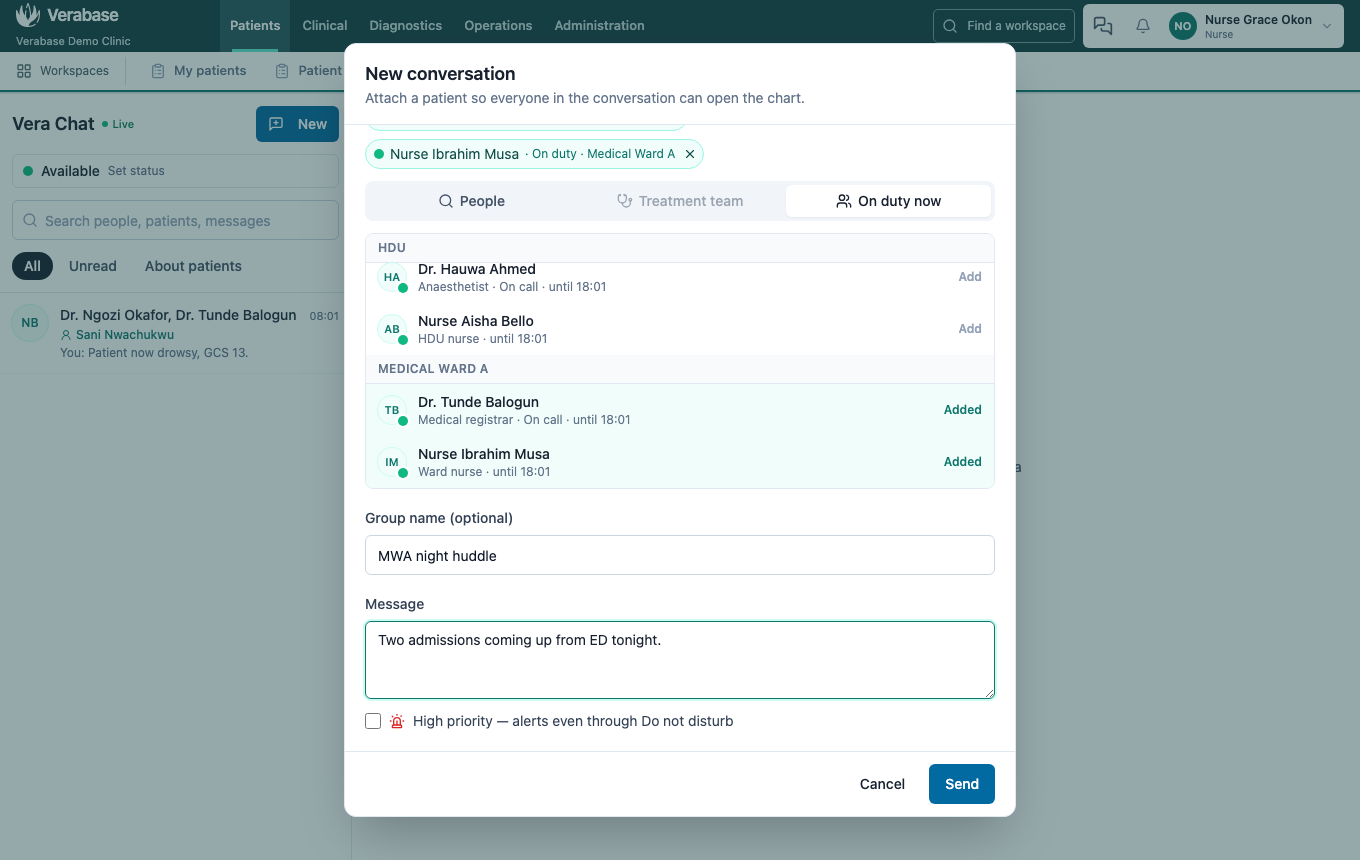
Each person is labelled with why they're there (On call · Medical Ward A), so everyone in the group can see who is covering what.
2. Share a photo
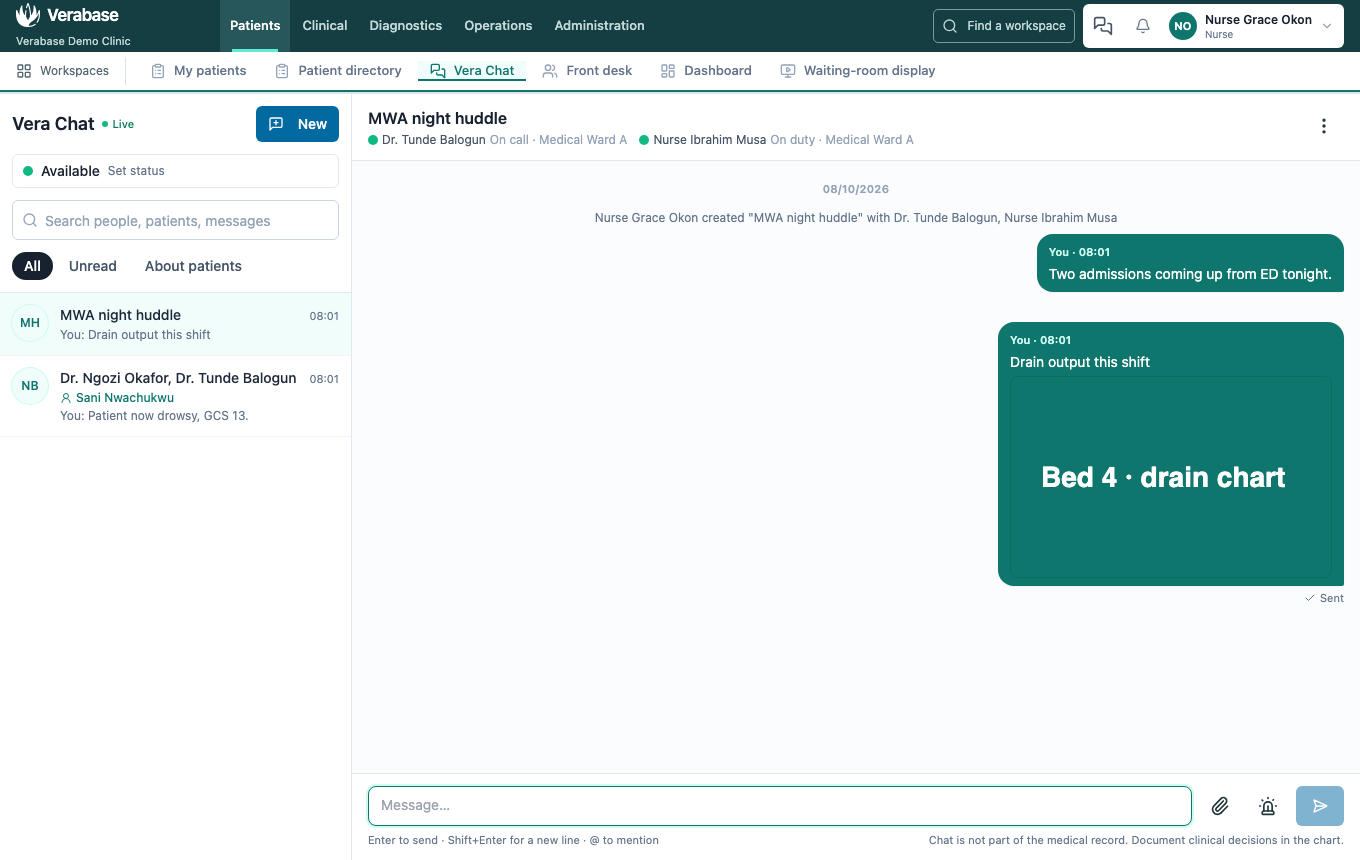
Use the paperclip to attach a photo (PNG, JPEG, WebP, GIF) or a PDF, up to 5 MB, add a caption, and send. Photos show in the thread; click one to open it full size.
3. Rename, search, mute and mark as unread
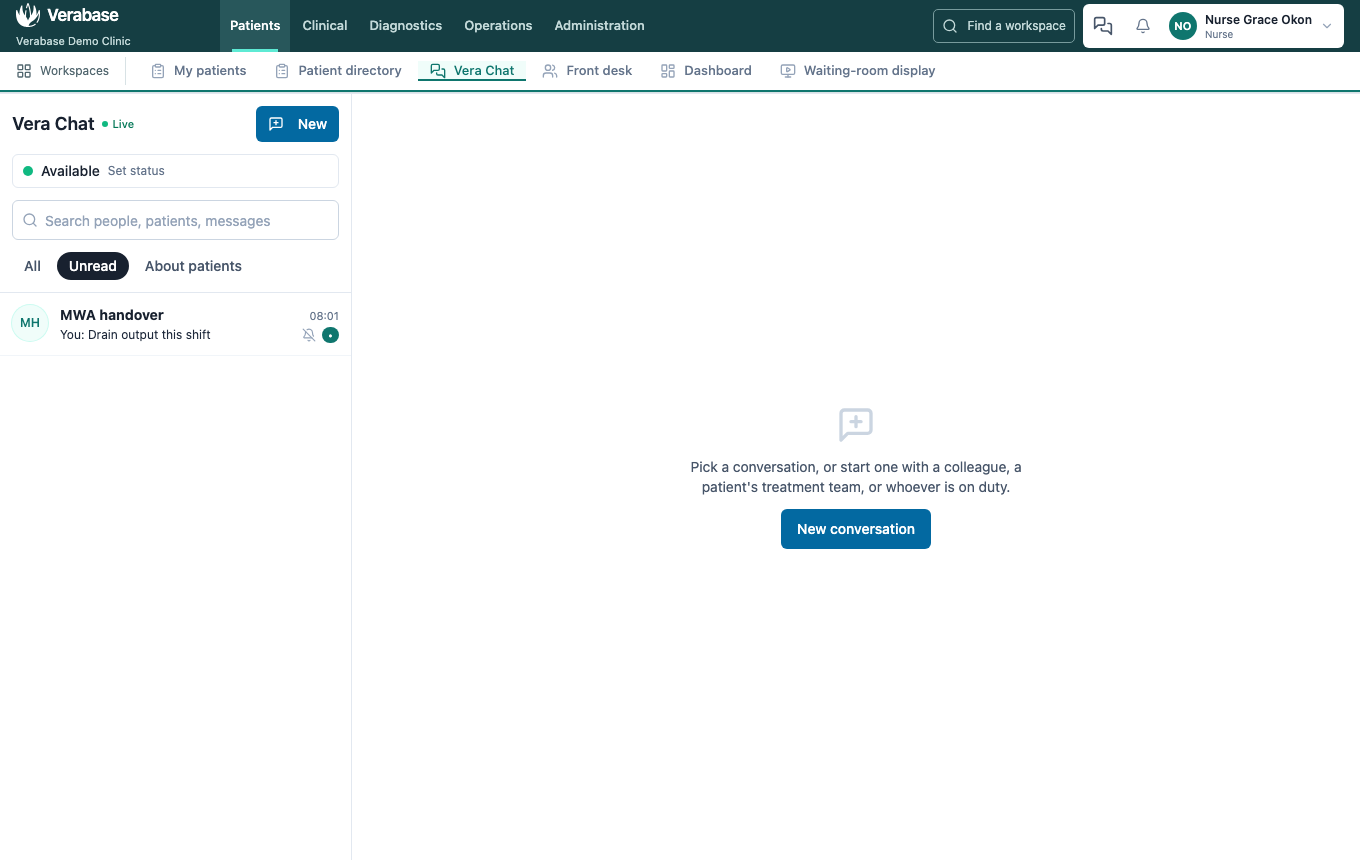
From ⋮: Rename the group (everyone sees a line recording it). Search finds conversations by name, people, patient or message text. Mute stops normal messages counting towards your badge; high priority still gets through. Mark as unread keeps it under Unread until you open it again.
4. Leave a group — as the ward nurse
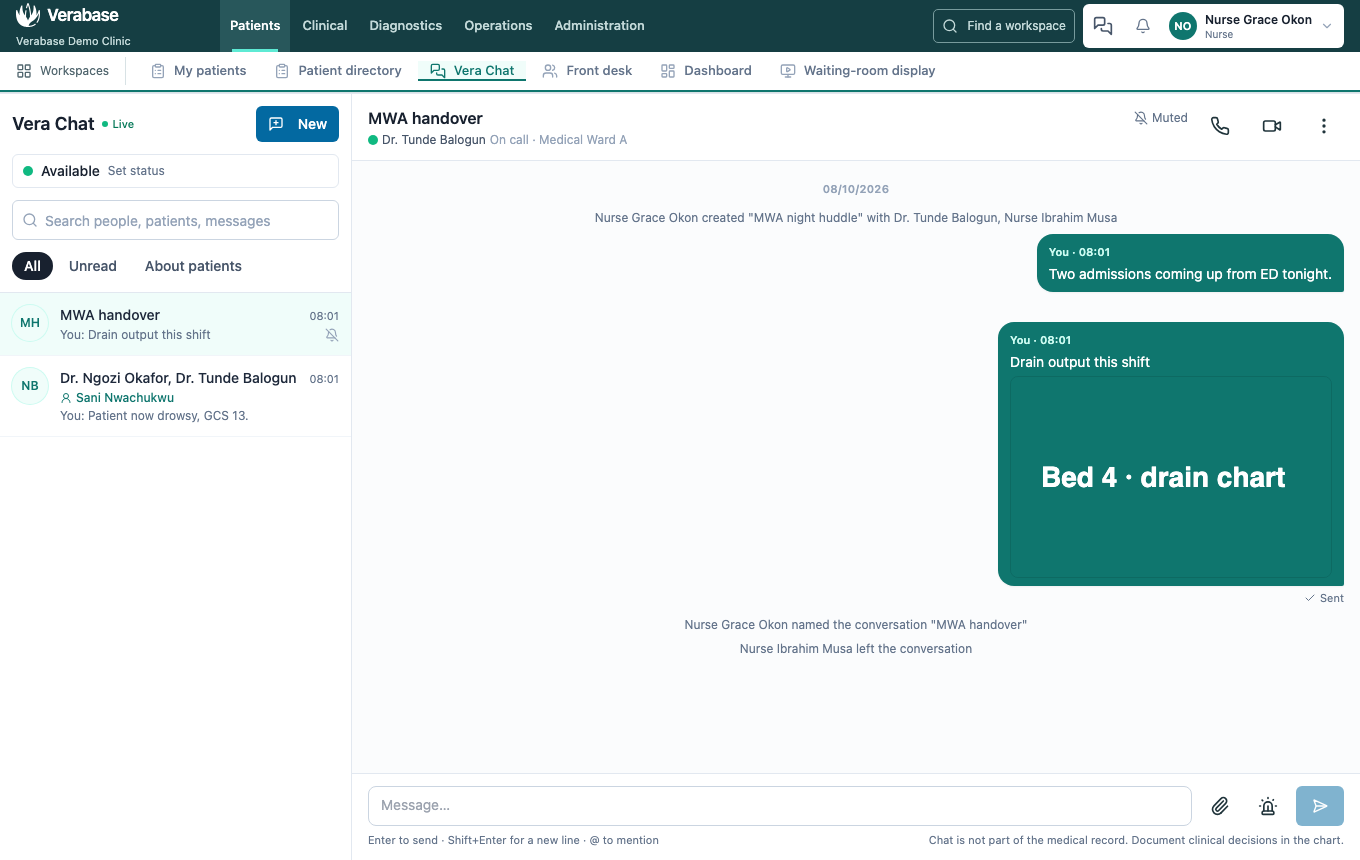
⋮ → Leave conversation. The group disappears from your list and the others see that you left. A one-to-one conversation can't be left; mute it instead.
You're done when…
- [ ] A named group exists with the on-call registrar and the ward nurse, each labelled with their duty.
- [ ] The photo shows in the thread.
- [ ] The renamed group is muted and listed under Unread, even after a reload.
- [ ] The nurse who left no longer sees it, and the others see the line recording it.
Practice task
Start a group with whoever is on call for HDU, share a photo of a (blank) observation chart, rename the group, then mute it. Check: the trainer sees the duty labels beside each name, the photo in the thread, and the muted icon in the list.