Appearance
FAC-CHAT-05 · @mention someone, correct a message, and recall one sent by mistake
In a busy group, @mention the person who needs to act: they're alerted even if they muted the conversation. If you got something wrong, you have 15 minutes to edit or recall your own message. After that, send a correction.
Before you start
- Provider:
dr.okafor@demo-clinic.test; Nurse:nurse.musa@demo-clinic.test; passwordVerabase-2026. - The seeded Medical ward huddle group, which Nurse Ibrahim Musa has muted.
Steps
1. Mention someone — as Provider
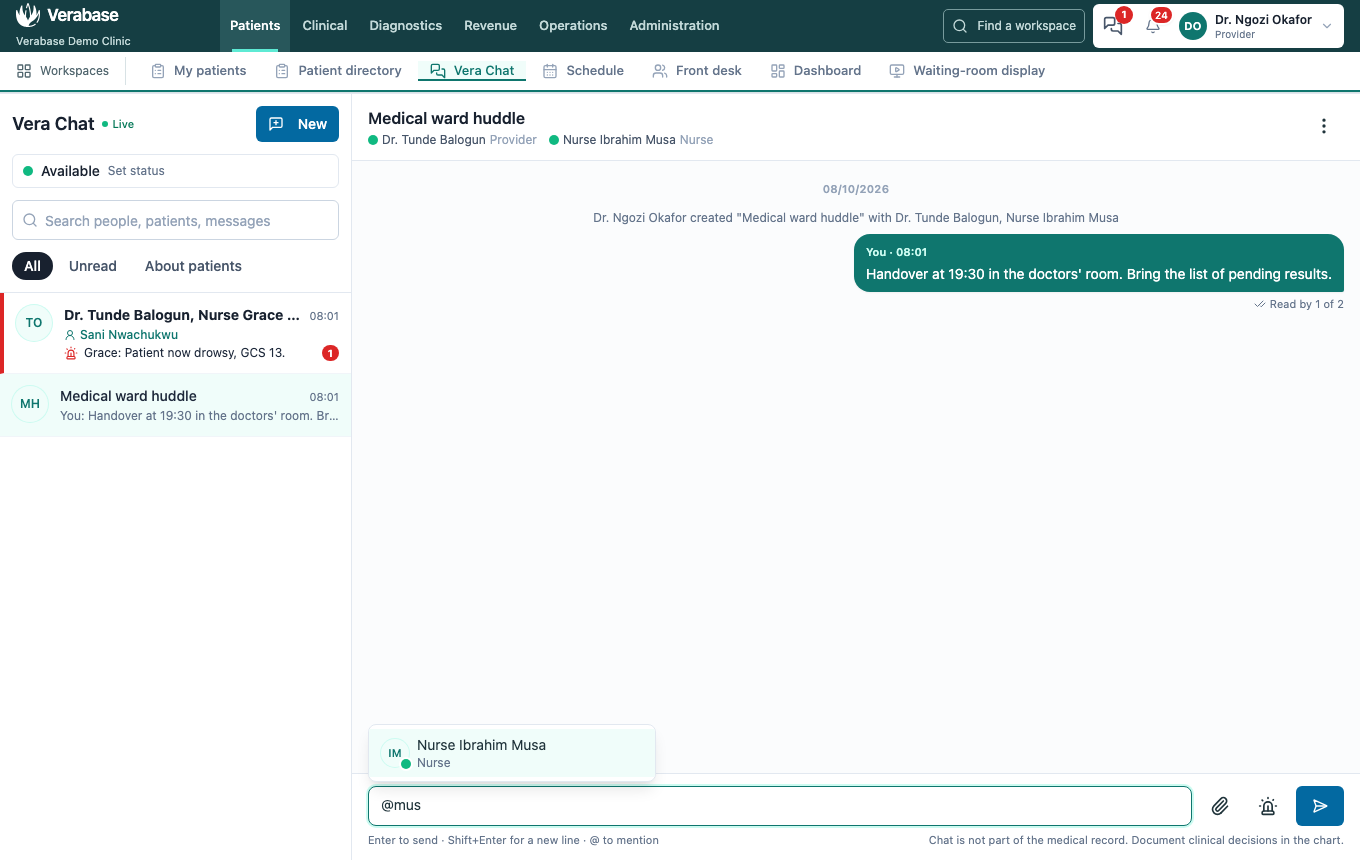
Type @ and the start of a name. Pick the person with the mouse, or with ↑ ↓ and Enter. Only people in the conversation can be mentioned; add someone first if they aren't.
2. Correct a message
Hover your message and choose Edit. Change it and press Enter (Esc cancels). It shows edited, and anyone in the conversation can click that to see the earlier wording, because someone may already have acted on it.
3. Recall a message sent by mistake
Hover your message and choose Recall, then confirm. Everyone sees Message recalled by… in its place. The text and any attachment are gone for everyone, and the bell alert it raised is withdrawn.
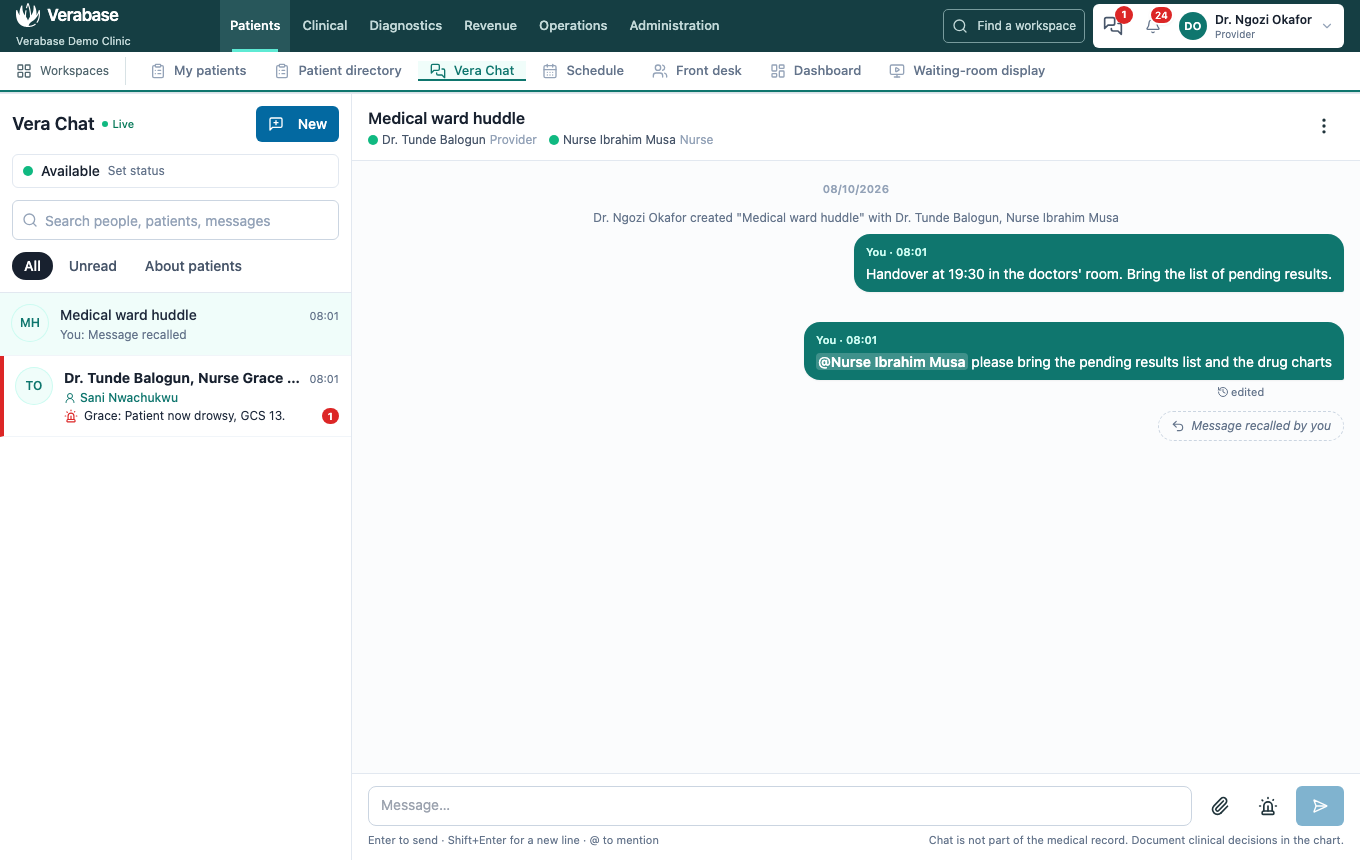
Recall can't undo a message someone has already read, or anything they did because of it. If it mattered clinically, follow up in person and correct the chart. Verabase keeps the original in its audit record; it is never shown in chat.
After 15 minutes, Edit and Recall disappear. Send a correction as a new message instead.
4. The mention gets through — as Nurse
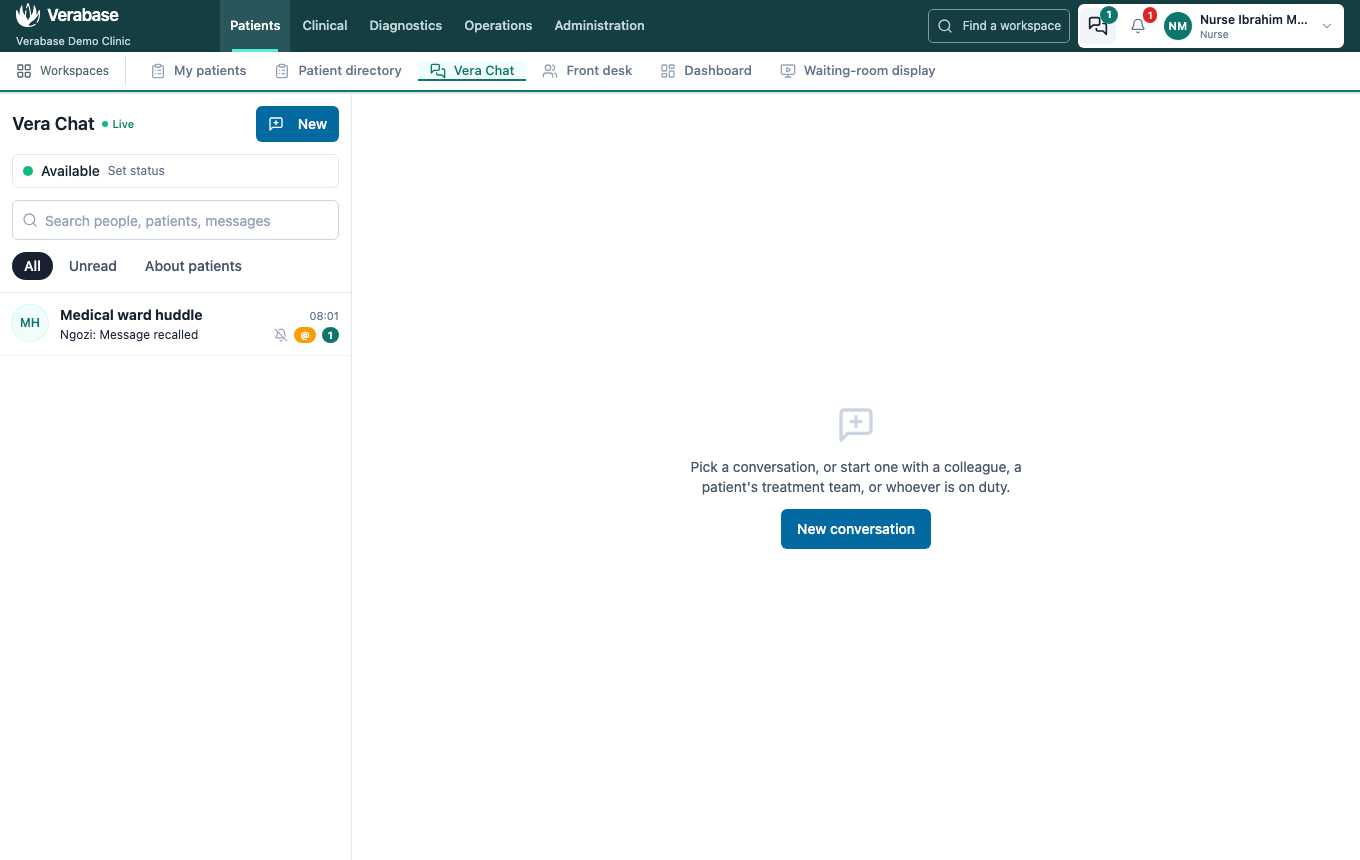
Even with the huddle muted, the chat icon counts the mention, the bell shows Dr. Ngozi Okafor mentioned you, and the row carries an amber @.
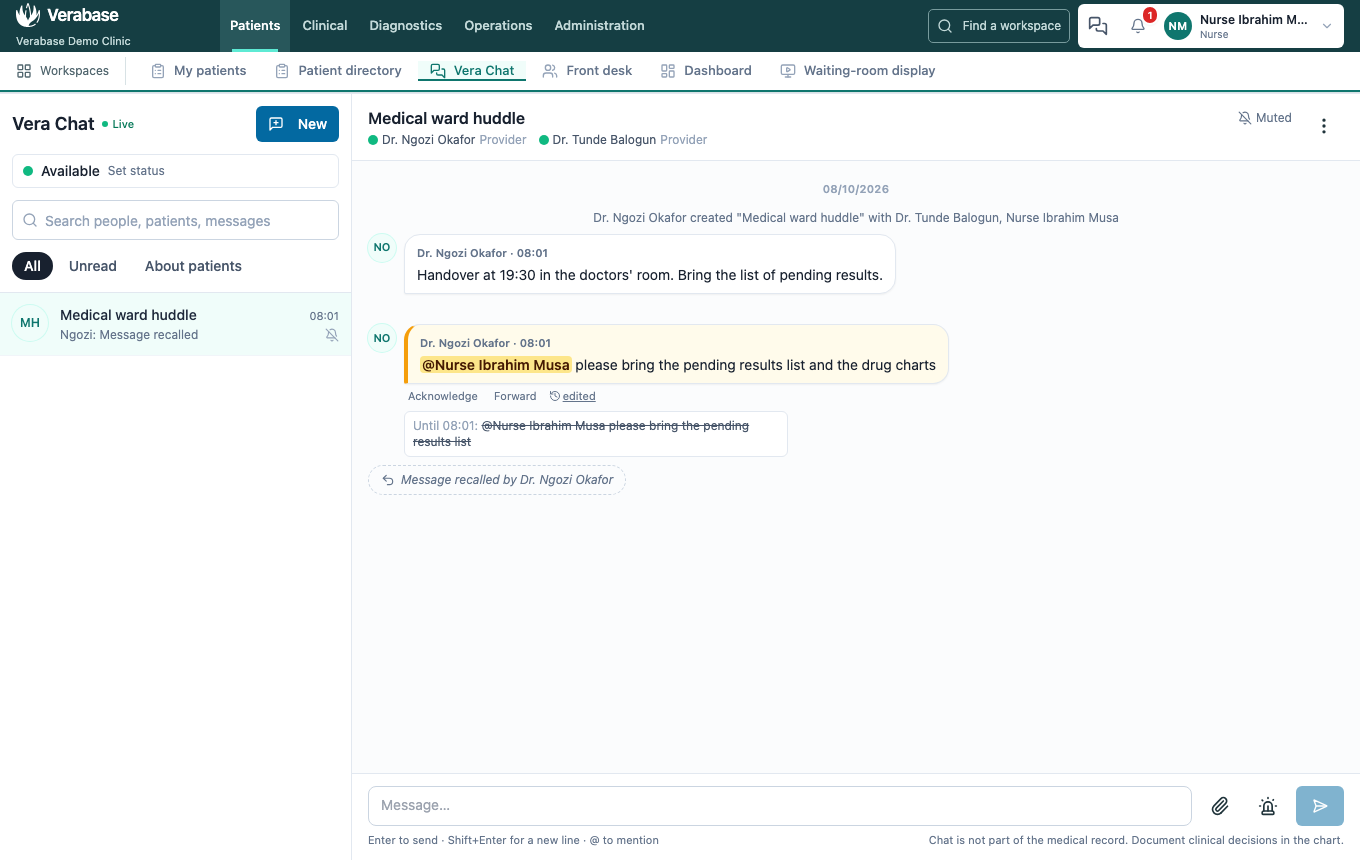
In the thread, your name is highlighted in the message. edited shows what it said before, and the recalled message shows only who recalled it.
You're done when…
- [ ] Your message shows the person's name highlighted as a mention.
- [ ] The corrected message shows edited, with its earlier wording behind it.
- [ ] The wrong message reads Message recalled by you, and its text appears nowhere.
- [ ] The mentioned colleague sees the mention despite having muted the conversation.
Practice task
In a group, mention one colleague with a request, edit the message to add a detail, then send and recall a second message. Check: the trainer sees the highlighted mention and the edited history on the colleague's screen, and only the recall marker for the second message.