Appearance
FAC-GOV-03 · Notifiable disease register and IDSR reconciliation
The Provider records the infection-control entry. The Facility Admin reviews the register, opens the source, and exports a CSV for the facility's reporting process. Saving an entry or downloading the CSV does not submit a notification to an external authority.
Before you begin
Use synthetic patients for practice. The capture's suspected condition and notification reference are training examples. For real patients, follow the facility's clinical and notification process when choosing precautions, marking a condition notifiable, and clearing precautions.
Steps
Provider: record the source
- Find the patient in Patients → Patient directory and open their record.
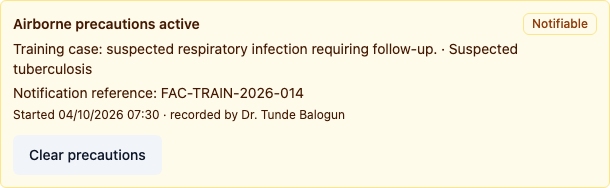
- In Infection prevention & control, select the precaution and record the reason and suspected condition.
- Select Condition is notifiable and enter the notification reference if one is already available.
- Select Start precautions. Confirm the condition, reference, recorded time and your name appear on the active entry.
Facility Admin: reconcile the active entry
- Open Reports and set Start date and End date for the reporting period. The register uses the source entry's start time and the facility timezone to select records.
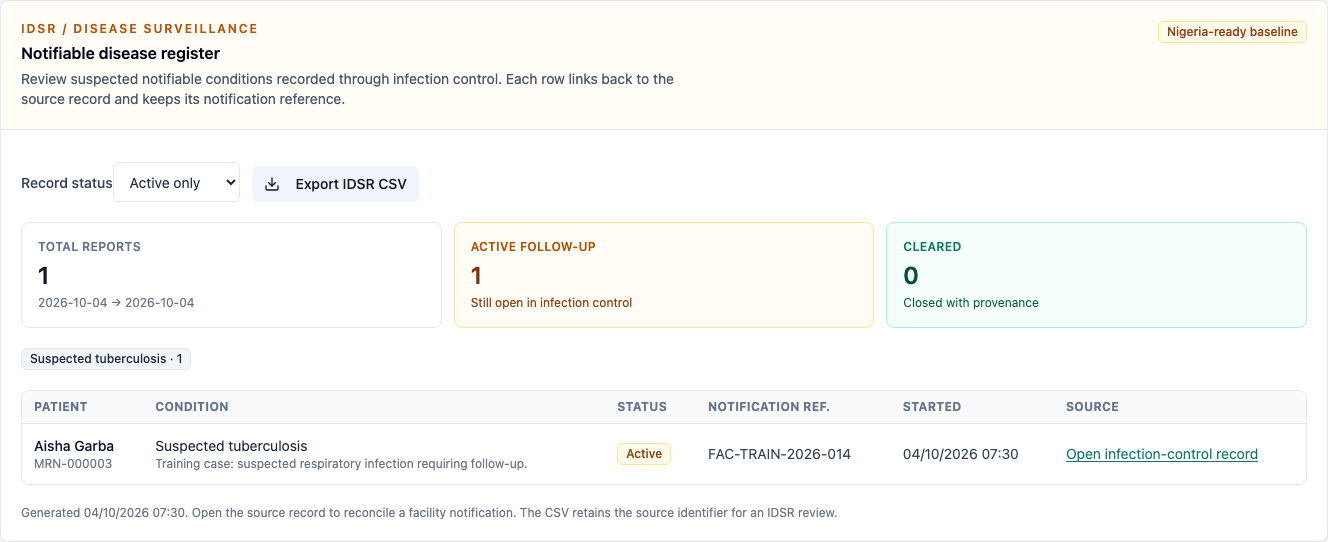
- Under Notifiable disease register, select Active only.
- Check the patient and patient number, condition, reason, notification reference and start time.
- Select Open infection-control record to view the matching source entry and its author.
Provider and Facility Admin: reconcile clearance and export
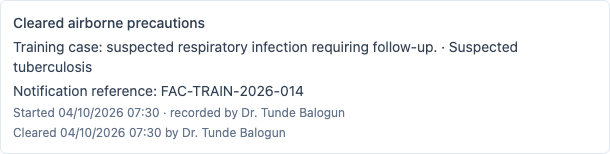
- When the clinical decision has been made, the Provider returns to the patient record and selects Clear precautions. The original entry remains in the history with its recorded and cleared provenance.
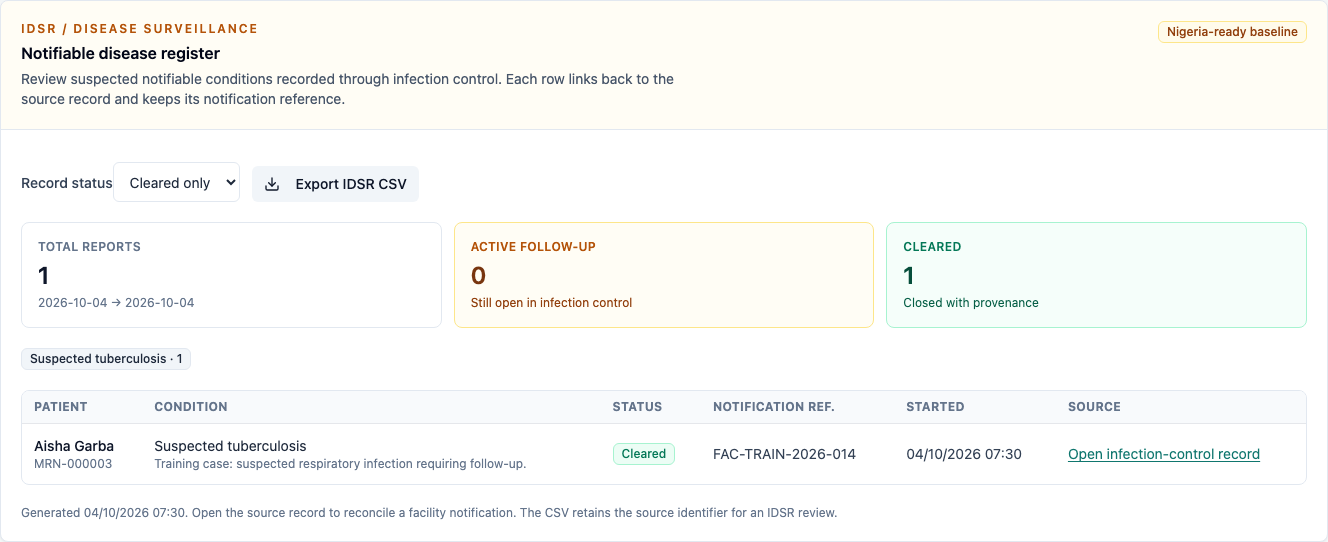
- The Facility Admin returns to the same reporting period. Active only excludes the cleared entry; Cleared only includes it with its notification reference retained.
- Select Export IDSR CSV. Check the patient, condition, status, reference, recorded author and source identifier in the file.
- Open the cleared source from the register to reconcile it with the preserved history.
You're done when
- The Provider's notifiable entry appears in the correct facility and reporting period.
- The register links to the matching active or cleared source entry.
- Clearing precautions preserves the condition, reference and author/time provenance.
- The exported CSV matches the selected period and status filter.
Practice task
Record a notifiable entry on synthetic training data, then have a second person find it in the register and open its source. Clear it as the Provider and confirm it moves from the active filter to the cleared filter. Compare the exported CSV with the preserved source.
Evidence
The capture runs on a fresh synthetic guide seed as Dr. Tunde Balogun (Provider) and Facility Admin. It checks both source links, the active/cleared filters, and the downloaded CSV. External notification and submission are outside this browser walk.