Appearance
FAC-PAT-02 · Set up a corporate account and enrol employees and dependents
The Billing Officer configures a corporate plan, imports members using their facility MRNs, links the resulting coverage records to a company account, then prepares that month's retainer invoice.
Why this matters
Corporate retainers use the same patient coverage records as other payer workflows. The company account groups those employee and dependent memberships for a monthly invoice, while the patient share remains zero for this capitation invoice.
Before you start
- Billing Officer:
cashier@demo-clinic.test/Verabase-2026. - The company is listed as an active CORPORATE payer.
- Each employee or dependent has an active patient record and a facility MRN.
- Confirm the contracted monthly member rate and invoice currency before setting up the plan.
Steps
1. Configure the company's capitation plan
Open Revenue → Tariffs & payers. Under Plans & covered benefits, select the corporate payer, add a plan name and code, and save it. Under Monthly capitation, enable capitation, enter the contracted monthly rate, and save.
The corporate account form only lists plans with capitation enabled and a positive monthly rate.
2. Import the employee and dependent roster
In Import member roster, paste one row for each member. Use the facility MRN, a member ID, and EMPLOYEE or DEPENDENT. If you provide effective dates, use ISO datetimes with an explicit timezone, such as 2026-01-01T00:00:00.000Z.
Imported coverage starts as unverified. Confirm eligibility through the facility's coverage verification workflow before relying on it for payer billing. The roster import refreshes the corporate member picker when it completes.
3. Create the company account and link its members
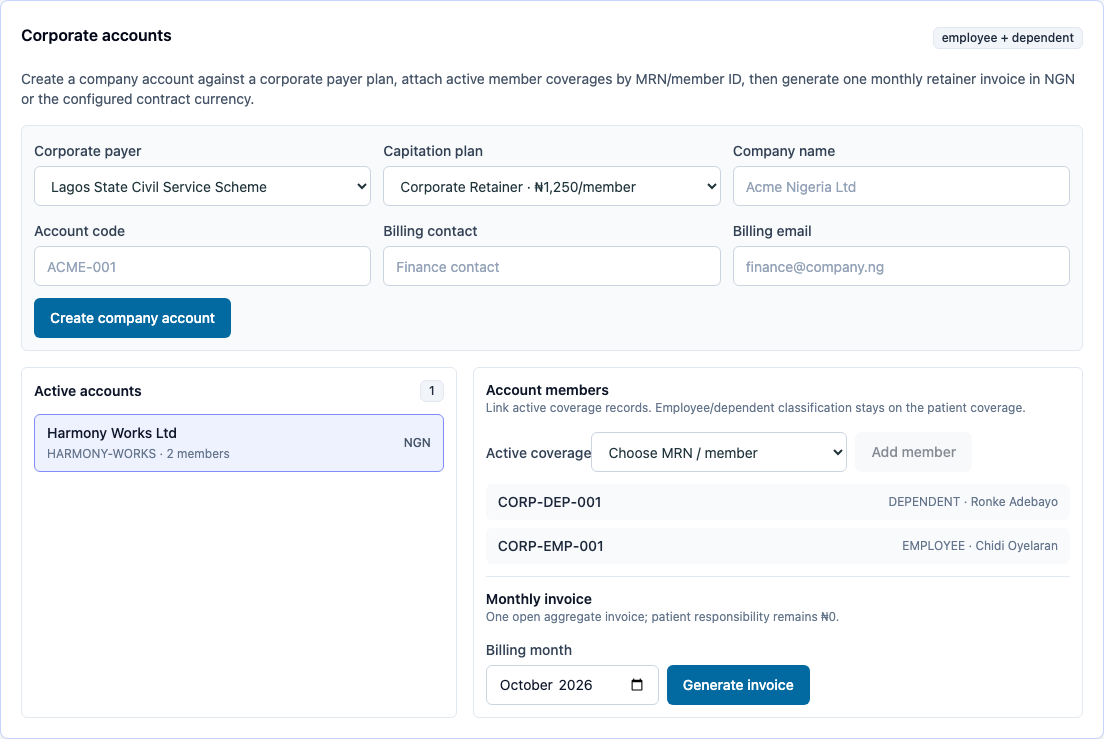
In Corporate accounts, choose the corporate payer and capitation plan. Enter the company name, account code, billing contact and email, then choose Create company account. Select the new account. In Active coverage, choose each employee or dependent member ID and choose Add member.
The account's member list keeps the employee or dependent classification from the coverage record.
4. Generate the monthly invoice
Choose the billing month and select Generate invoice. Verabase prepares one open aggregate invoice for the account and month. Its amount is the monthly member rate multiplied by the enrolled member count; the invoice reports zero patient responsibility.
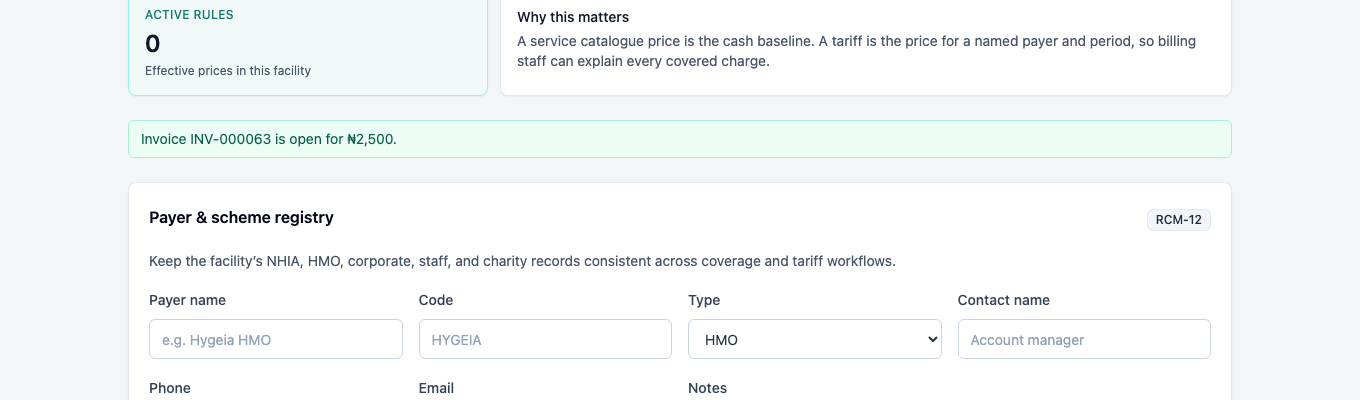
In the browser walk, two members at ₦1,250 each produced an open ₦2,500 invoice.
You're done when…
- [ ] The corporate payer has an active plan with a positive monthly capitation rate.
- [ ] The roster import creates active employee and dependent coverage records from facility MRNs.
- [ ] The company account lists both members with their correct classification.
- [ ] The monthly invoice confirmation shows the invoice number, total and open status.
Practice task
On a fresh demo, import one employee and one dependent from two facility MRNs, link both coverage records to a corporate account, then generate a monthly invoice. Check: the account lists both member types and the invoice total equals twice the plan's monthly rate, with zero patient responsibility.
Related journeys
FAC-BILL-03 Claims and remittances · IMP-04 Prices and payers